
Welcome to Paythepoolman Help Page!
This guide will walk you through our Unpaid Pending Invoice Report.
To find your invoice report, follow these simple steps:
1. Click the "Reports" tab.
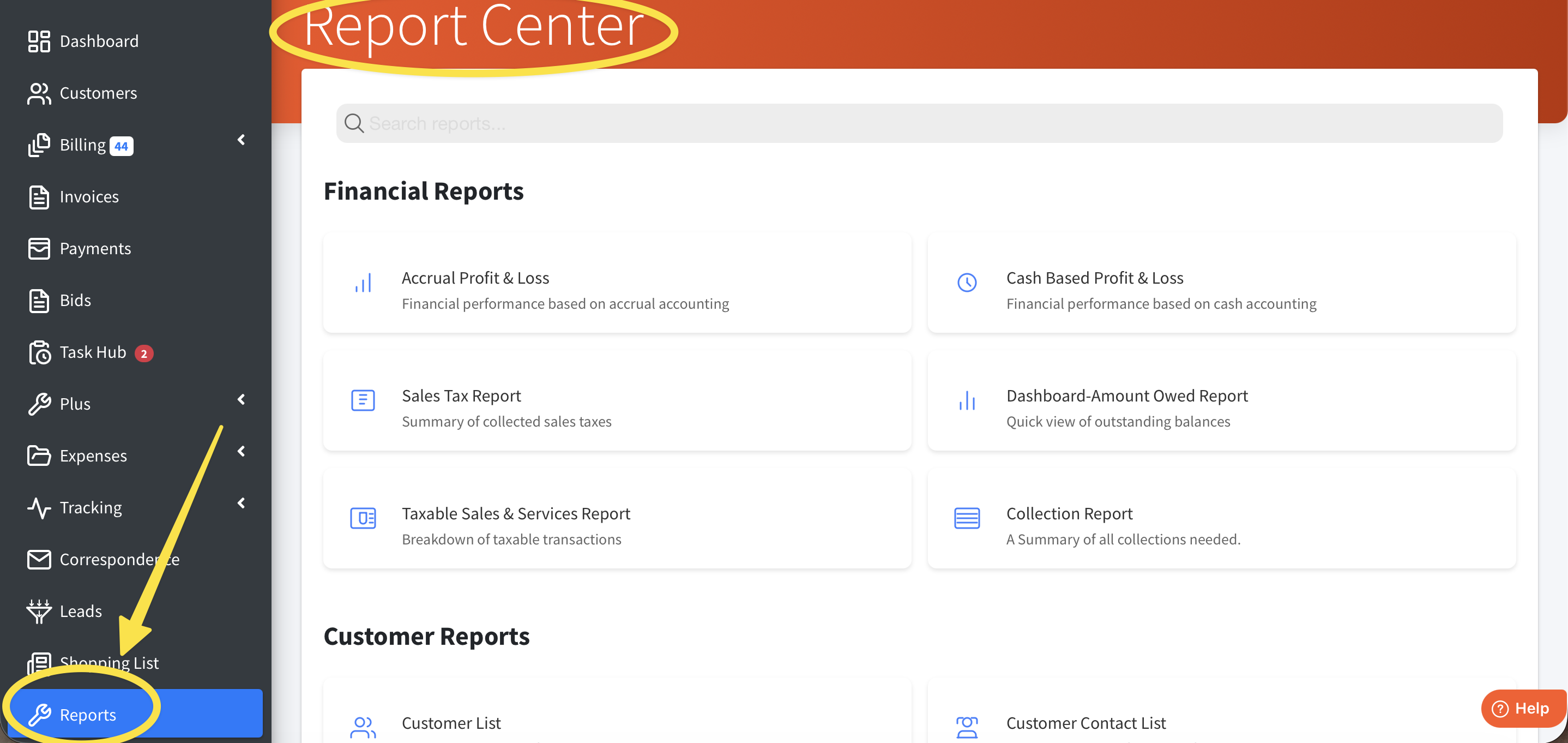
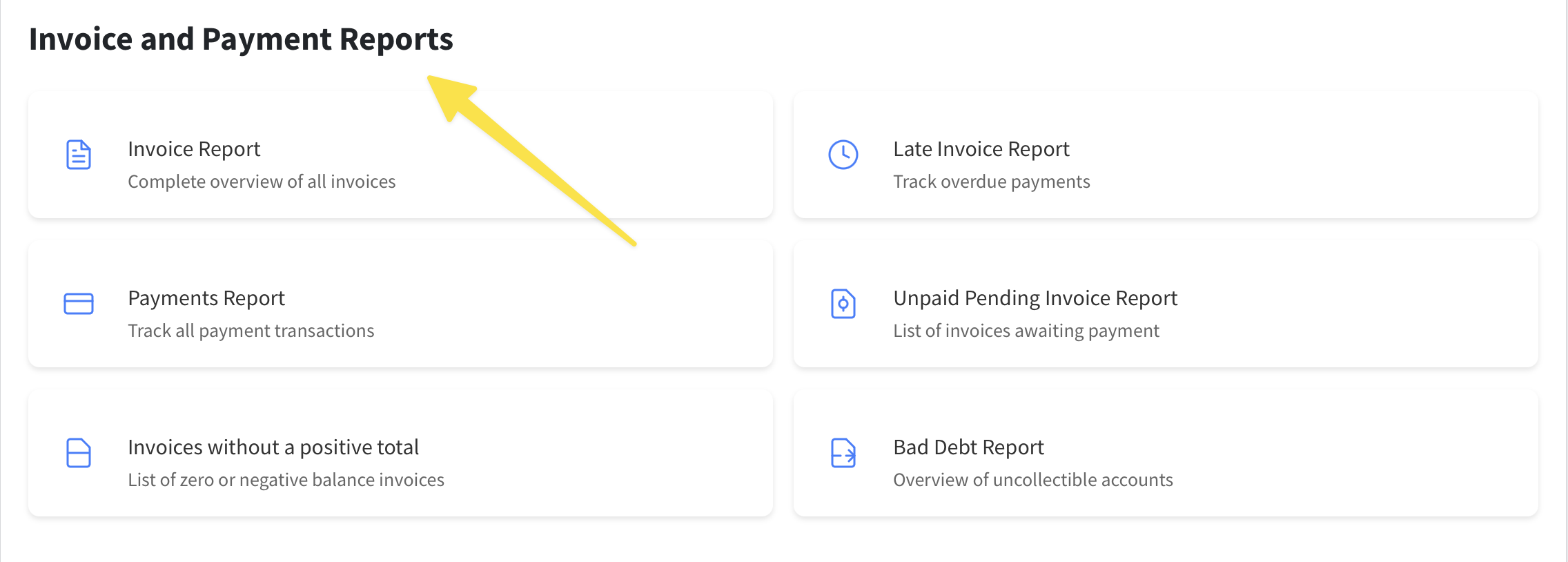
2. Scroll down until you see "Invoice and Payments Reports." Here, you can select exactly where you want to go.
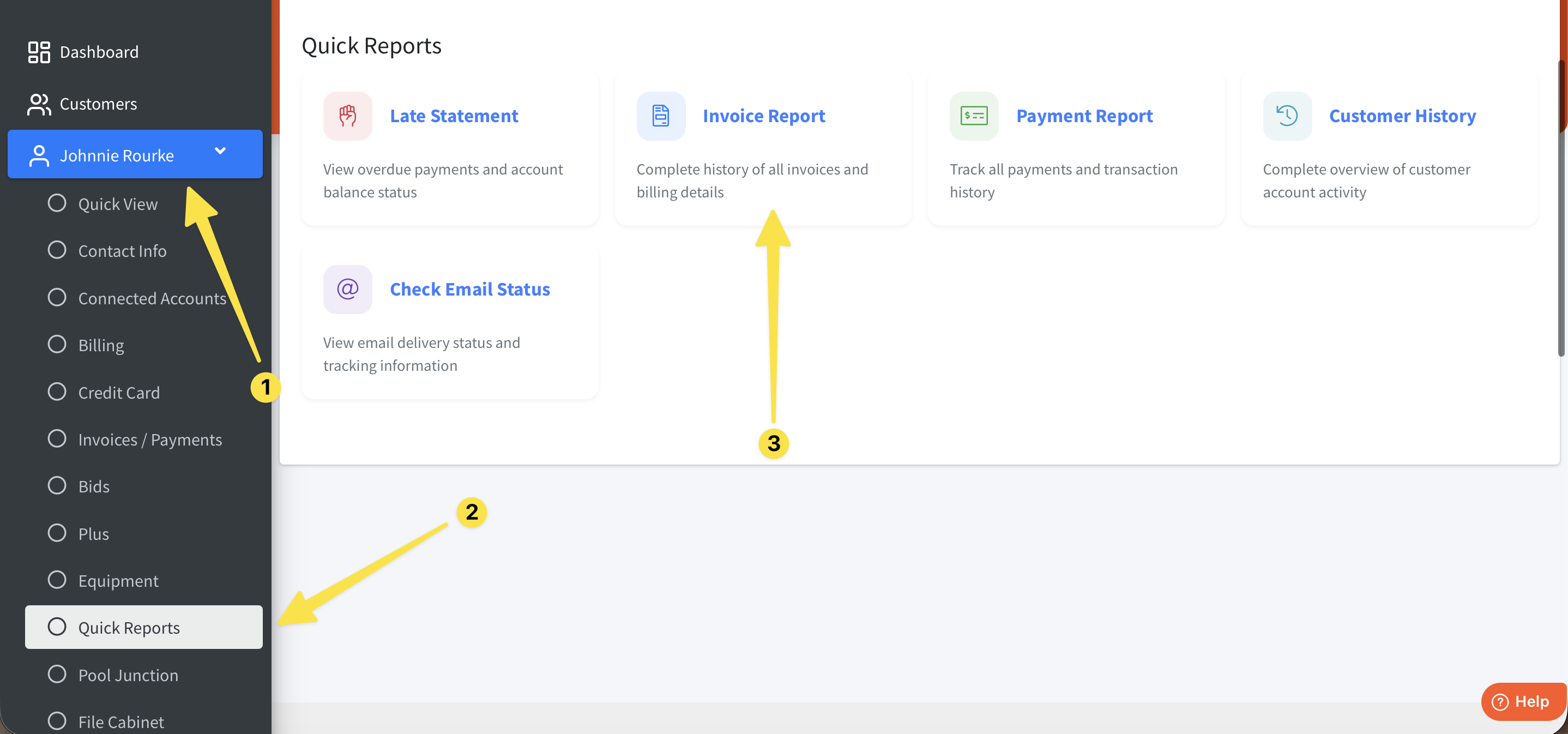
If you want to see a report for a specific customer, follow the steps in this image:
Search the customer and click "Quick Reports" under their profile tab. You'll see many options - click wherever you'd like to go.
Here's a YouTube video:
If you have any further questions or need assistance, please reach out to our awesome Support Team at (951) 234 5166 or email us at support@paythepoolman.com
Thank you and have a wonderful day!