
Hello and Welcome to Paythepoolman Help Pages!
You can import your Quickbooks Desktop customer list into Paythepoolman. This is a great way to streamline customer entry and setting up autobilling.
Here's a great Youtube video to see the process! Quickbooks Import
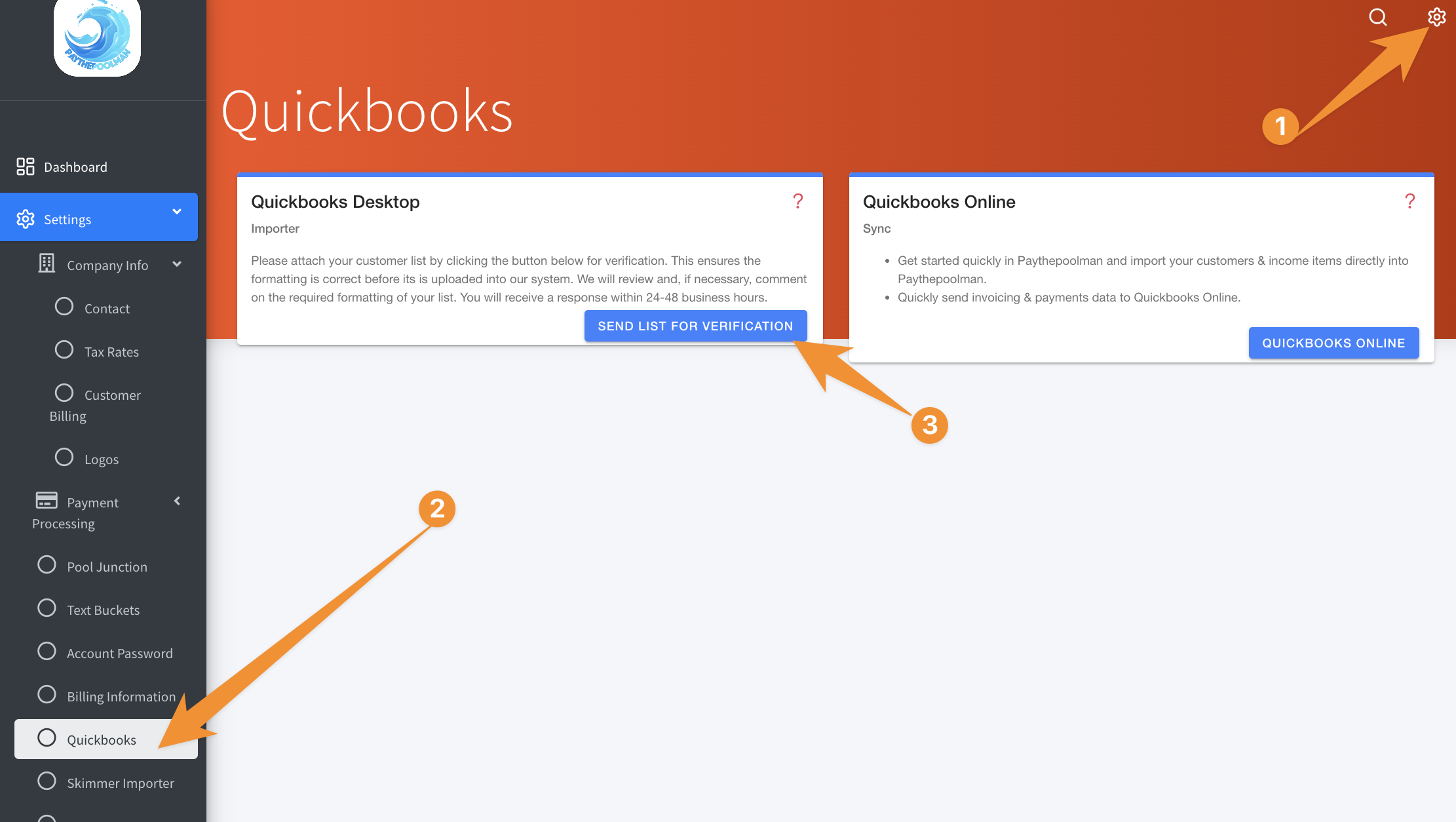
Once our team has verified the information, you'll see the options as displayed in the video at the top of this page.
Be sure to check out our other Help Pages and our YouTube Channel with over 100 videos and tutorials!
Here's the link: https://www.youtube.com/@Paythepoolman
If you have any other questions or need further assistance, you can reach out to our Support Team at support@paythepoolman.com or (951) 234 5166.
Office hours: Mon-Fri 8AM to 4PM EST| 5AM to 1PM PST
Have a nice day!