
Hello and Welcome to Paythepoolman 2.0!
When you want to set up syncing with our 2.0 Quickbooks Online (QBO) Integration, here are the steps to initially link your account and how to sync monthly.
Here's a great video to see the steps: Quickbooks Online Customer Sync - v2
Important Note: Waiting longer than 30 days to sync your QBO and Paythepoolman account is not suggested. At least once a month is sufficient to maintain records between accounts. Also, once you've synced the accounts, for the next sync, you MUST sync the list in order from top to bottom, and none of the items can be skipped, even if it says "0", or else it won't work.
1. To begin, go to your Company Settings by clicking on the GEAR ICON in the upper right corner of your screen.

2. Next, click on QUICKBOOKS under SETTINGS.
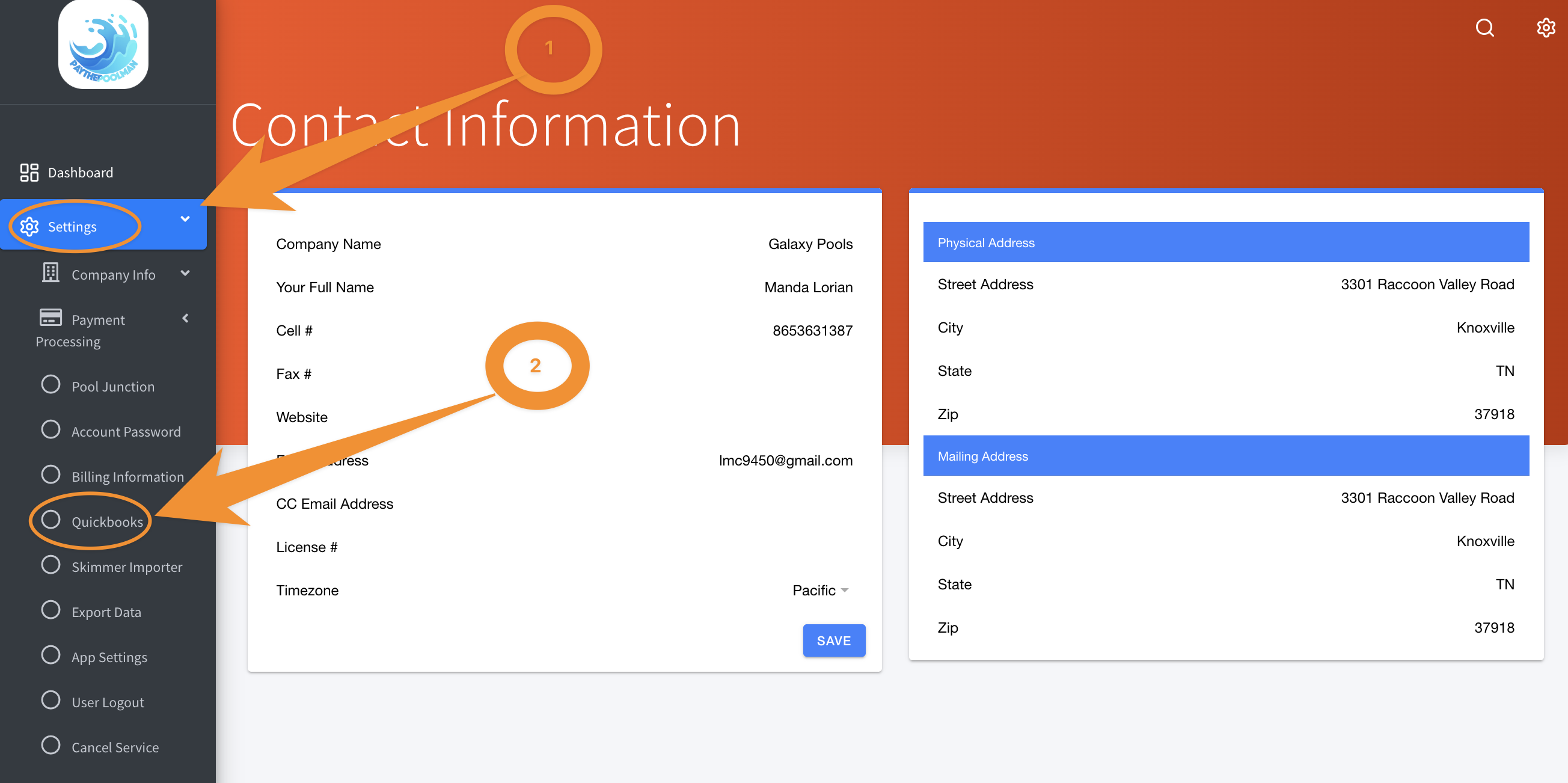
3. Here you'll find the option to select your QBO Integration.

4. Next, follow the prompts to link your QBO Account.

Be sure to check out our other Help Pages (just click on the HELP button at the bottom right corner of your screen and search by keywords!) and our YouTube Channel with over 100 videos and tutorials!
Here's the link: Paythepoolman YouTube Channel
If you have any other question or need further assistance you can reach out to our Support Team at support@paythepoolman.com or (951) 234 5166.
Office hours: Mon-Fri 8AM to 4PM EST| 5AM to 1PM PST
Have a nice day!