
Hello and Welcome to the Paythepoolman Help Pages!
Need to add an extra for a customer's monthly billing? Here are the steps to do that!
Here's a great video to see the process: Pending Extras
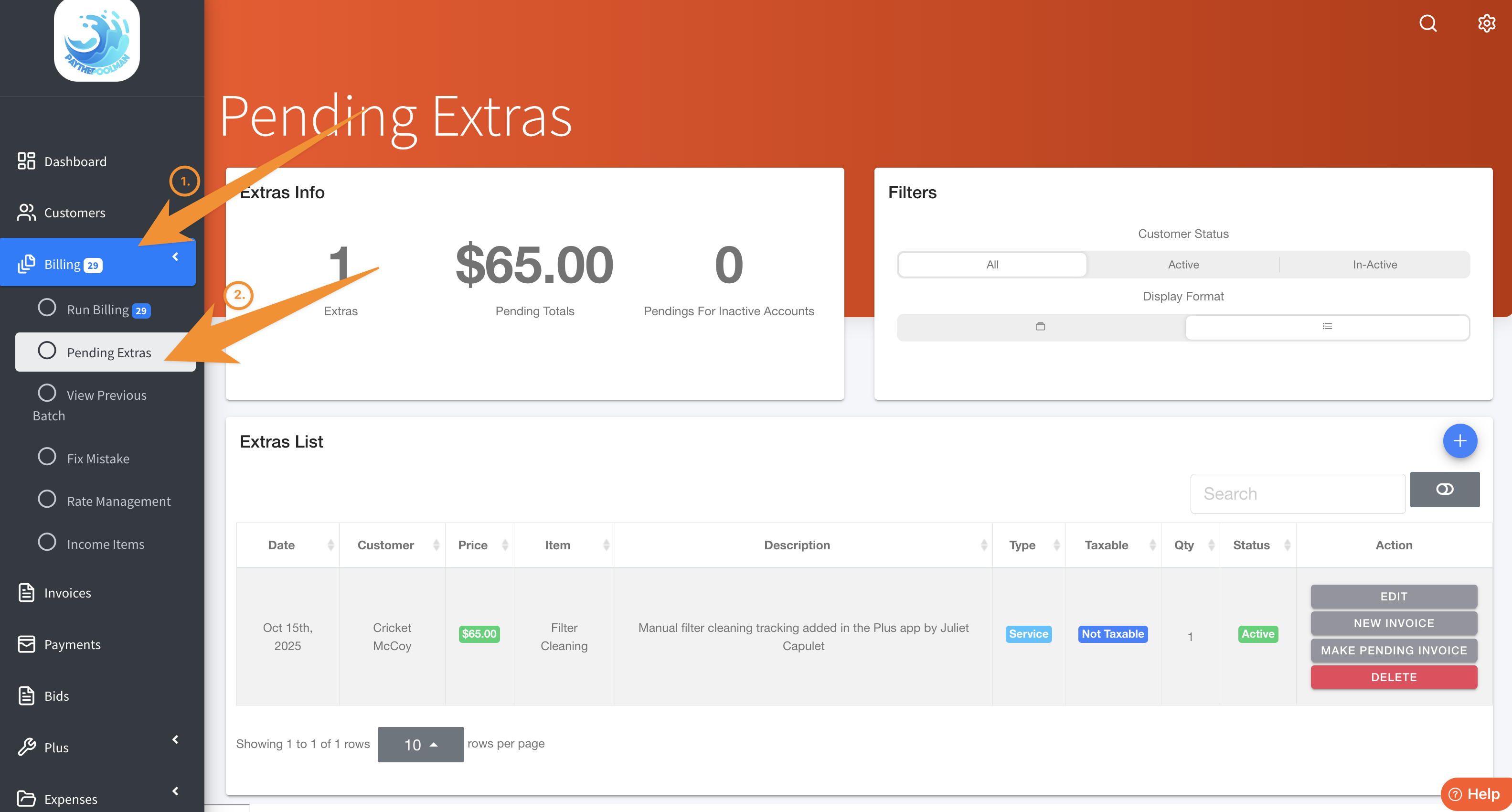
1. Click on BILLING, then select PENDING EXTRAS.
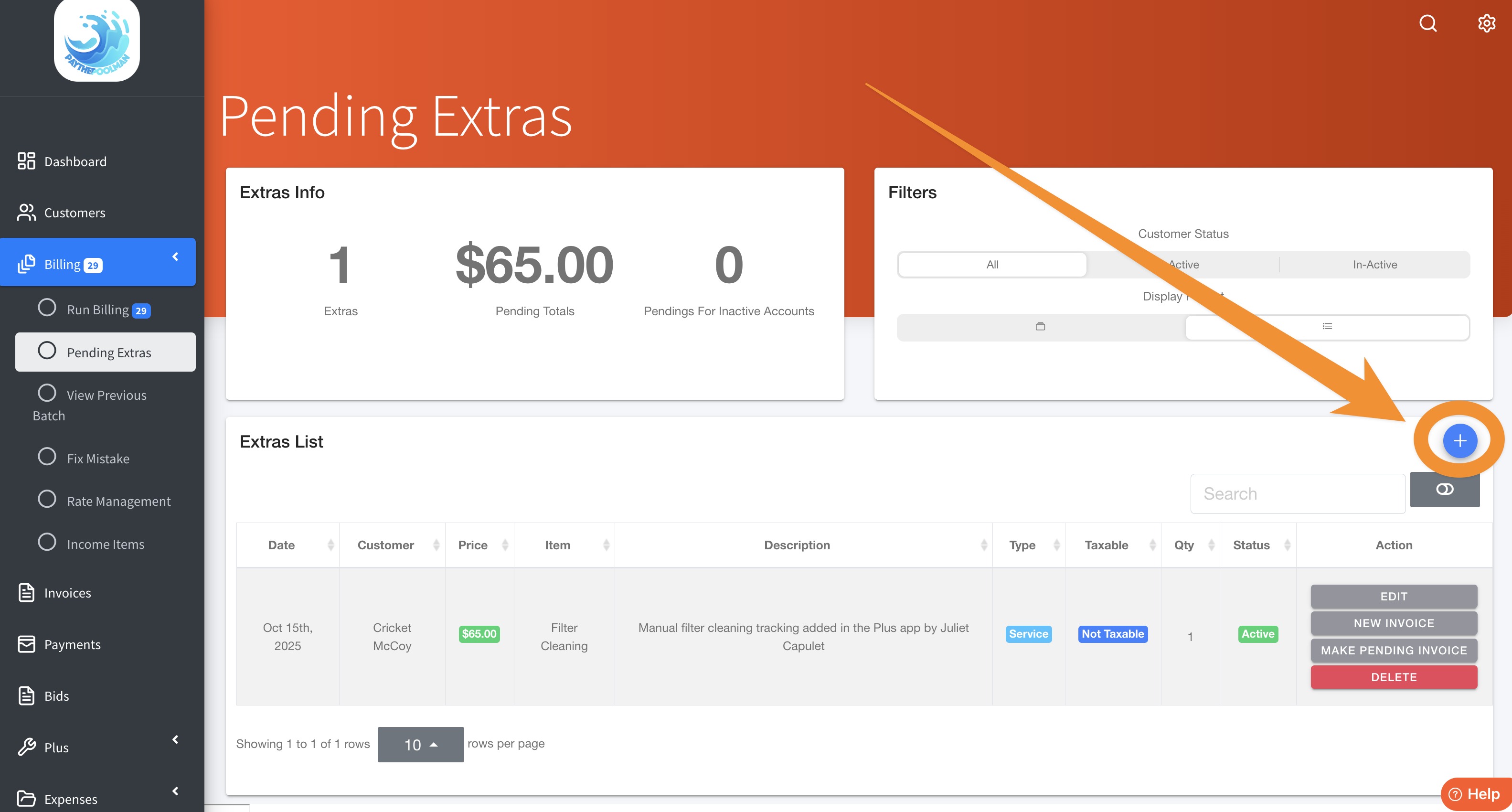
2. Here, you can see all the Extra Work you've added. To add a NEW EXTRA, just click on the BLUE PLUS SIGN to the right of your screen, as indicated in the image below:
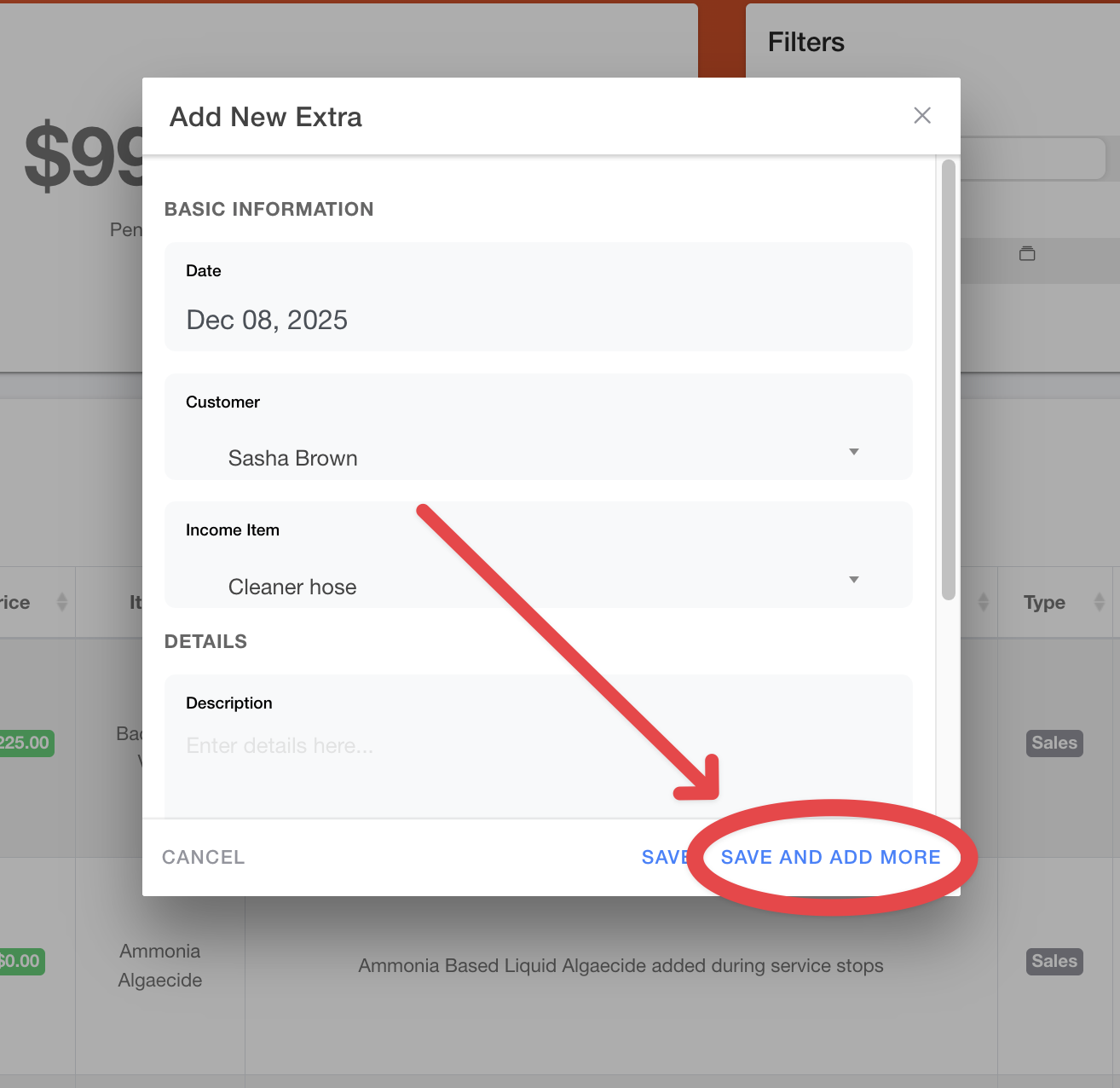
3. If you have more than one extra to add for the same customer, just select "SAVE AND ADD MORE" in the pop-up window:
Extras can also be added from within the Plus App (based on Employee Permissions). Also, Extra Work can be combined with Pending invoices on your Run Billing page after you've generated a batch of Pending Invoices.
Be sure to check out our other Help Pages (just click on the HELP button at the bottom right corner of your screen and search by keywords!) and our YouTube Channel with over 100 videos and tutorials!
Here's the link: Paythepoolman YouTube Channel
If you have any other question or need further assistance you can reach out to our Support Team at support@paythepoolman.com or (951) 234 5166.
Office hours: Mon-Fri 8AM to 4PM EST| 5AM to 1PM PST
Have a nice day!