
Welcome to Paythepoolman Help Pages!
Do you want to auto-charge for chemicals used when servicing your customer's pools? Here are the steps to do that!
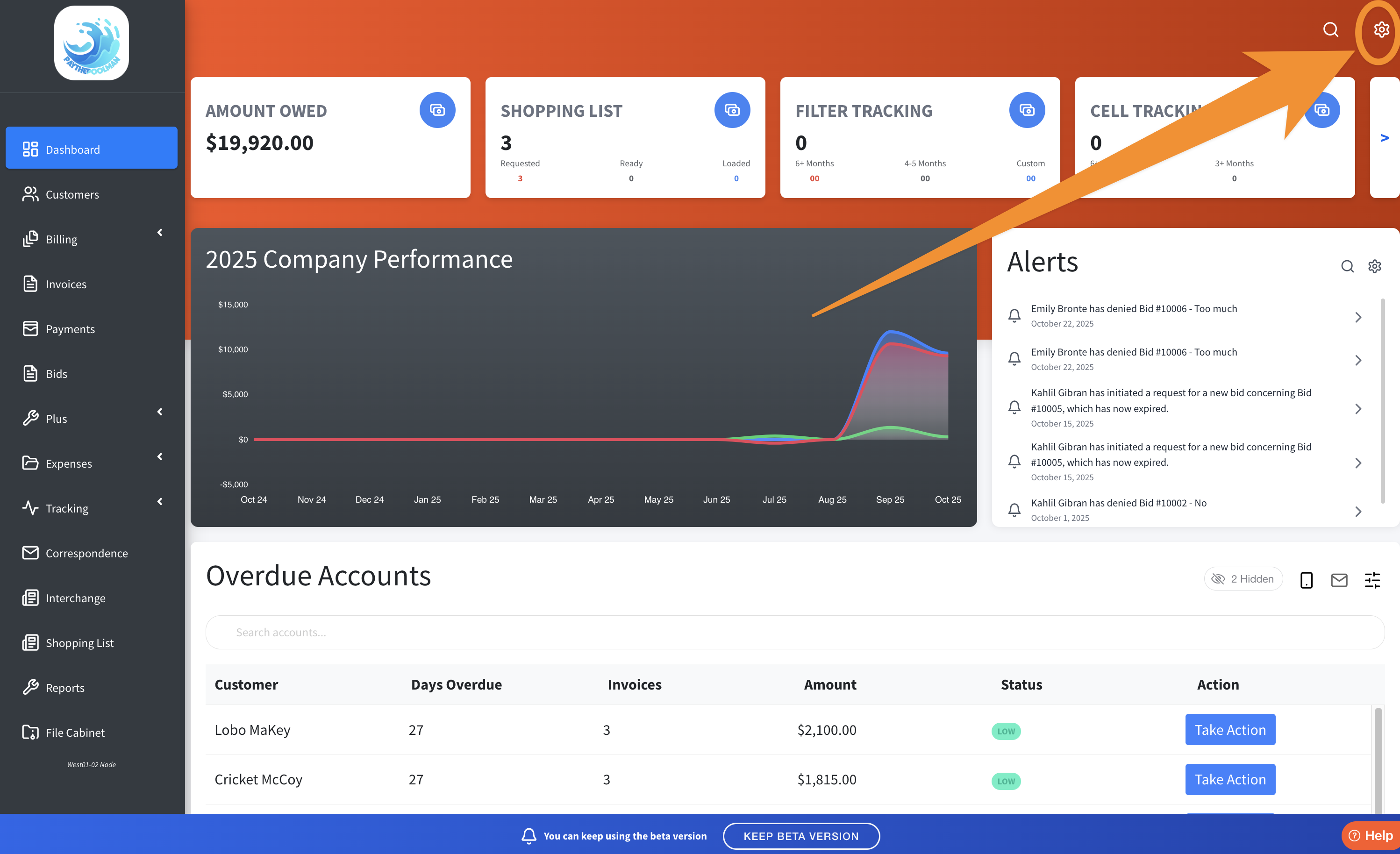
1. From the Company Dashboard, go to Company Settings by clicking on the GEAR ICON in the upper right corner.
2. Under your Company Settings tab, click on CUSTOMER BILLING as this is where we'll find the option to turn on for AUTOMATICALLY BILL FOR CHEMICALS USED DURING SERVICE.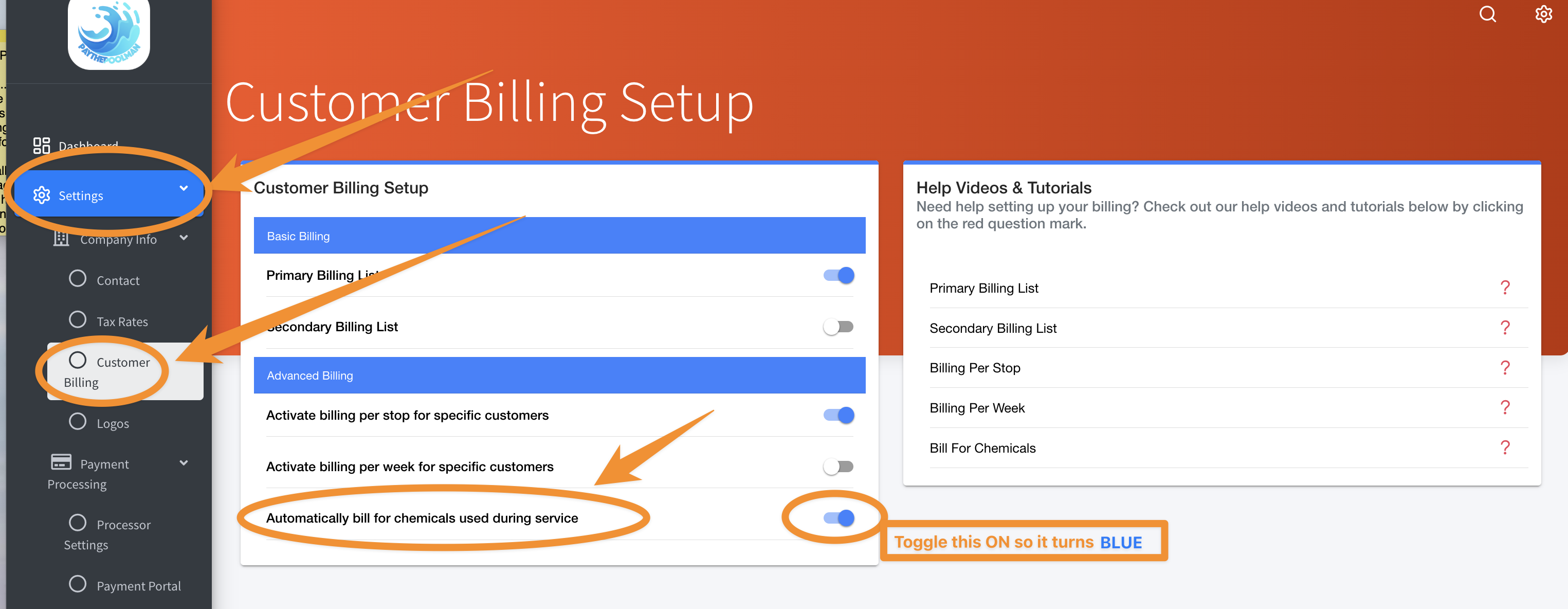
3. Now we'll go to PLUS! Scroll down the left side of your screen and click on the PLUS tab with the wrench icon.

5. Our CHEMICAL CHARGING page, located under the PLUS tab, is where you will set the prices for your chemicals. These are the prices that will be charged to the customer when adding chemicals to their service.
This page shows:
- The CHEMICAL NAME, which cannot be edited
- The AMOUNT (PER UNIT), which is the amount you can change
- The AVERAGE AMOUNT (PER UNIT), which is just a rough estimate of the going rate of the chemical
- The INCOME ITEM that it's linked to (you are able to edit the income item name and assign it to whatever chemical you like)
- The ACTION tab which opens a pop up window as indicated below.
After you've completed the applicable chemicals with the amounts you wish to charge, the system will have the information necessary to auto-calculate those chem charges for you!
Be sure to check out our other Help Pages (just click on the HELP button at the bottom right corner of your screen and search by keywords!) and our YouTube Channel with over 100 videos and tutorials!
Here's the link: https://www.youtube.com/@Paythepoolman
If you have any other question or need further assistance you can reach out to our Support Team at support@paythepoolman.com or (951) 234 5166.
Office hours: Mon-Fri 8AM to 4PM EST| 5AM to 1PM PST
Have a nice day!