
Hello and welcome to Paythepoolman's Help Pages!
If you need to look at your recent Stripe payments, here's where you can find it in your Paythepoolman account!
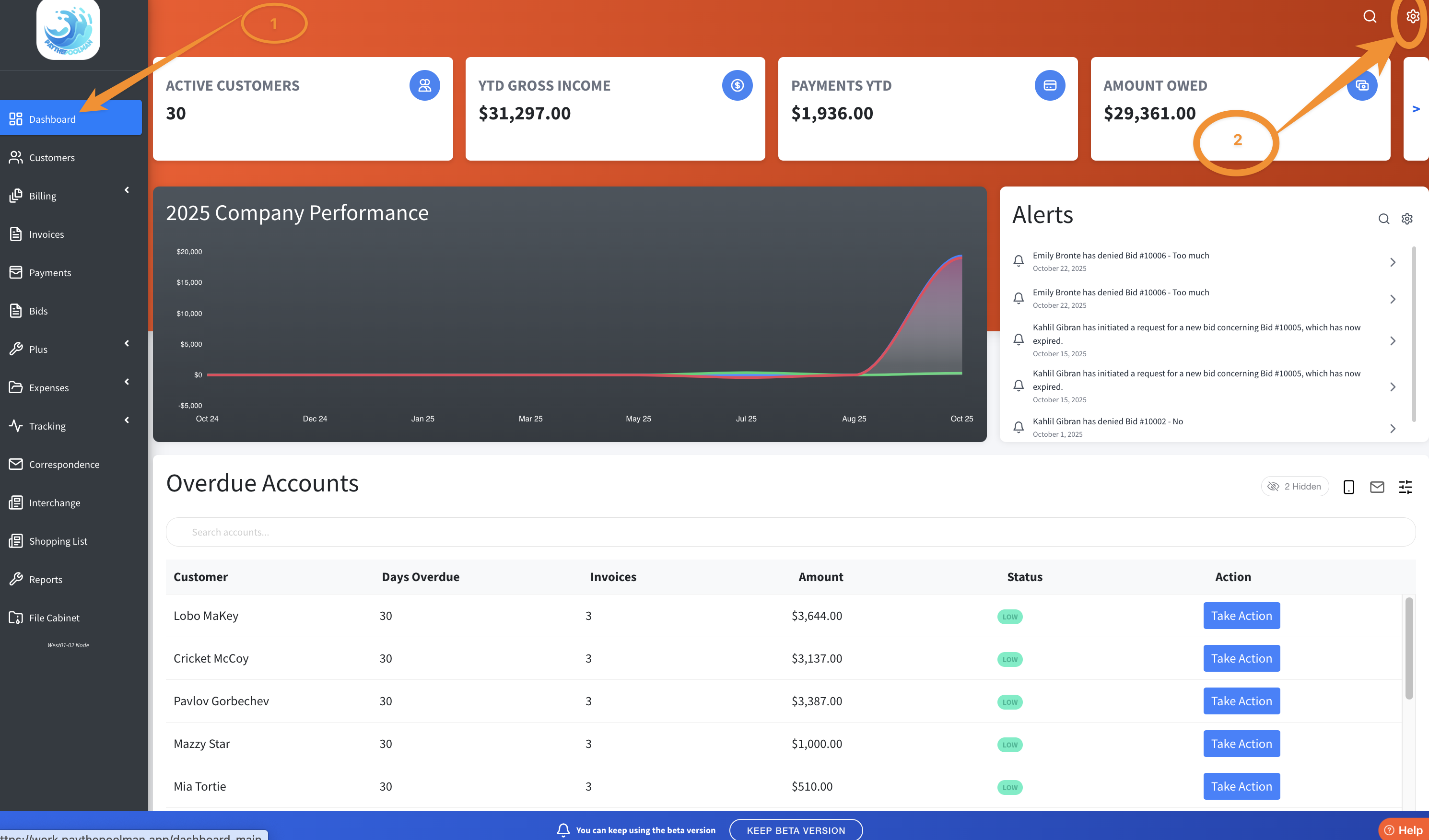
1. From your Company Dashboard, click on the GEAR icon in the upper right corner of your screen:
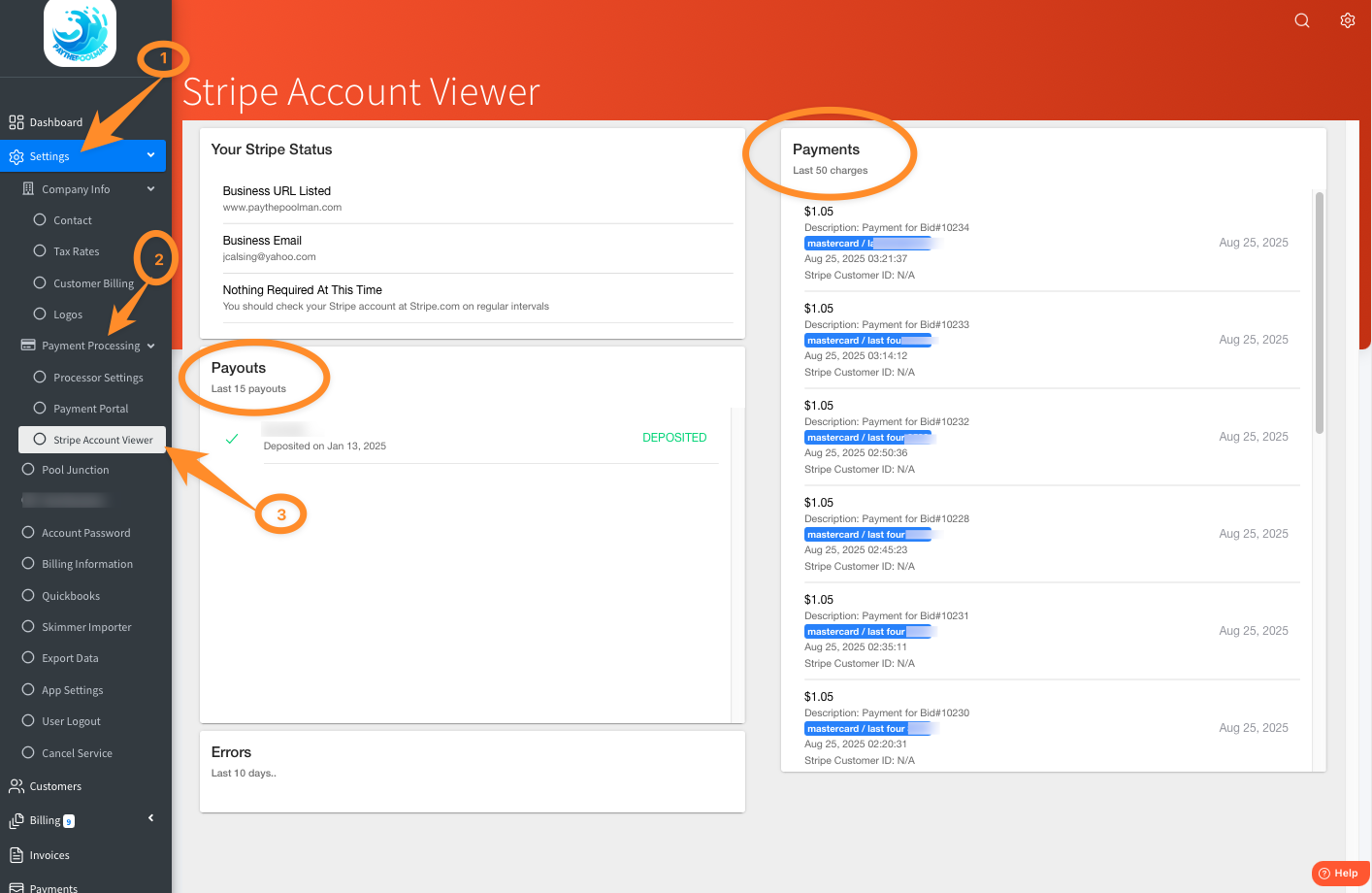
2. This will take you to your COMPANY SETTINGS. Next, click on PAYMENT PROCESSING, then STRIPE ACCOUNT VIEWER from the options on the sidebar located on the left of your screen. This will show you the last 50 Payments received via your Stripe account.
Please note: For security reasons, we cannot contact Stripe on your behalf. For any issues regarding their system, you will need to contact Stripe directly.
Be sure to check out our other Help Pages (just click on the HELP button at the bottom right corner of your screen and search by keywords!) and our YouTube Channel with over 100 videos and tutorials!
Here's the link: https://www.youtube.com/@Paythepoolman
If you have any other question or need further assistance you can reach out to our Support Team at support@paythepoolman.com or (951) 234 5166.
Office hours: Mon-Fri 8AM to 4PM EST| 5AM to 1PM PST
Have a nice day!