
Welcome to Paythepoolman's Help Pages!
In this article, we'll explore TEXT BUCKETS! Text Buckets are bundles of text credits available for purchase so you can send invoices to customers through the Run Billing feature.
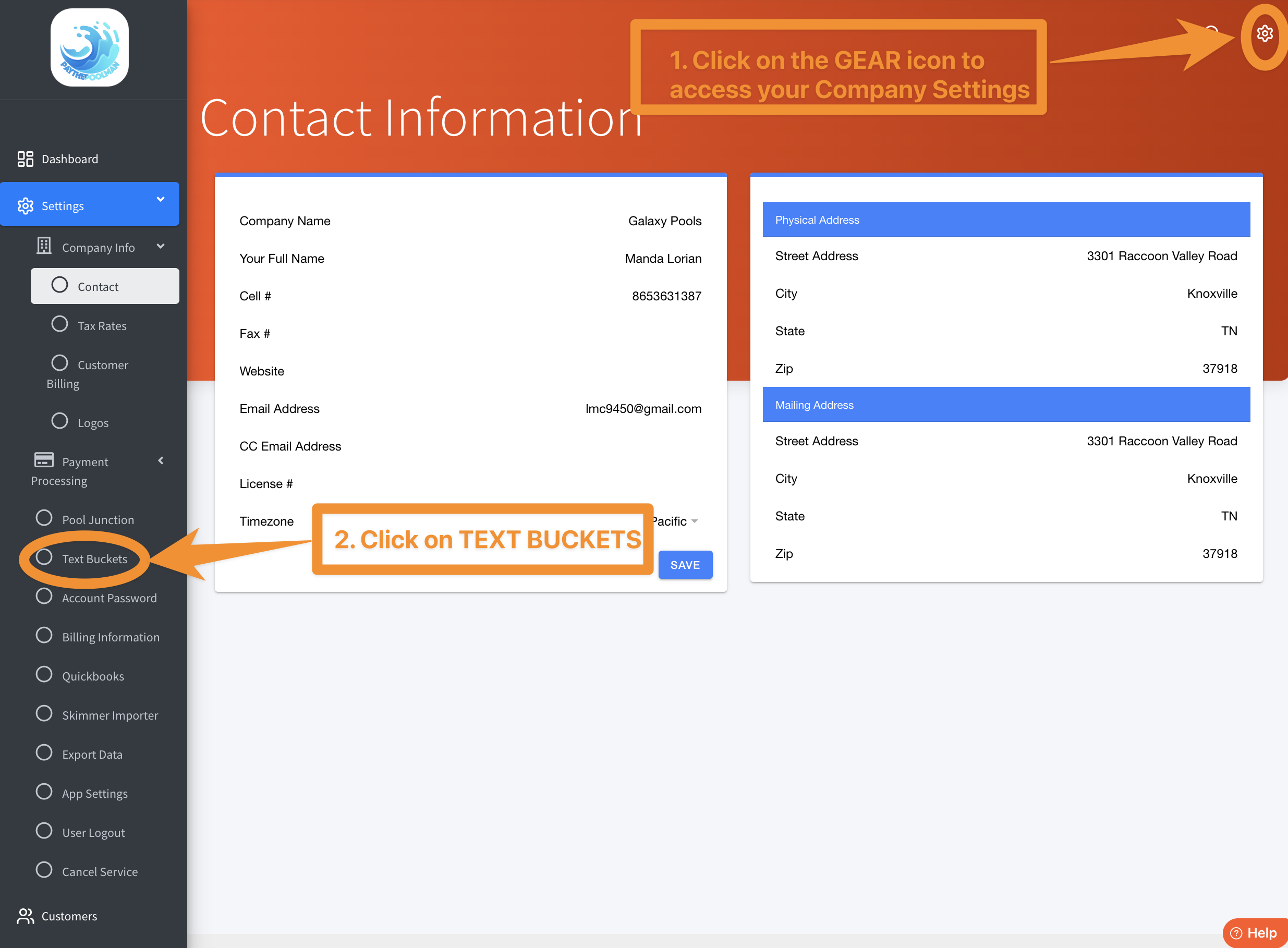
1. Click on the GEAR icon in the upper right corner of your screen to access your COMPANY SETTINGS, then select TEXT BUCKETS:
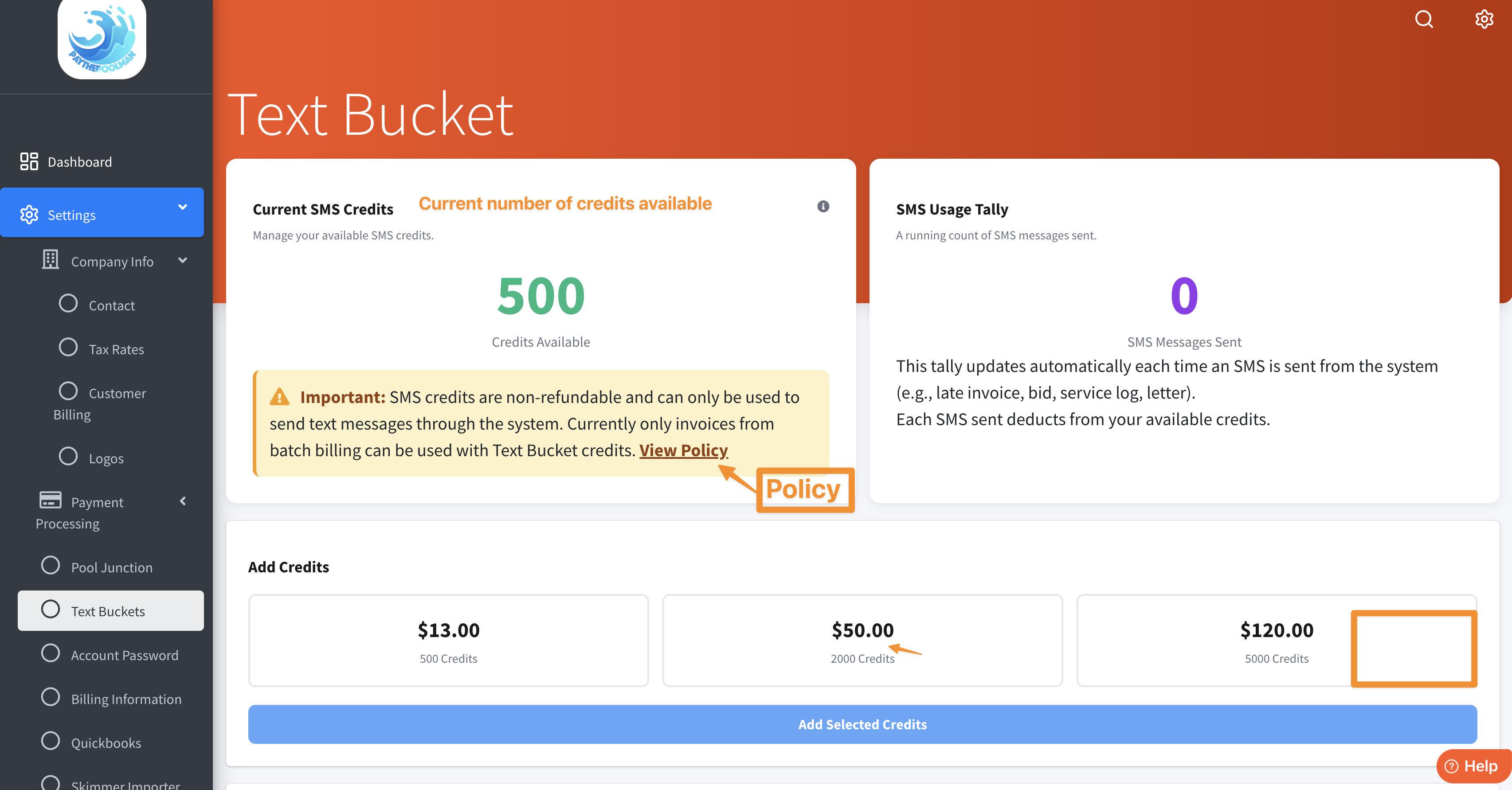
2. To start, your screen will appear similar to the image below. Here you can see how many credits you have, how many you've sent, with three purchase options at the bottom - just make your selection then click on the long blue bar.
* A purchase of $13 will buy 500 credits
* A purchase of $50 will buy 2000 credits
* A purchase of $120 will buy 5000 credits
(NOTE: There is a limit of 6000 credits)
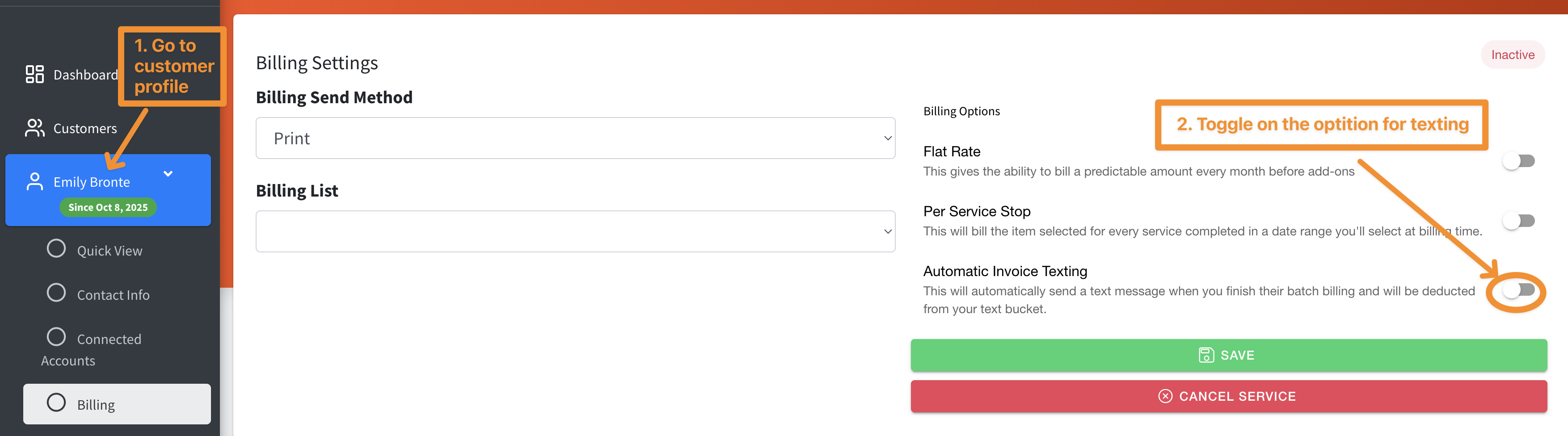
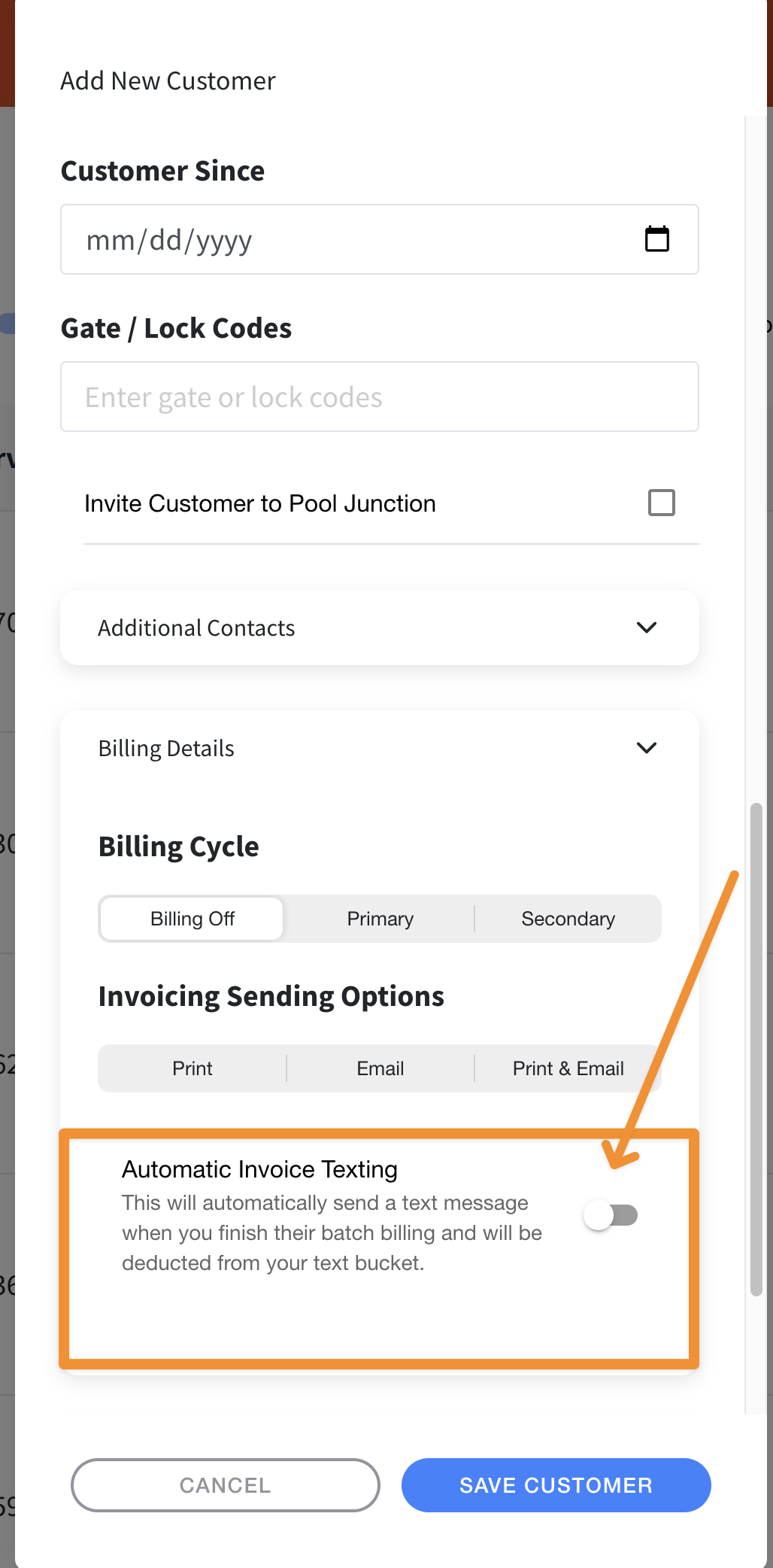
3. You can also turn this feature on for selected customers directly from the customer profile. Just click on BILLING, then toggle on the option for AUTOMATIC INVOICE TEXTING.
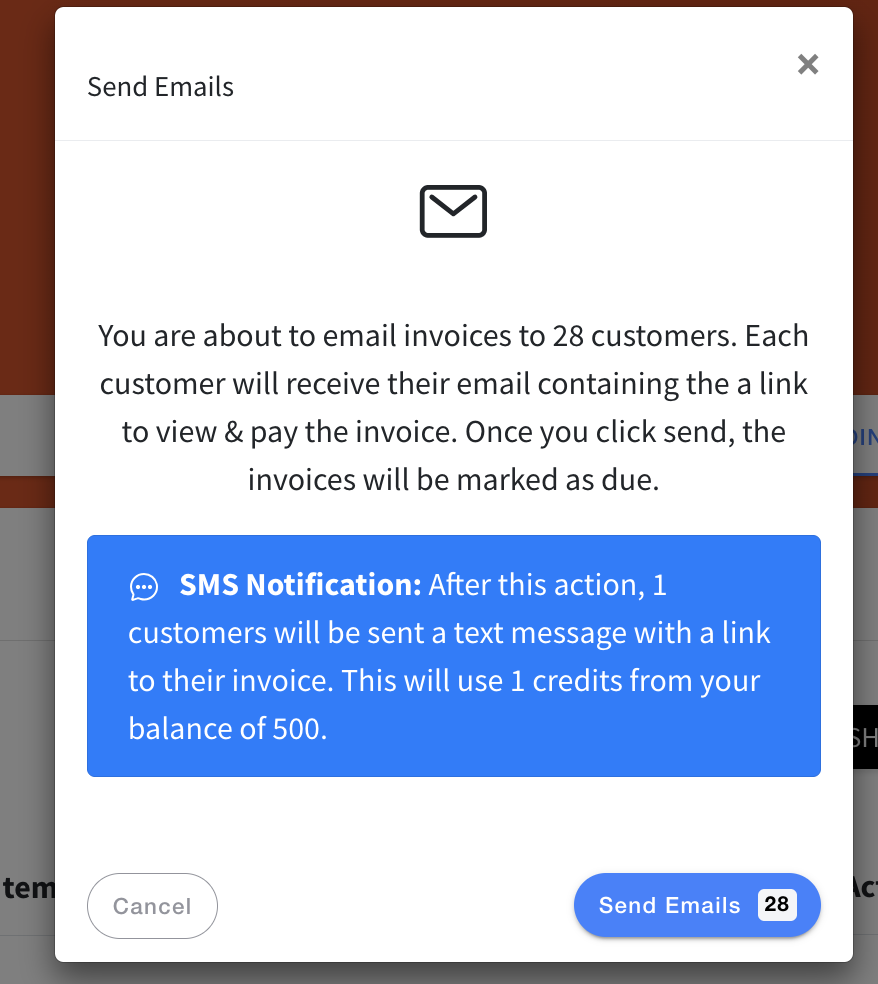
4. When you run billing, you'll get a pop-up similar to the one below, once you've selected to SEND EMAILS, alerting you to the text status:
5. This feature can also be turned on when you're adding a new customer!
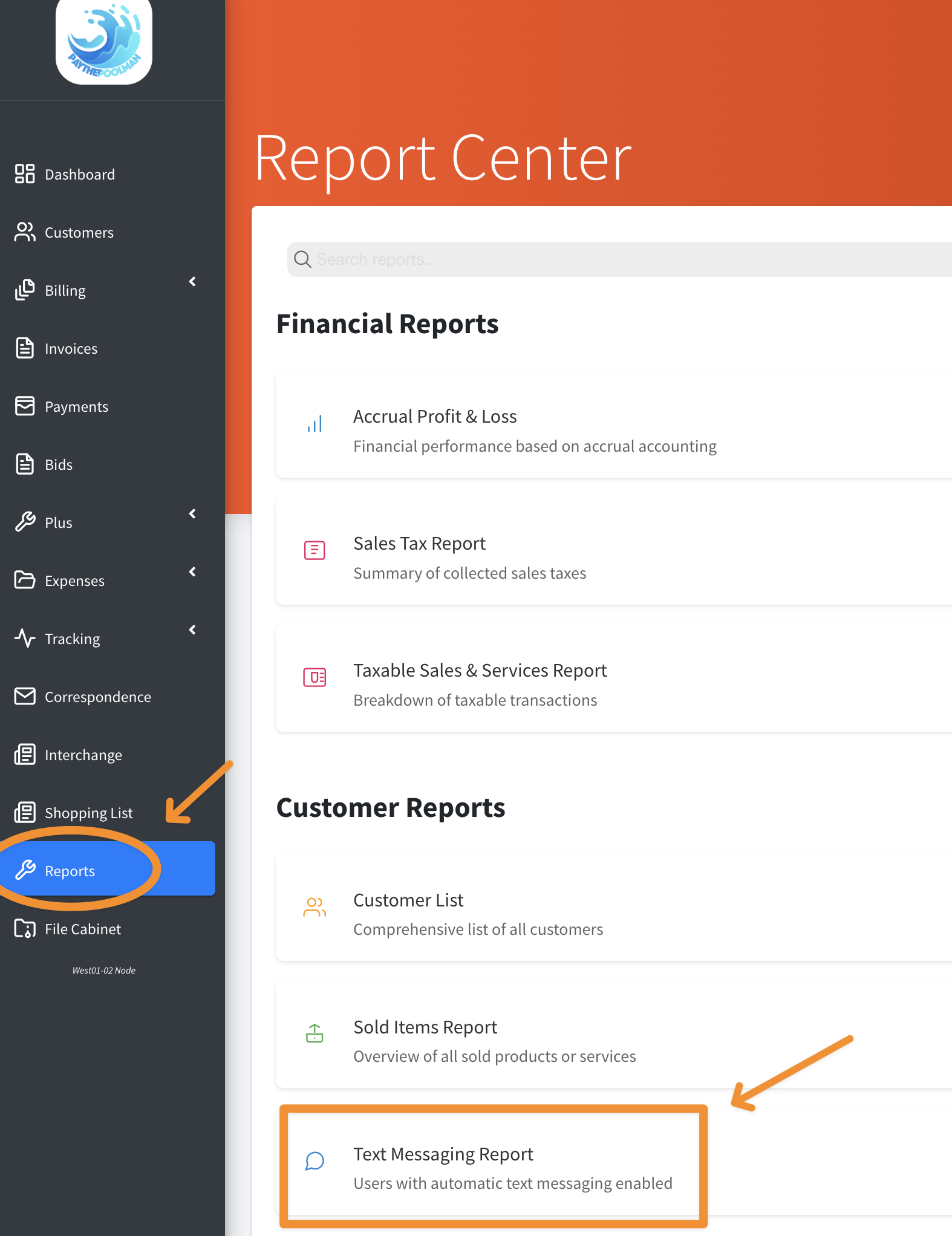
6. This great upgrade can also be activated from the Text Messaging Report. Just go to REPORTS, then select TEXT MESSAGING REPORT to open.
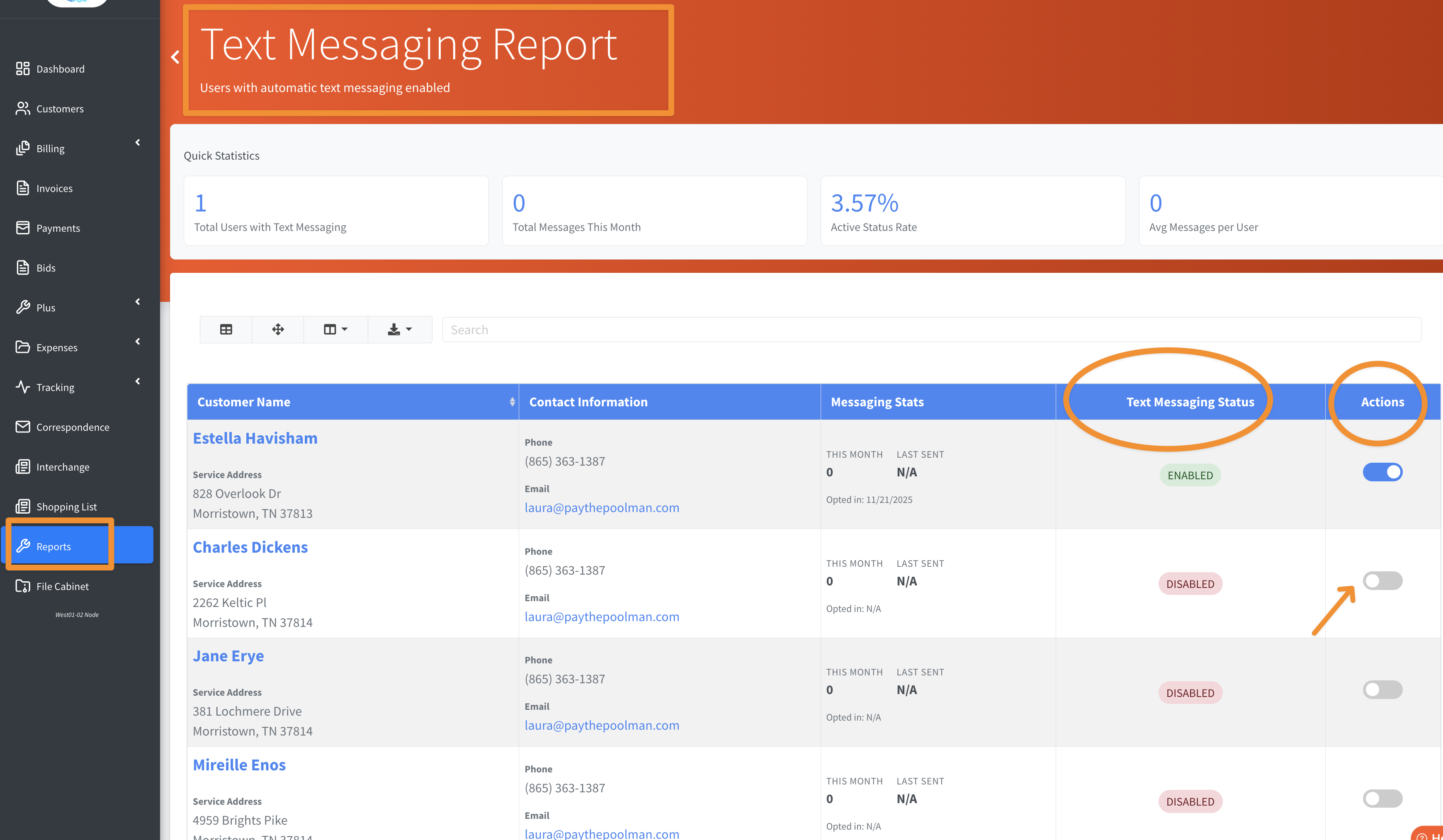
7. Once the report opens, just find the customer you want to send the invoices to, and toggle on the option to enable the Text Messaging Status under ACTIONS.
Be sure to check out our other Help Pages (just click on the HELP button at the bottom right corner of your screen and search by keywords!) and our YouTube Channel with over 100 videos and tutorials!
Here's the link: https://www.youtube.com/@Paythepoolman
If you have any other question or need further assistance you can reach out to our Support Team at support@paythepoolman.com or (951) 234 5166.
Office hours: Mon-Fri 8AM to 4PM EST| 5AM to 1PM PST
Have a nice day!