
Welcome to Paythepoolman Help Pages!
Did you know that you can optimize your route through Paythepoolman to save yourself time and gas!? Here are the steps to show you how to optimize a route!
Here's a great Youtube video to see it in action: Optimization
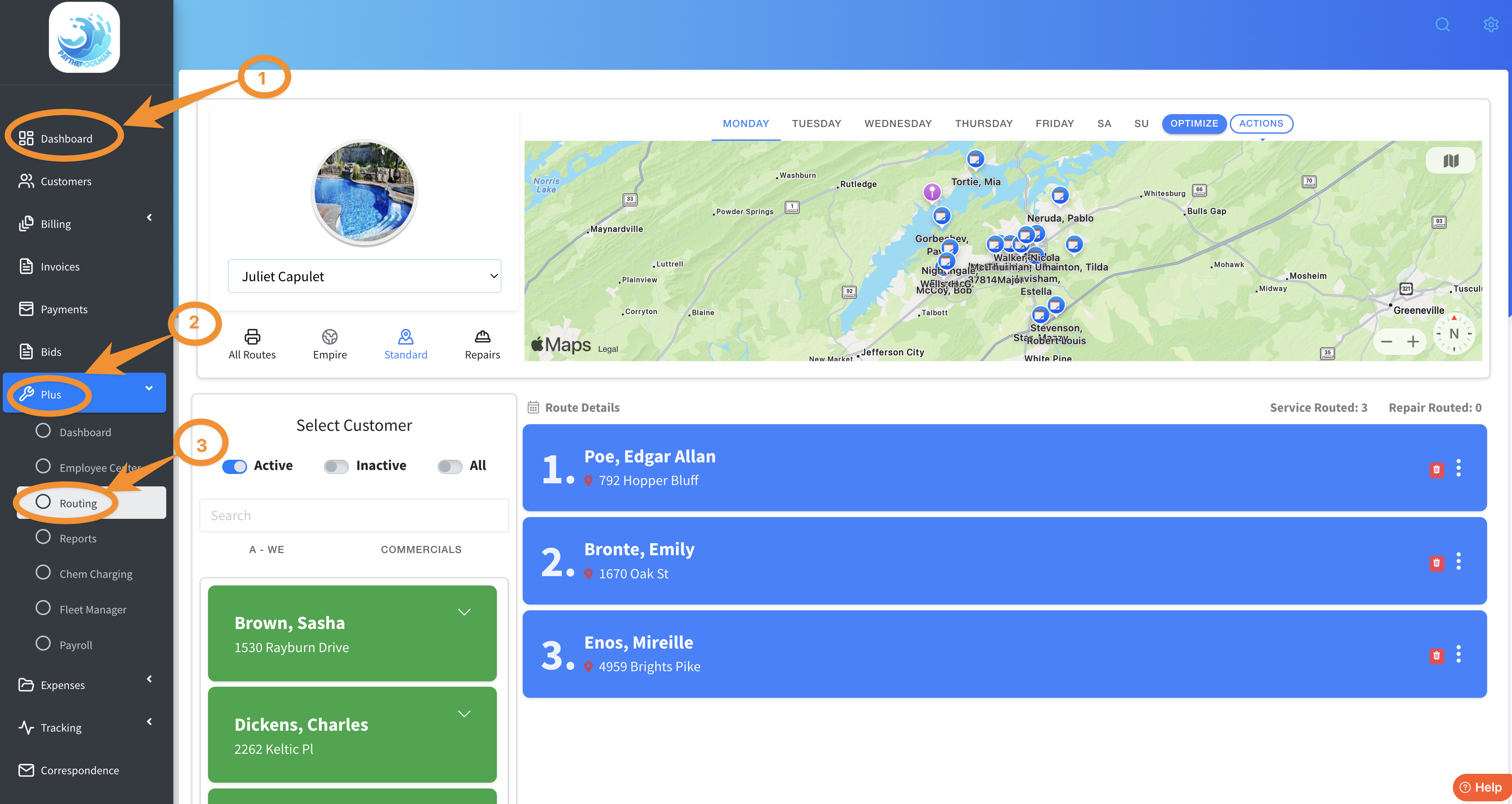
1. Navigate to your SERVICE ROUTING in the PLUS section of your Paythepoolman account. From your Company Dashboard, scroll down to PLUS, then select ROUTING.
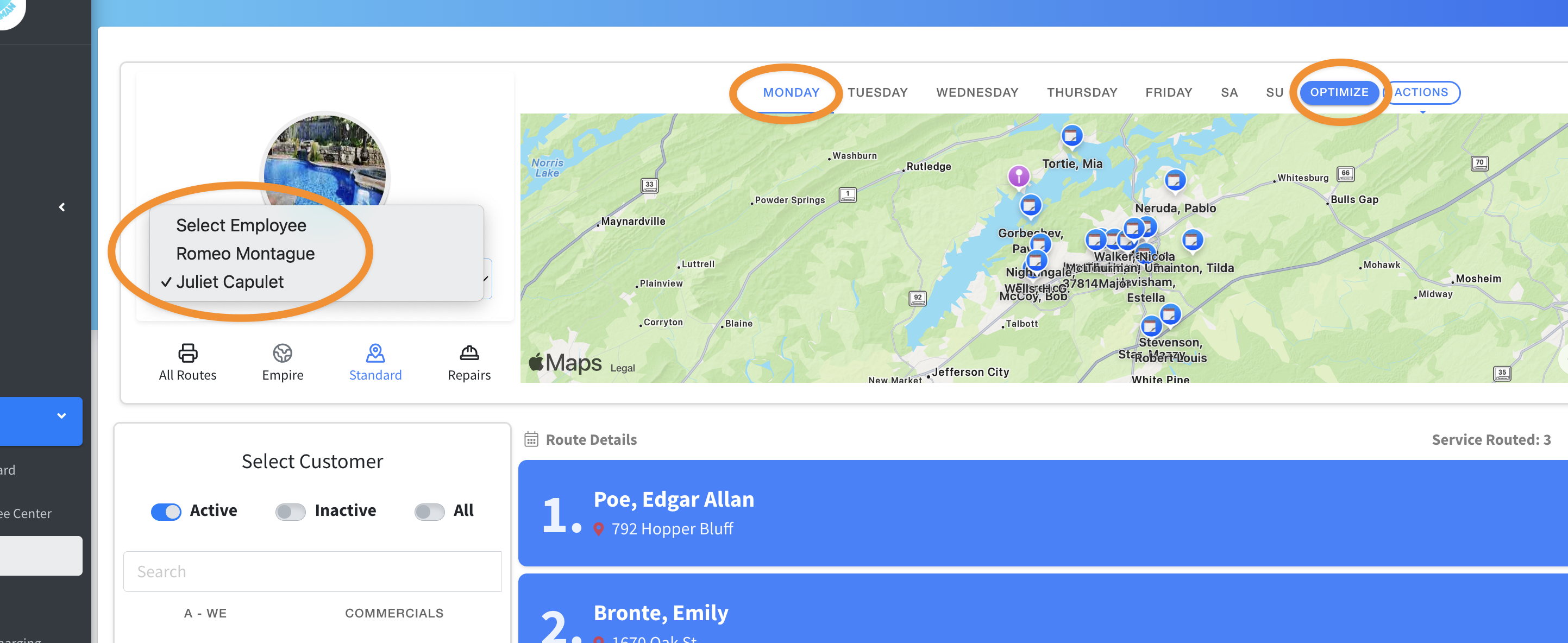
2. Next, select the employee/tech of your choice; select the day; then OPTIMIZE.
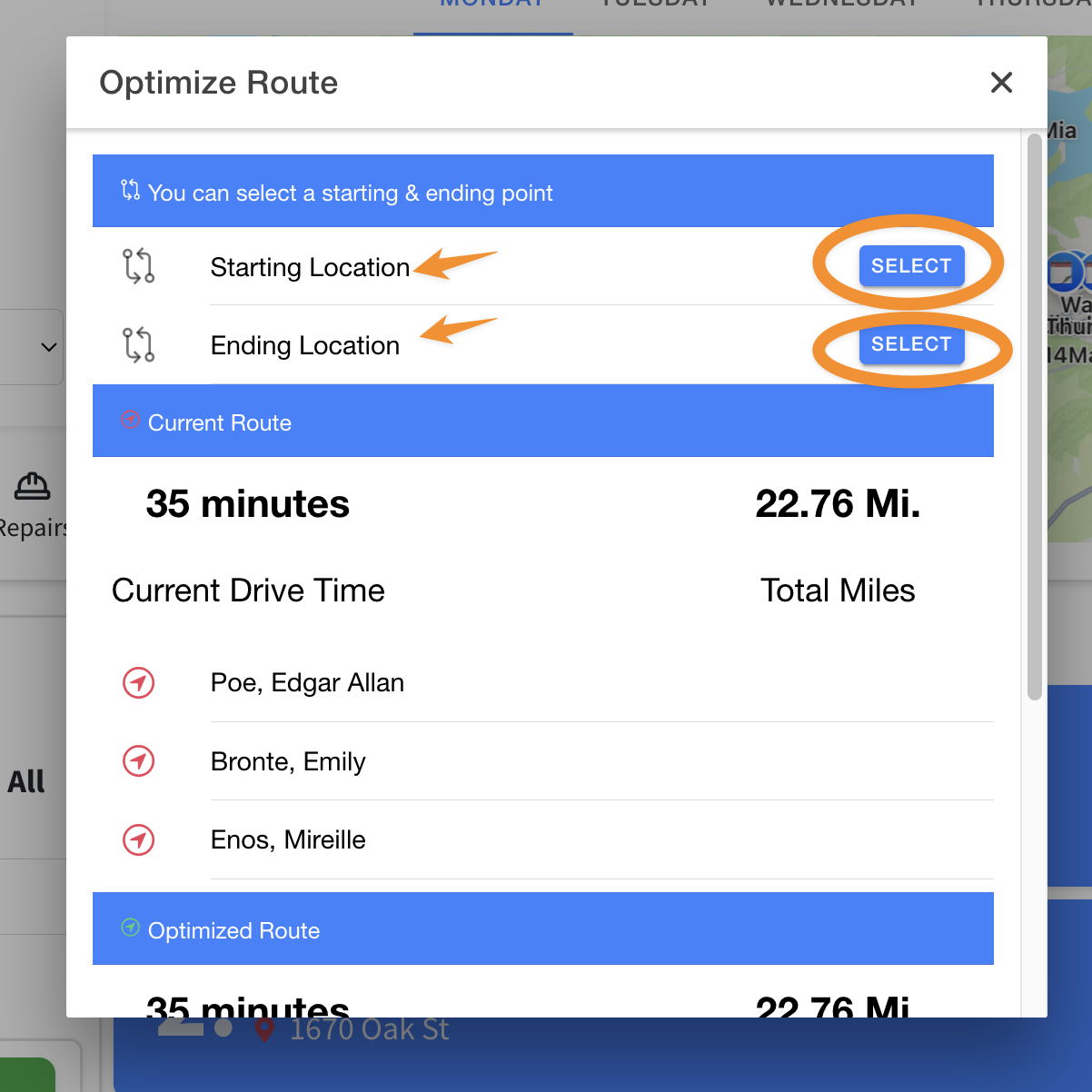
3. Once you click OPTIMIZE, you'll get a pop-up window similar to the one below. Here you can easily select Starting and Ending Location points, then scroll down to SAVE. You will be able to see the distance and time saved by the optimization!
***It is important to note: The APIs consider real-time traffic information and historic traffic data, like typical road speeds on the requested date and time, returning the shortest or fastest routes available. So optimization may be different each time.
If you have any further questions or need assistance, please reach out to our awesome Support Team at
(951) 234-5166 or email us at support@paythepoolman.com
Thank you and have a wonderful day!