
Welcome to Paythepoolman Help Pages!
In this article, you'll learn how easy it is to shift a service route for a customer from one day to another!
1. From your Company Dashboard, scroll down the black sidebar to the left of your screen and select PLUS, then ROUTING. A page similar to the one below will open:
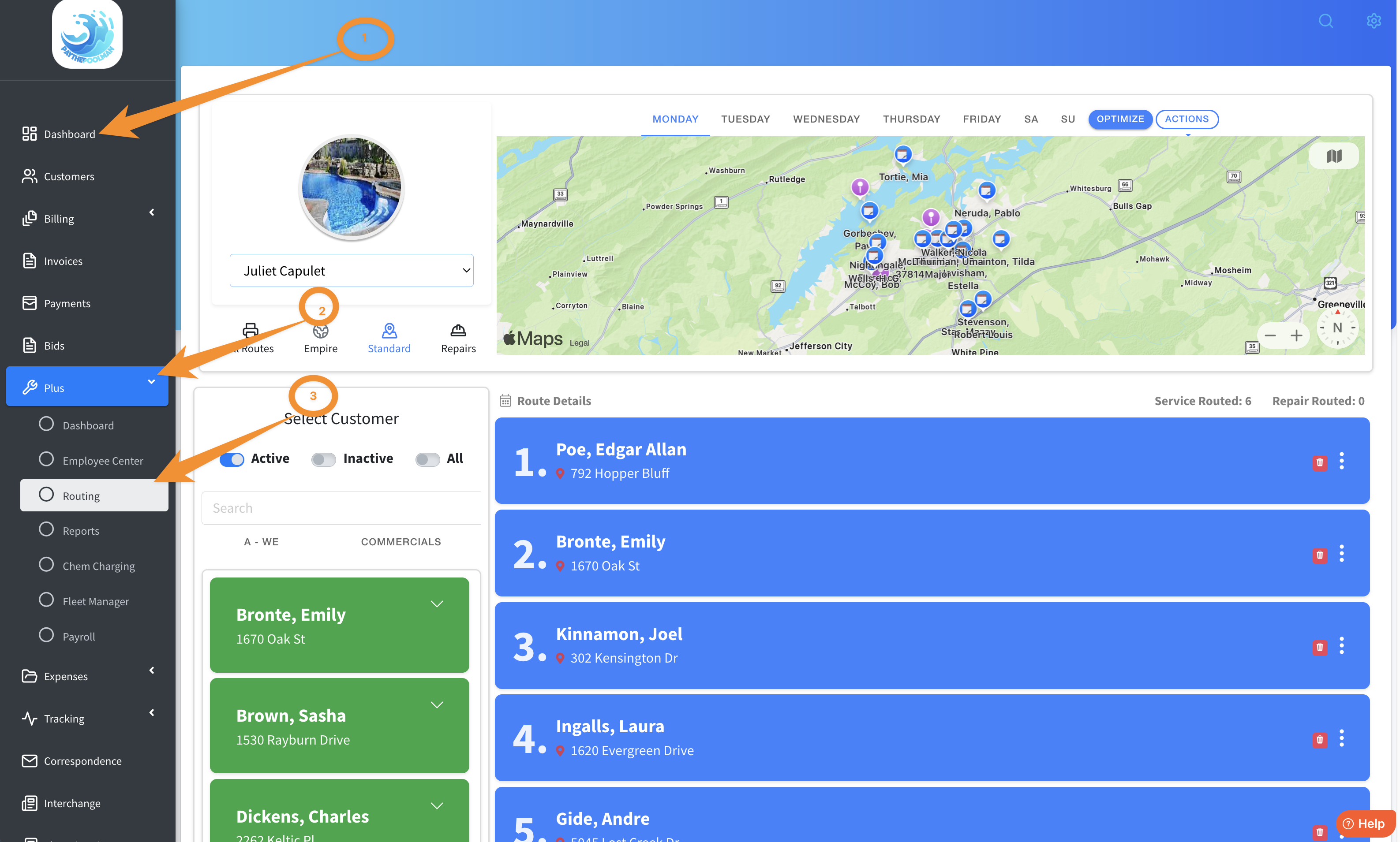
2. There are two ways to shift a customer to a different day and/or a different tech. You can click on the three white dots on the blue bar of the customer name, or, you can click on ACTIONS, just above the map. Here's a quick video to see it in action!
Be sure to check out our other Help Pages (just click on the HELP button at the bottom right corner of your screen and search by keywords!) and our YouTube Channel with over 100 videos and tutorials!
Here's the link: https://www.youtube.com/@Paythepoolman
If you have any other question or need further assistance you can reach out to our Support Team at support@paythepoolman.com or (951) 234 5166.
Office hours: Mon-Fri 8AM to 4PM EST| 5AM to 1PM PST
Have a nice day!