
Welcome to Paythepoolman Help Pages!
In this article we will explore Map Pin Routing for Paythepoolman 2.0! This awesome tool allows you to click directly on the pinned location on your location Map in Plus, then directly access all customer data, create/send bids, add payment and even add additional serviceables!
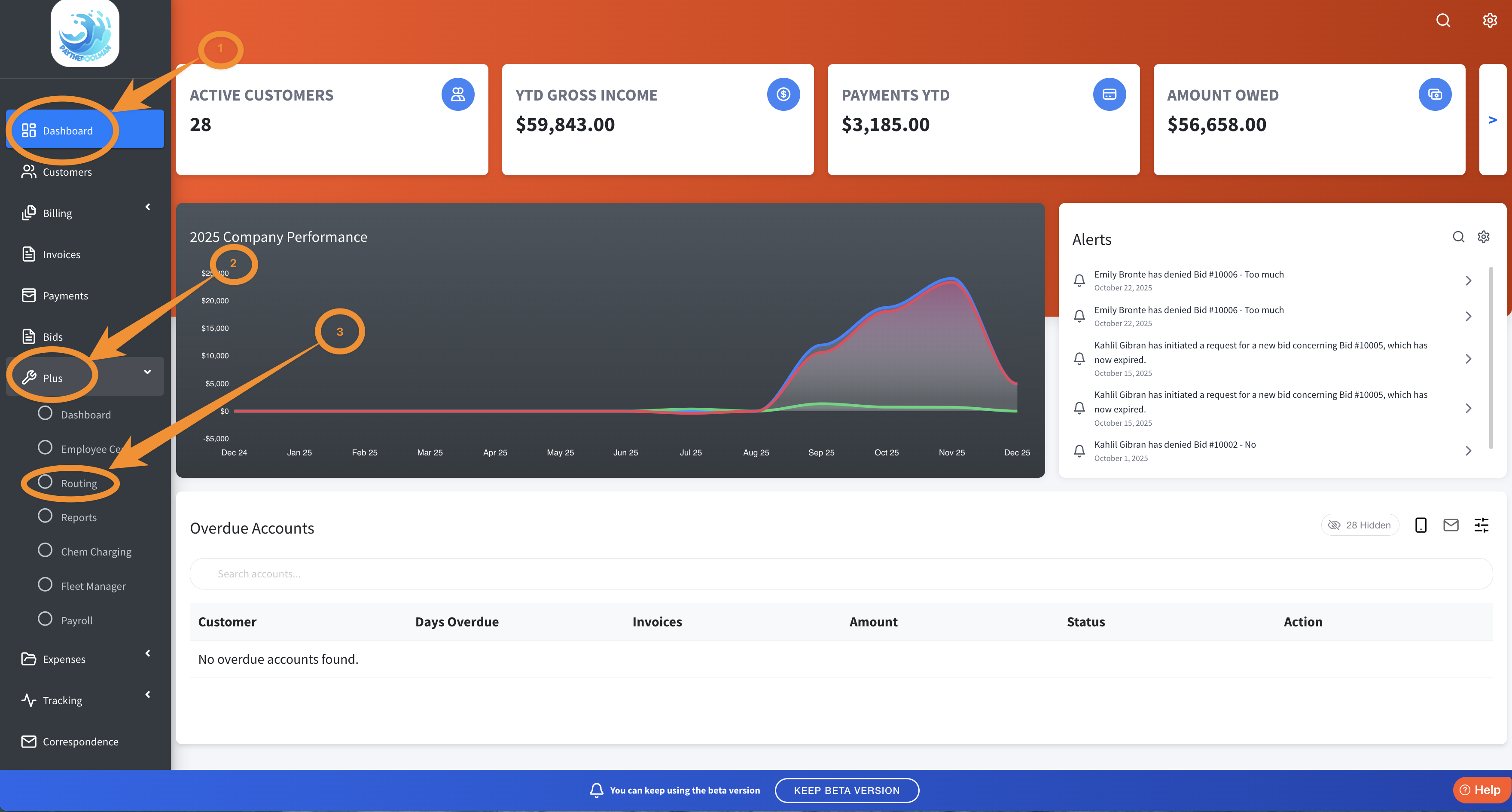
1. To begin, just go to PLUS from your Company Dashboard, then select ROUTING:
2. Next, select the tech/employee and the day of the week, then click on the PURPLE MAP PIN of the customer you need to look at.
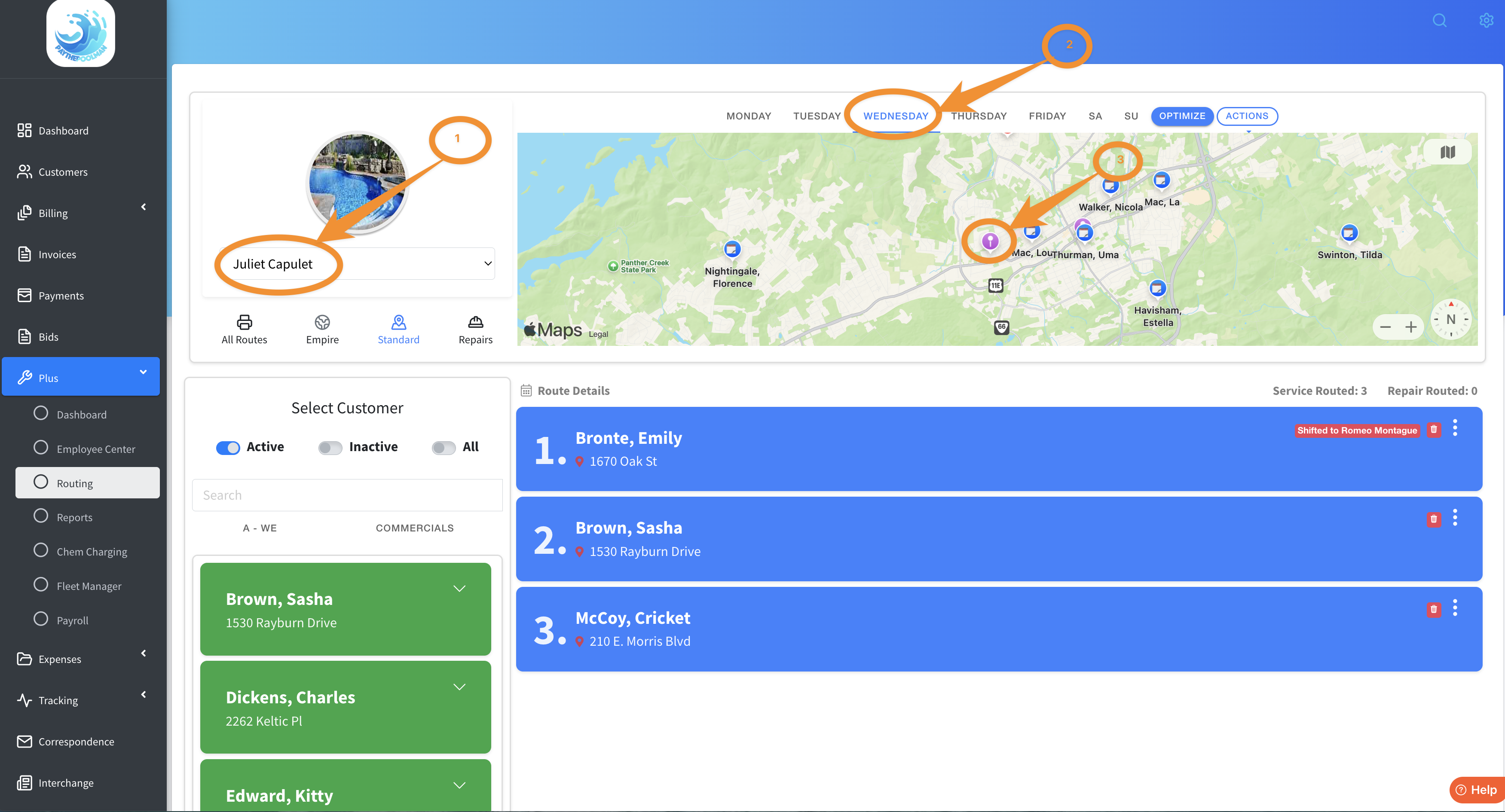
3. When you click on the PURPLE MAP PIN, located at the customer's geographic location, you'll see a pop up window with many fantastic options! Here's a short video showing you how to get there and what a sample looks like!
We hope you love this new feature as much as we do!
Be sure to check out our other Help Pages (just click on the HELP button at the bottom right corner of your screen and search by keywords!) and our YouTube Channel with over 100 videos and tutorials!
Here's the link: https://www.youtube.com/@Paythepoolman
If you have any other question or need further assistance you can reach out to our Support Team at support@paythepoolman.com or (951) 234 5166.
Office hours: Mon-Fri 8AM to 4PM EST| 5AM to 1PM PST
Have a nice day!