
Welcome to Paythepoolman Help Pages!
Does your tech need to verify their Permission Settings for the Plus app? Here's how!
1) Open your Plus App and click on the Hamburger Menu in the top right corner of your screen.
Hamburger Menu > Think: Top of the Bun + Meat + Bottom Bun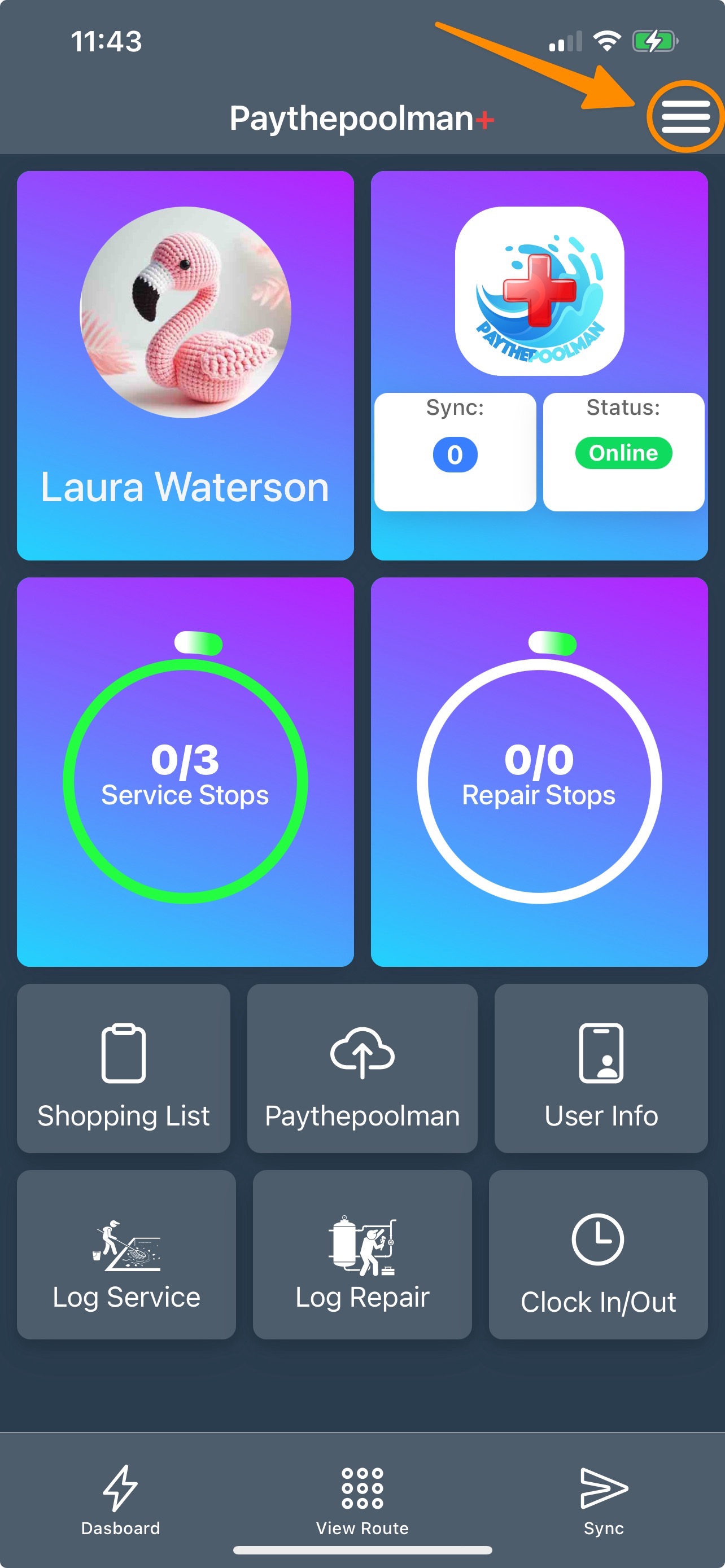
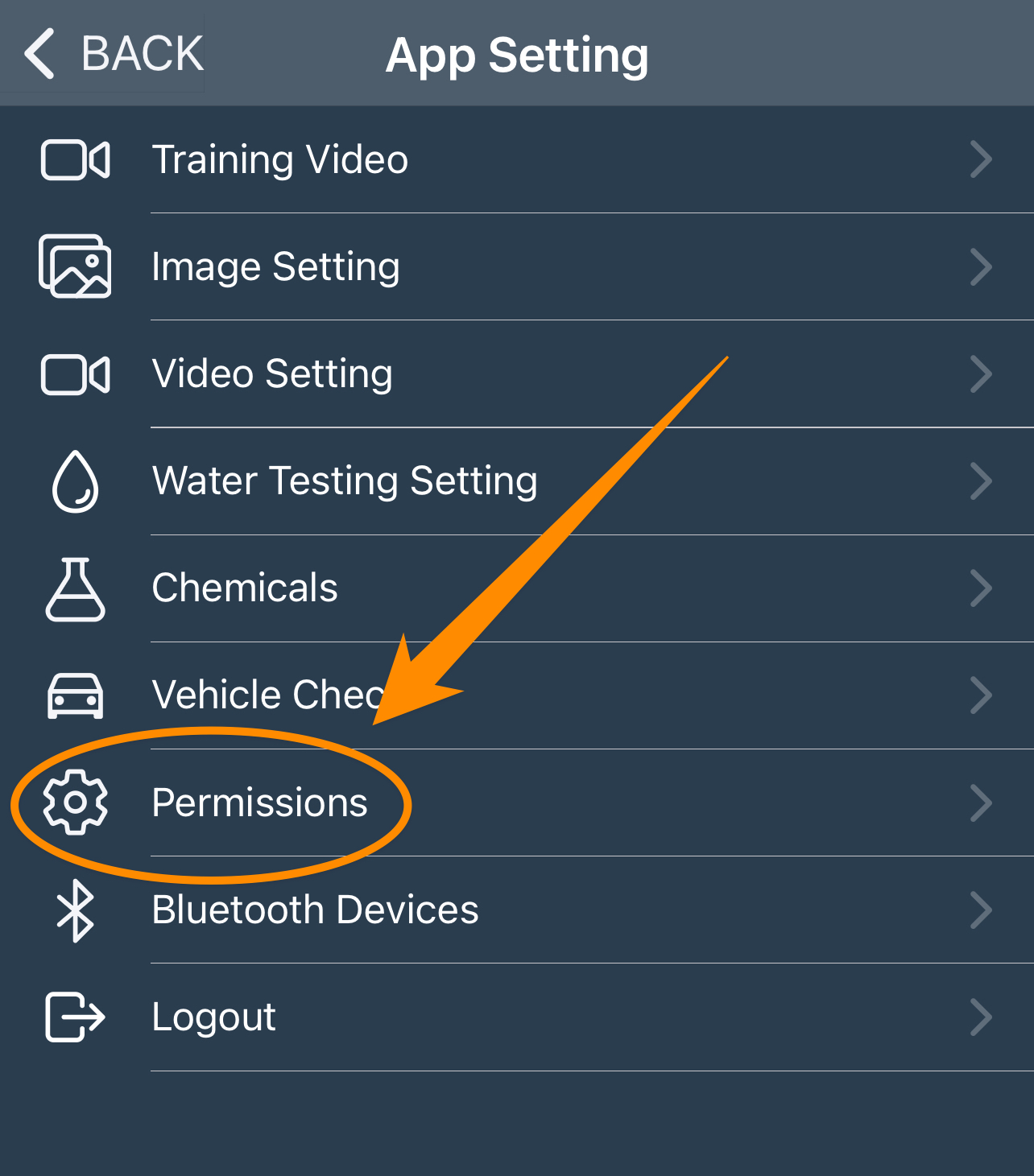
2. Click on PERMISSIONS:
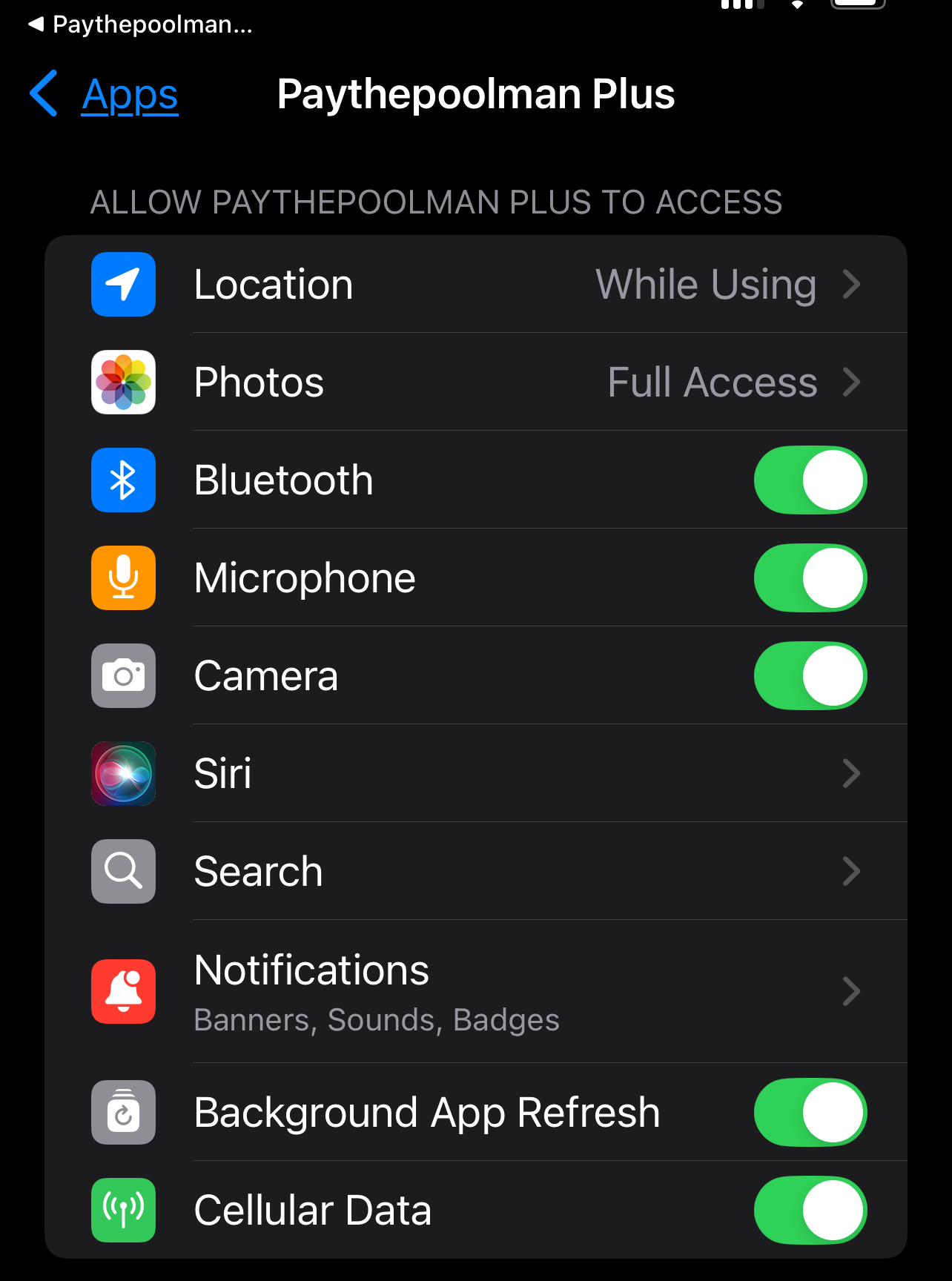
3. Adjust the permissions accordingly:
We hope you find this information helpful!
As always, if you have any other question or need further assistance you can reach out to our Support Team at support@paythepoolman.com or (951) 234 5166.
Office hours: Mon-Fri 8AM to 4PM EST| 5AM to 1PM PST
Have a nice day!