
Welcome to Paythepoolman Help Pages!
Do you have a customer with more than one pool on their property? PaythePoolman gives you the ability to add multiple water features for one location!
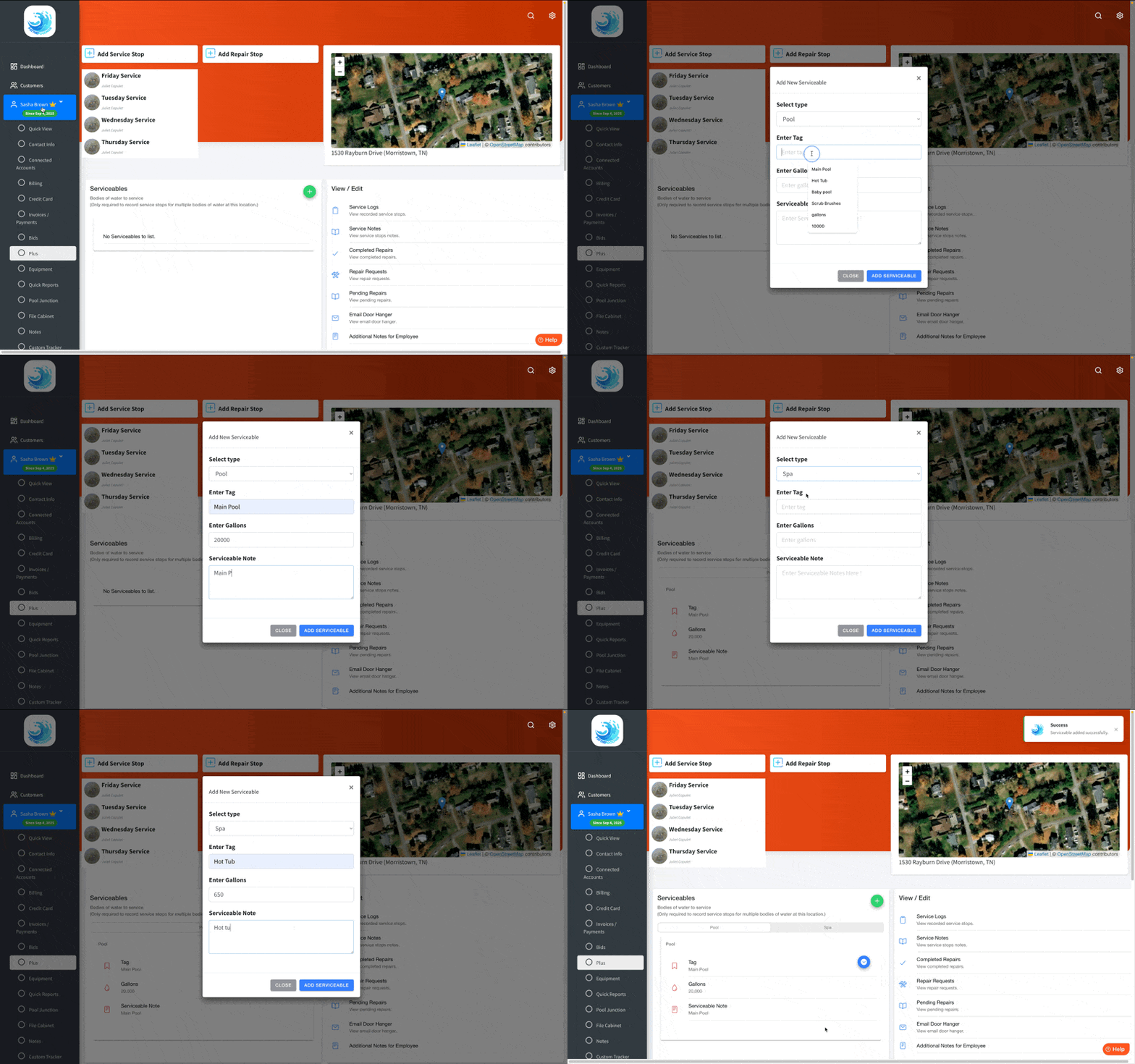
For example, a customer has both a pool and a spa that need servicing. As the water testing results and chemical needs of each water feature are unique, a separate service log needs to be performed for each. The steps detailed in this guide allow you to setup that customer’s location to be routed once in Plus, and have the technician service each water feature, entering chemical readings for each one separately.
**Please note that if you add a serviceable, ALL BODIES OF WATER need to be added as a serviceable as well so that all water features will be listed on the route. However, when creating a route, the customer only needs to be added ONCE and all the serviceables will be listed on the route.**
To add additional serviceables, navigate to the Customer's Profile and click on the Plus tab. Then, click the GREEN PLUS SIGN under SERVICEABLES to enter information for each body of water needing to be serviced at that location.
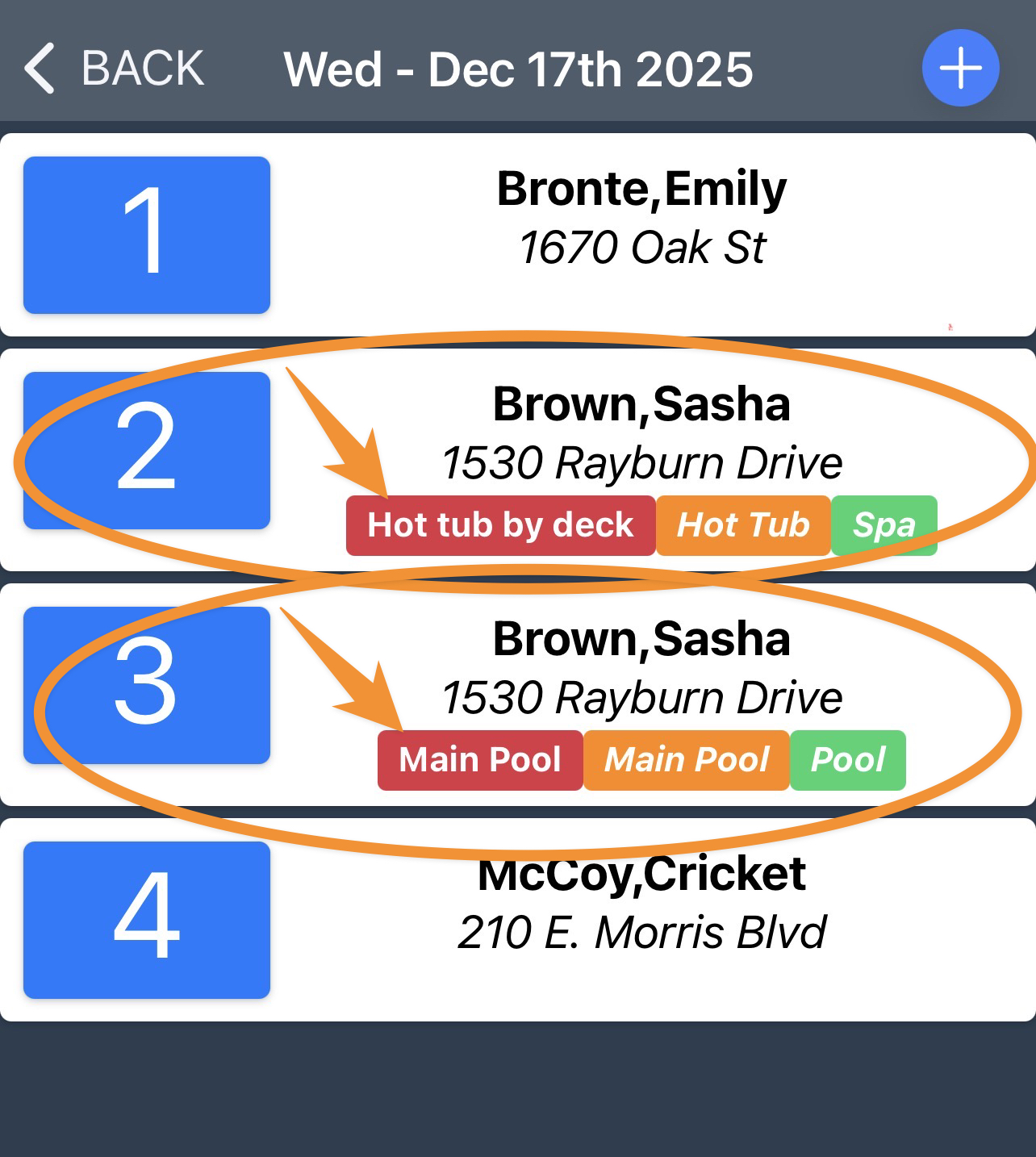
Here's a sample of how it will appear on the Plus App for you/your tech. Each serviceable will show as a separate entry:
Be sure to check out our other Help Pages and our YouTube Channel with over 100 videos and tutorials!
Here's the link: https://www.youtube.com/@Paythepoolman
If you have any other question or need further assistance you can reach out to our Support Team at support@paythepoolman.com or (951) 234 5166.
Office hours: Mon-Fri 8AM to 4PM EST| 5AM to 1PM PST
Have a nice day!