
Hello and Welcome to Paythepoolman Help Pages!
Creating BLUEPRINTS are a quicker way to create template repair stops for your techs! Make a Blueprint and save to use whenever the repair re-occurs in Paythepoolman!
Here's a great video explaining this feature: Creating Blueprints for Repairs
This awesome repair scheduling tool is located in the Plus section of your Paythepooman account!
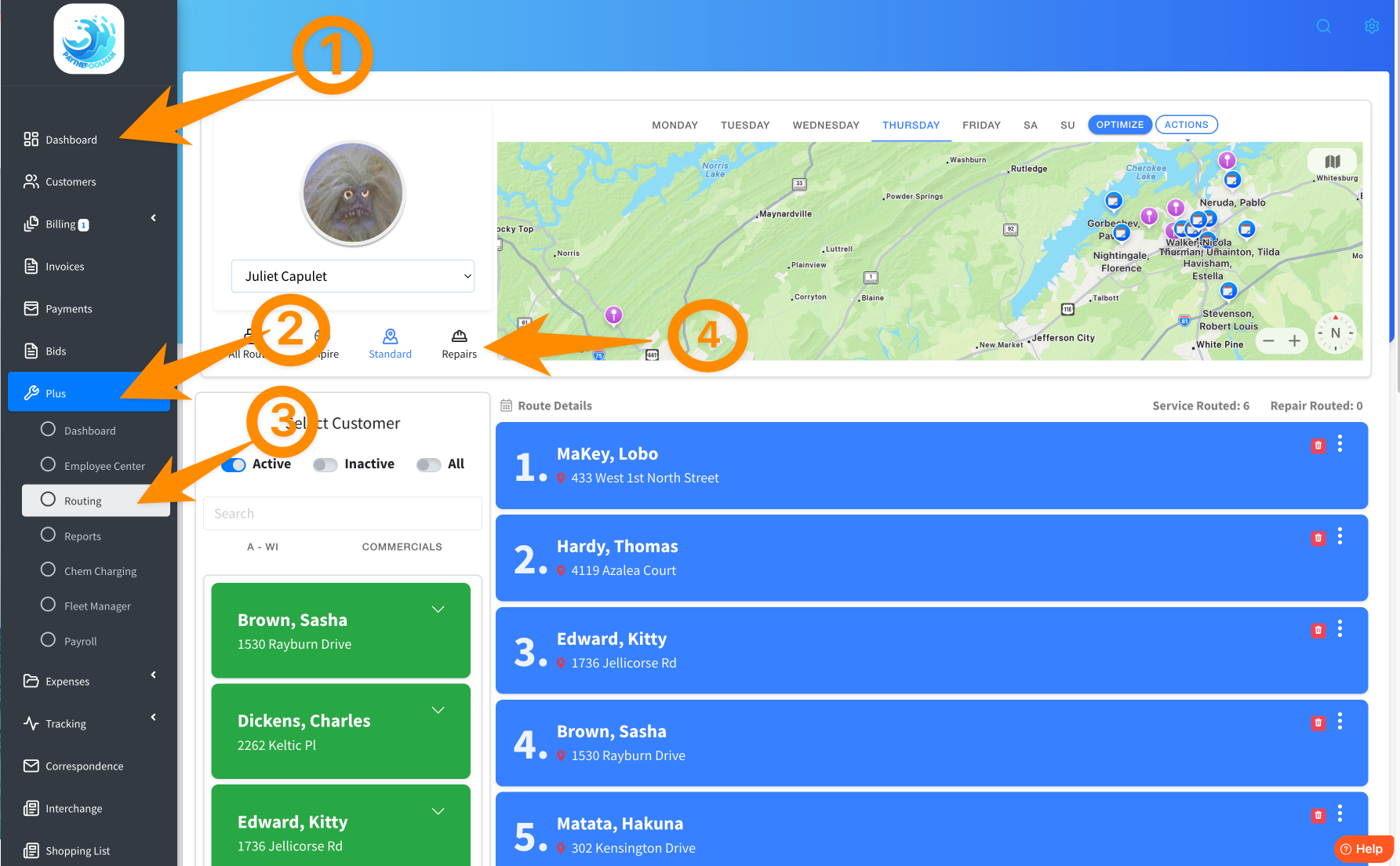
1. From your Company Dashboard, go to the PLUS tab, then click on ROUTING, then REPAIRS:
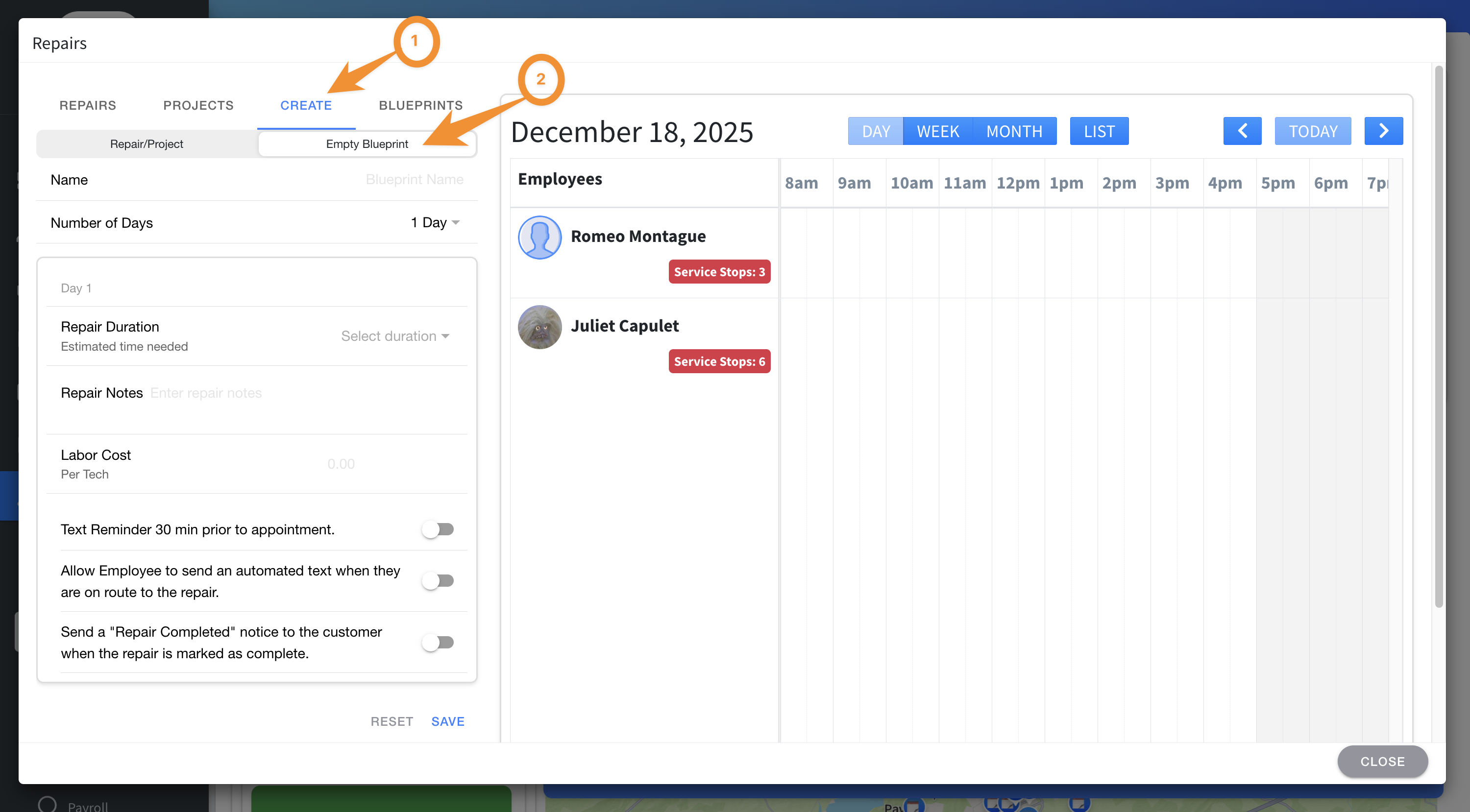
2. This is the REPAIR CALENDAR. For recurring repairs often tasked, like repairing or replacing a pool pump, just click on CREATE, then select the tab for EMPTY BLUEPRINT. Here, you can create a template ready to be customized for all future pool pump repair jobs!
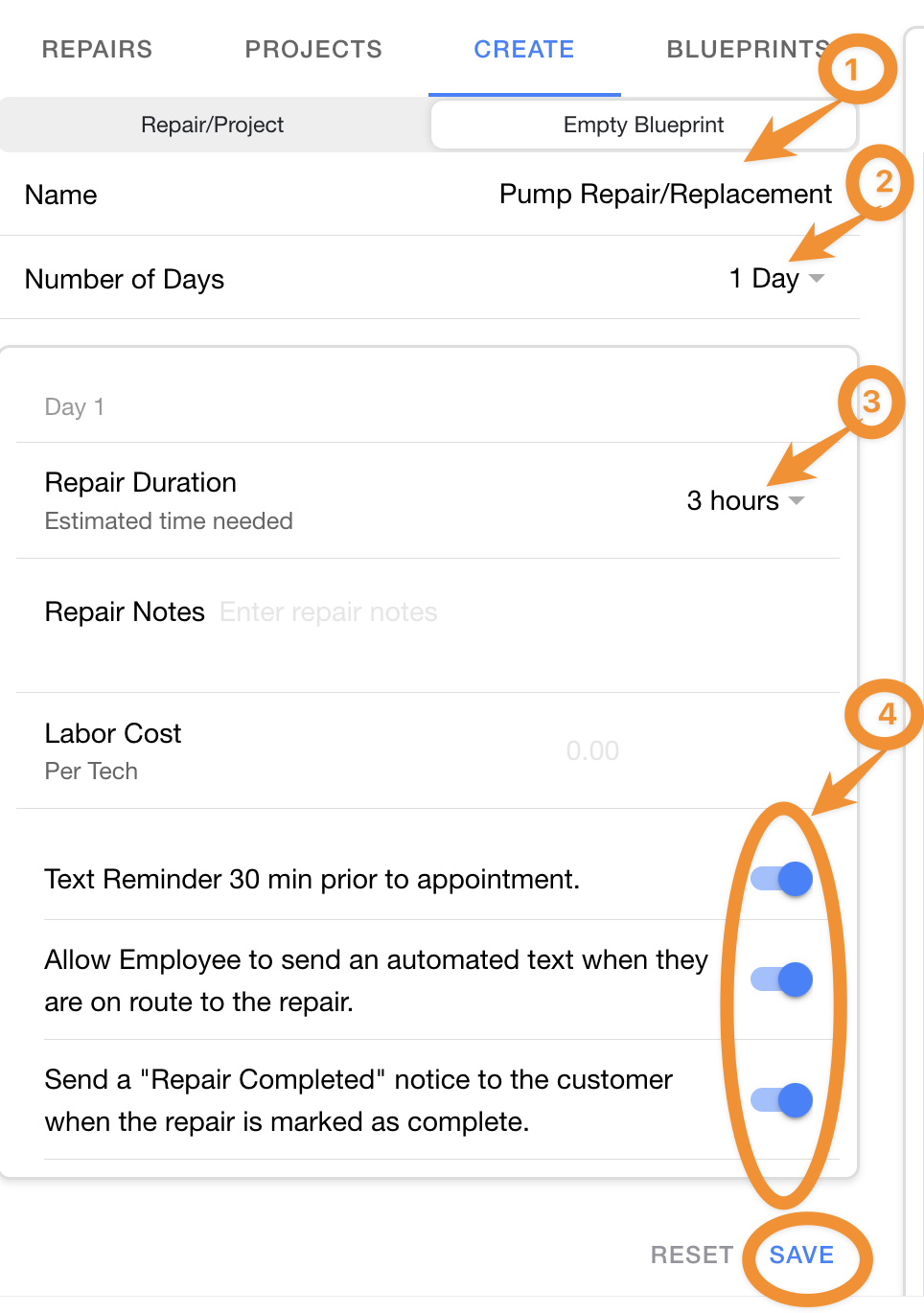
3. Now, name your Blueprint, along with any other relevant information. Any new information or changes can be made when you use this Blueprint for an actual repair job! There are even Text options available! When you're done, just hit the blue SAVE at the bottom.
4. Now that your Blueprint has been created and saved, it can be found under the BLUEPRINT tab and is ready to be customized and added to that next job!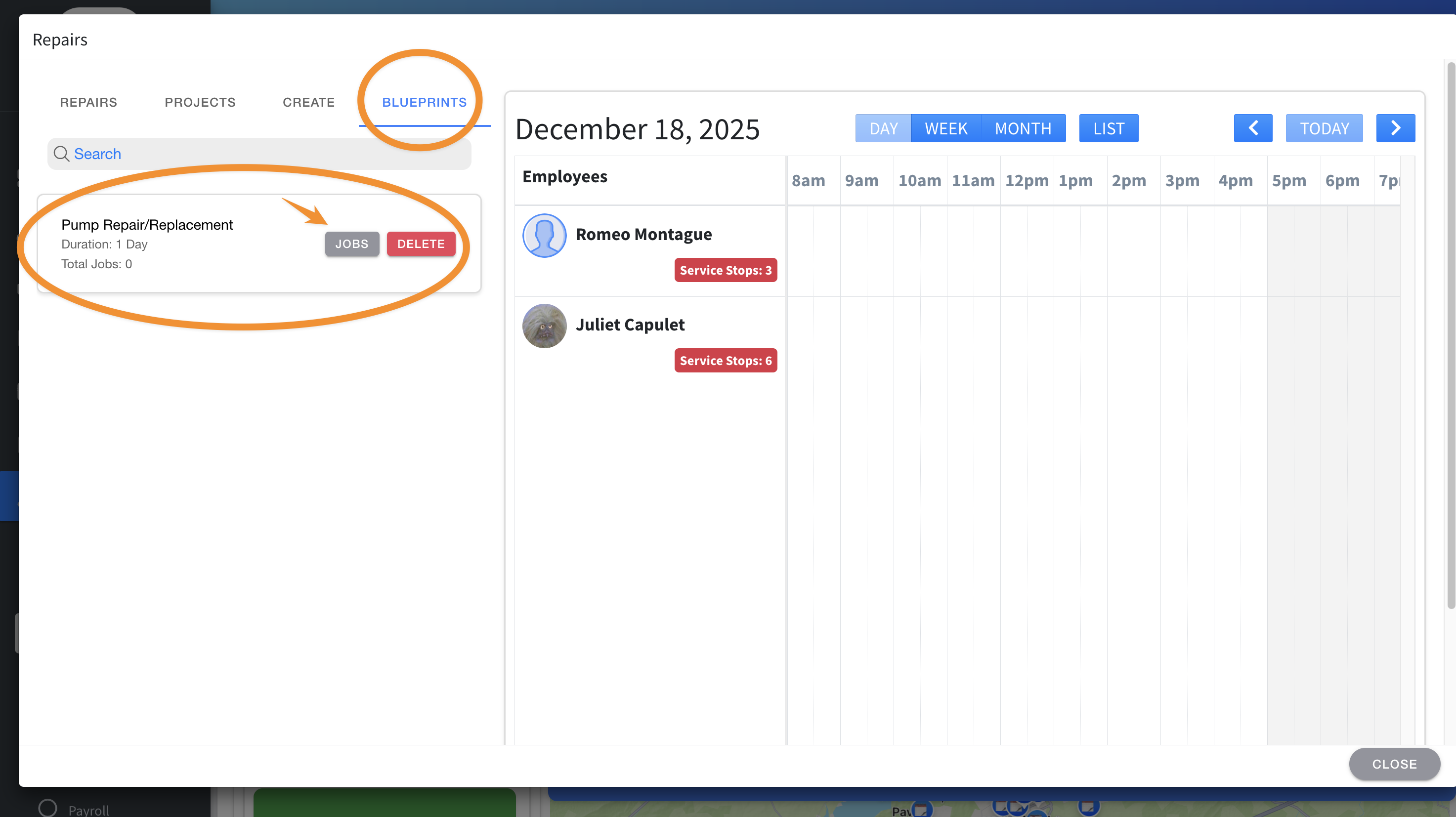
Be sure to check out our other Help Pages and our YouTube Channel with over 100 videos and tutorials!
Here's the link: https://www.youtube.com/@Paythepoolman
If you have any other question or need further assistance you can reach out to our Support Team at support@paythepoolman.com or (951) 234 5166.
Office hours: Mon-Fri 8AM to 4PM EST| 5AM to 1PM PST
Have a nice day!