
Welcome to Paythepoolman Help Pages!
Our Plus App is integrated with the Orenda caclulator! Here are the steps to enable this feature:
1. From your Company Dashboard in your Paythepoolman account, scroll down to PLUS icon with the wrench, then select EMPLOYEE CENTER. Find the tech and select MANAGE PERMISSIONS.
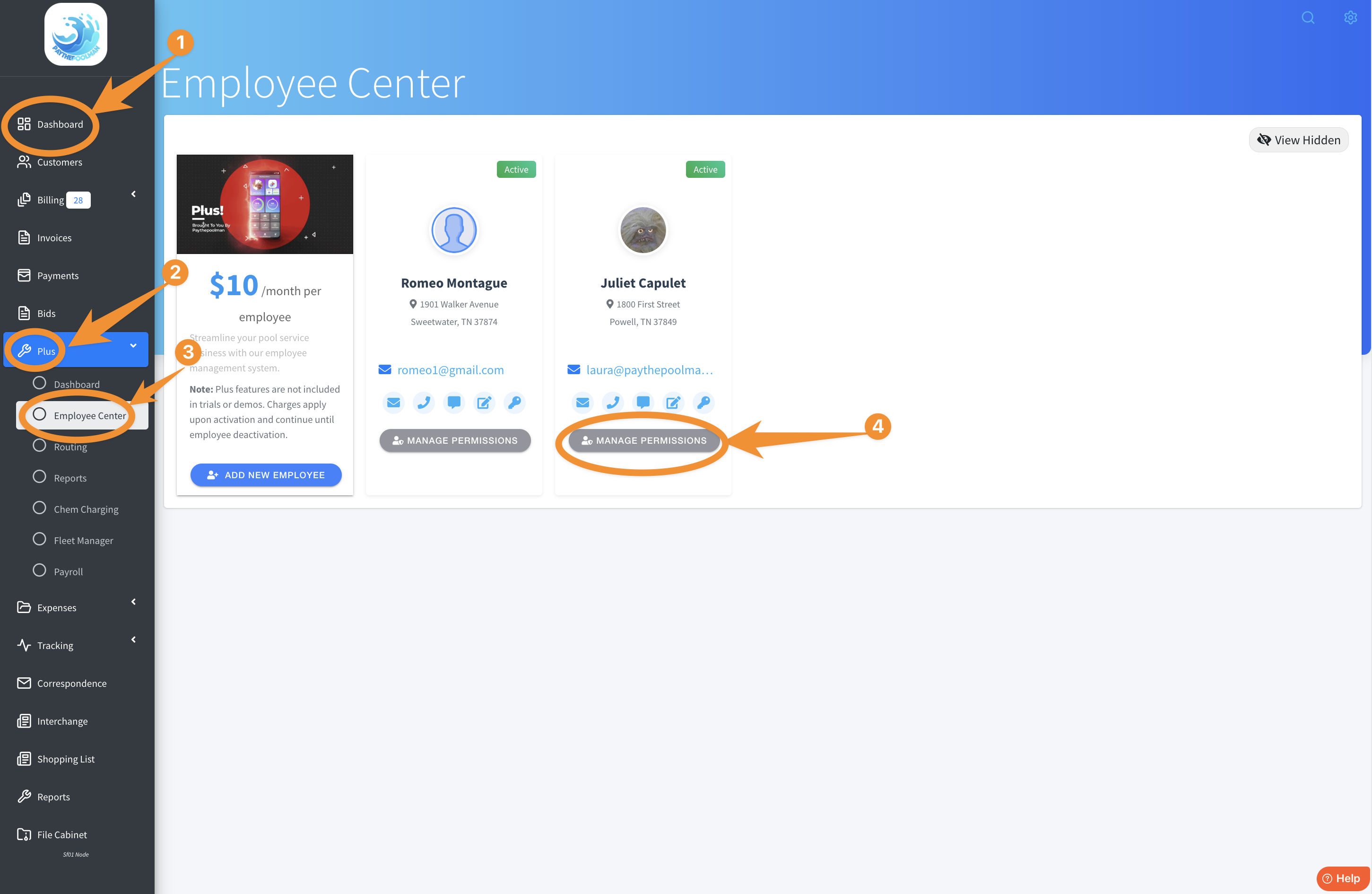
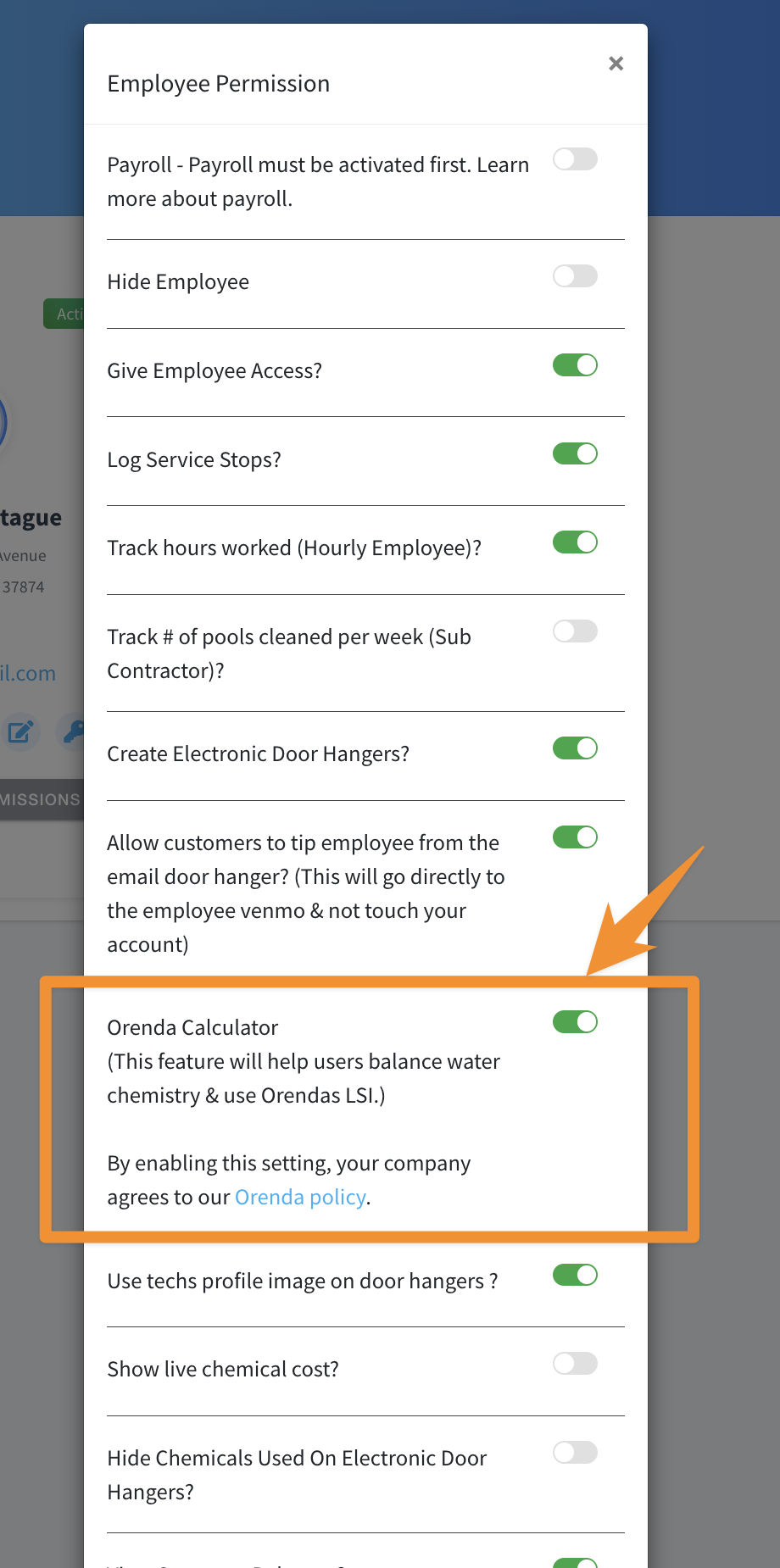
2. Next, just scroll down to find the ORENDA CALCULATOR option and toggle it GREEN:
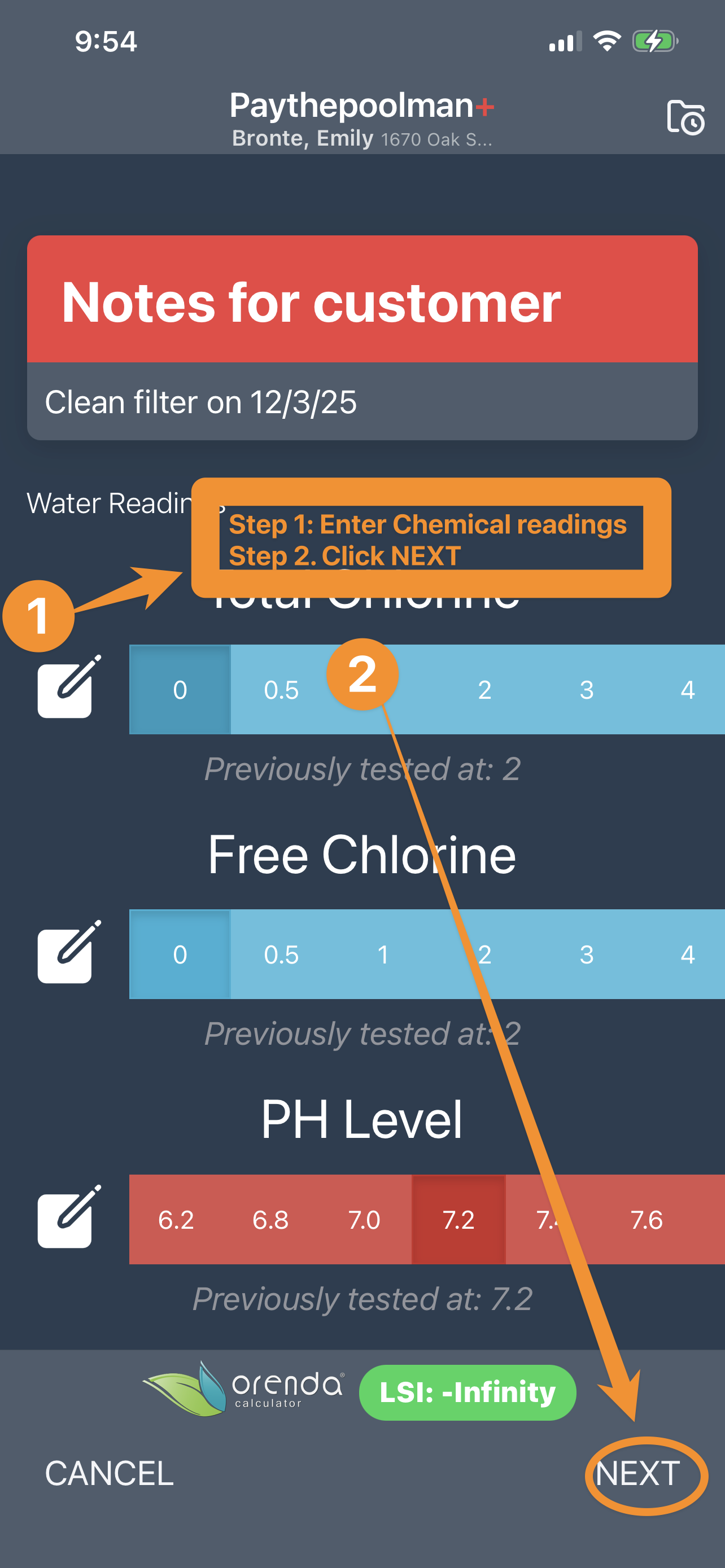
3. Now, on the PLUS APP, your tech will just enter the chemical readings as normal, then click NEXT.
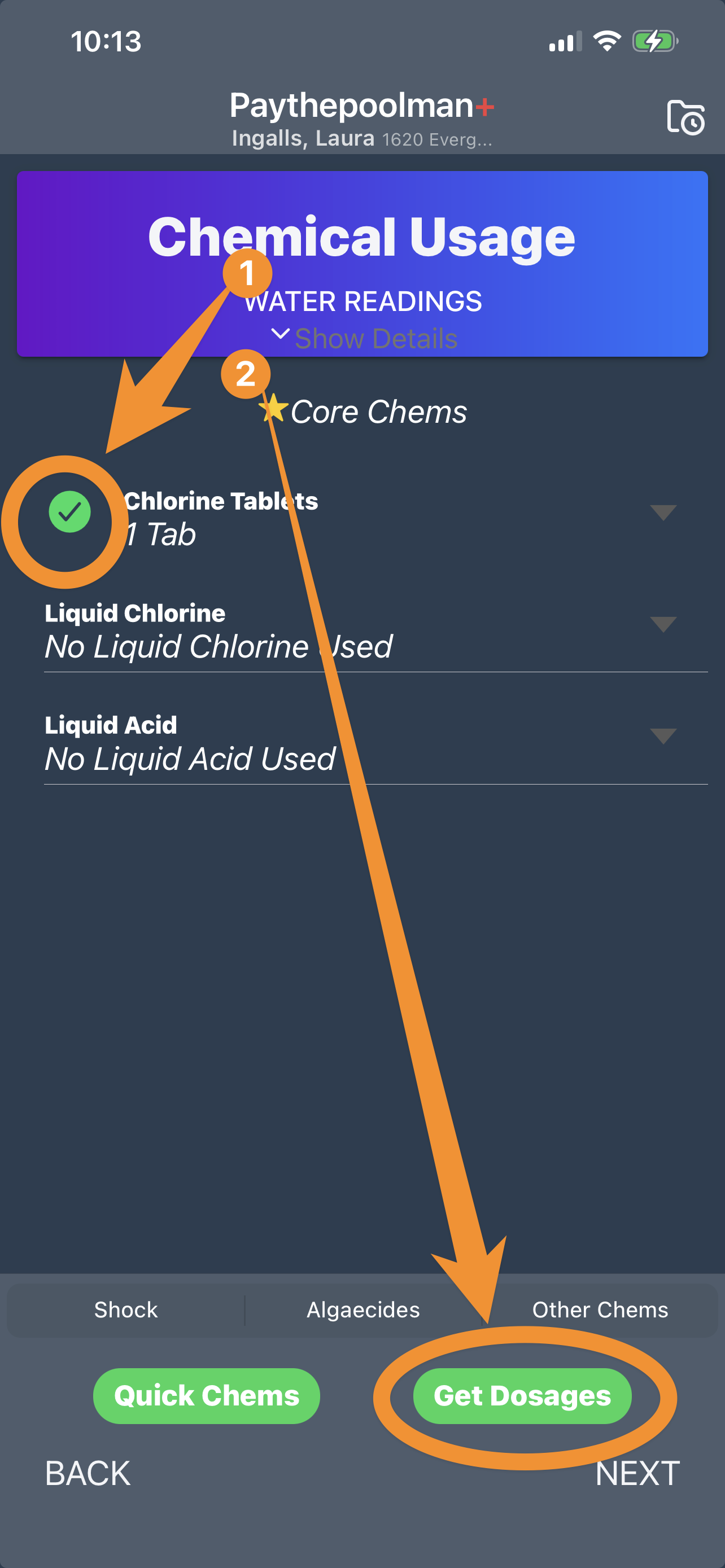
4. Next, your tech will enter any chemicals added, then click GET DOSAGES:
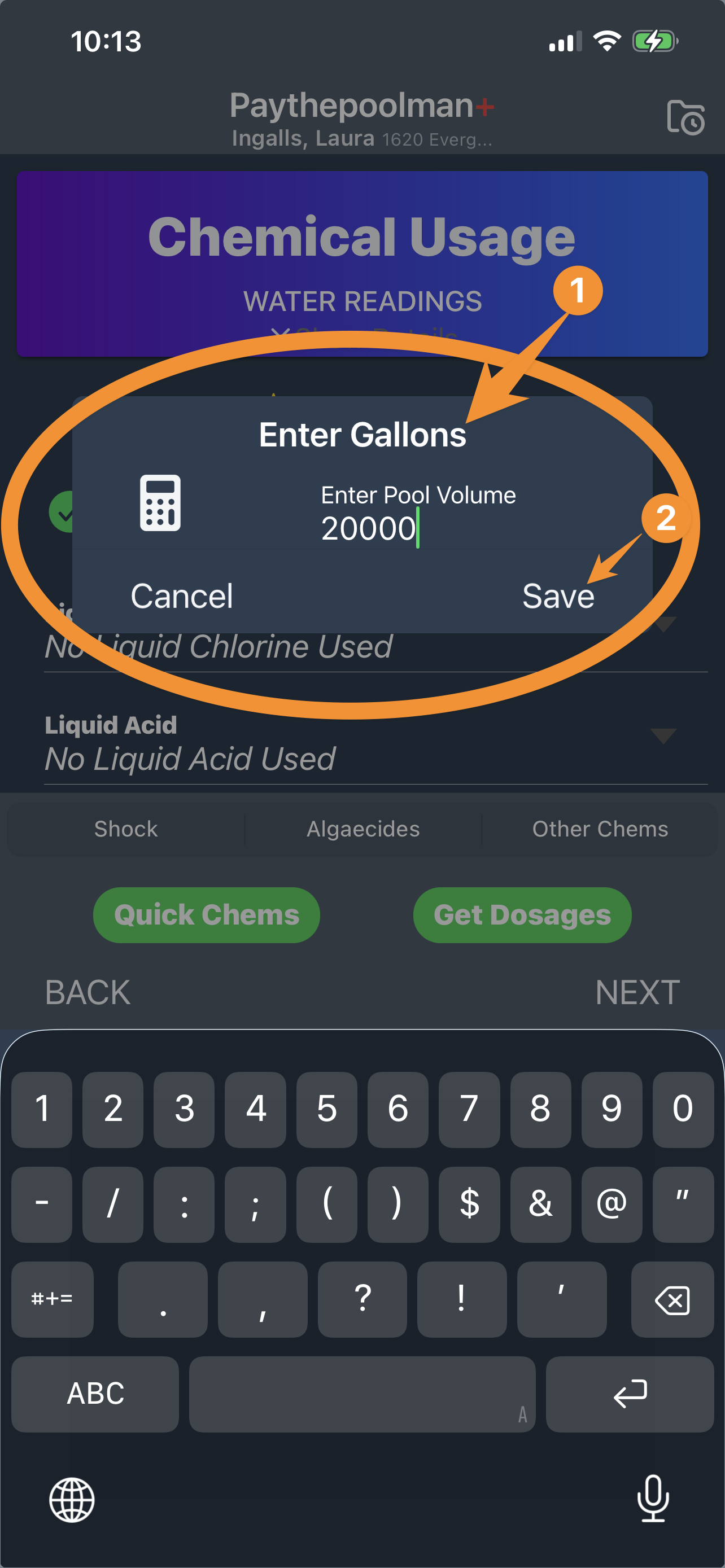
5. Then, your tech will first be prompted to enter the gallons of the pool (unless this information has already been added in the customer profile), then SAVE:
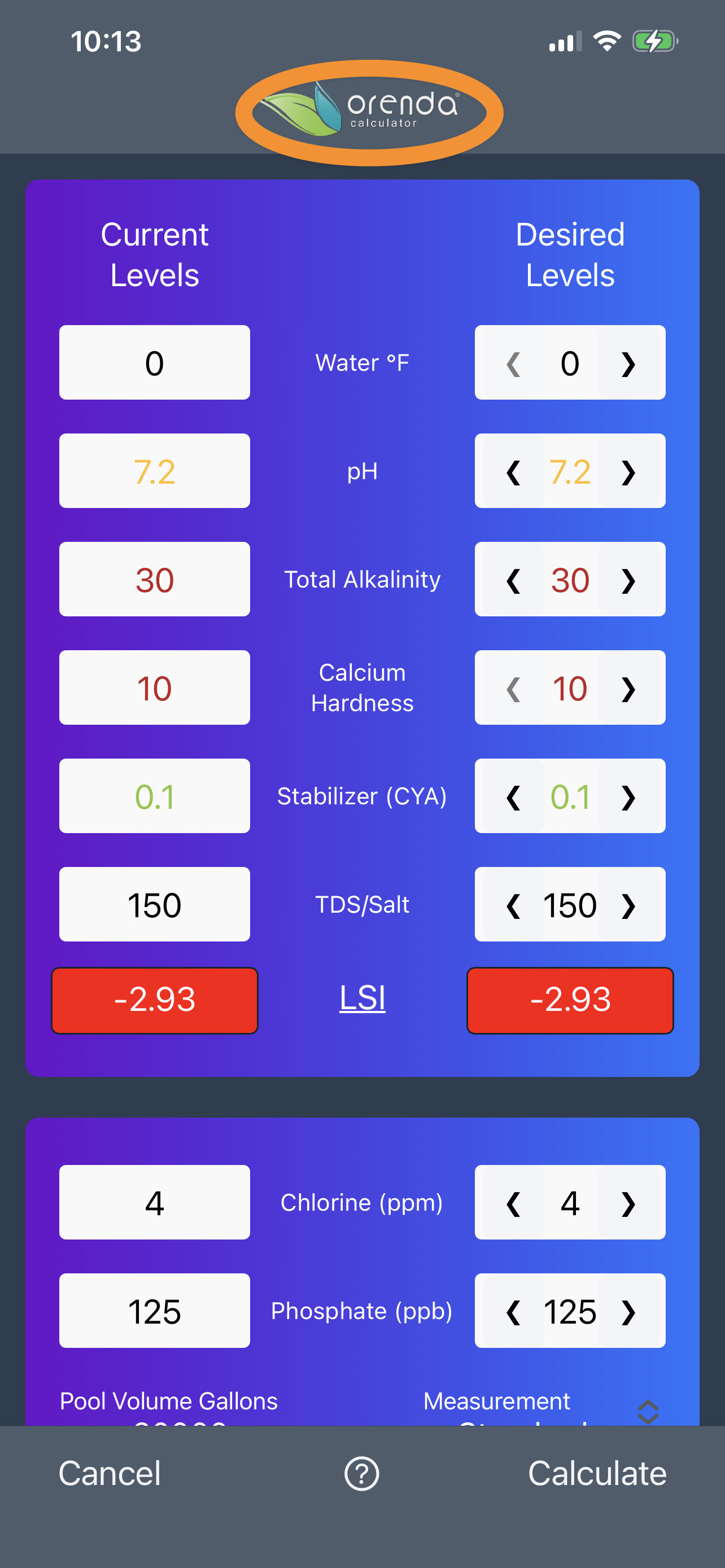
6. Now, your tech will see the numbers as calculated by the ORENDA CALCULATOR, based on chemical readings, chemicals added and the size of the pool/spa!
Be sure to check out our other Help Pages and our YouTube Channel with over 100 videos and tutorials!
Here's the link: https://www.youtube.com/@Paythepoolman
If you have any other questions or need further assistance, you can reach out to our Support Team at
support@paythepoolman.com or (951) 234 5166.
Office hours: Mon-Fri 8AM to 4PM EST| 5AM to 1PM PST
Have a nice day!