
Welcome to Paythepoolman Help Pages!
Our Plus App is integrated with the LSI - Langlier Saturation Index. In this article, we'll show you how to enable this feature and also include great reference information!
1. To enable the LSI in your Plus App, navigate to PLUS from your Company Dashboard, then select EMPLOYEE CENTER. From there, click on MANAGE PERMISSIONS for the employee/tech of your choice.
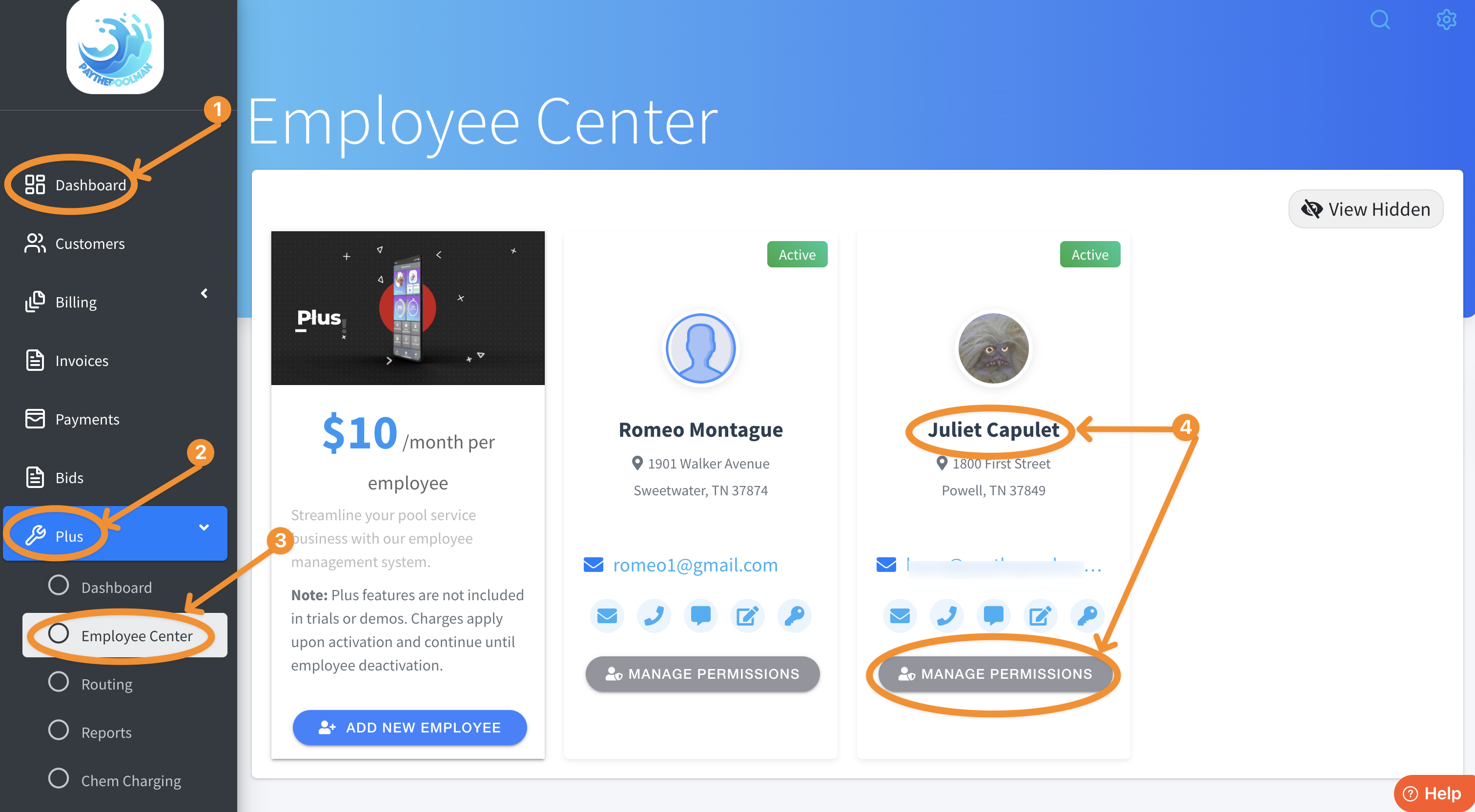
2. Next, scroll down to find SHOW EMPLOYEE LSI SATURATION INDEX and toggle on the option: 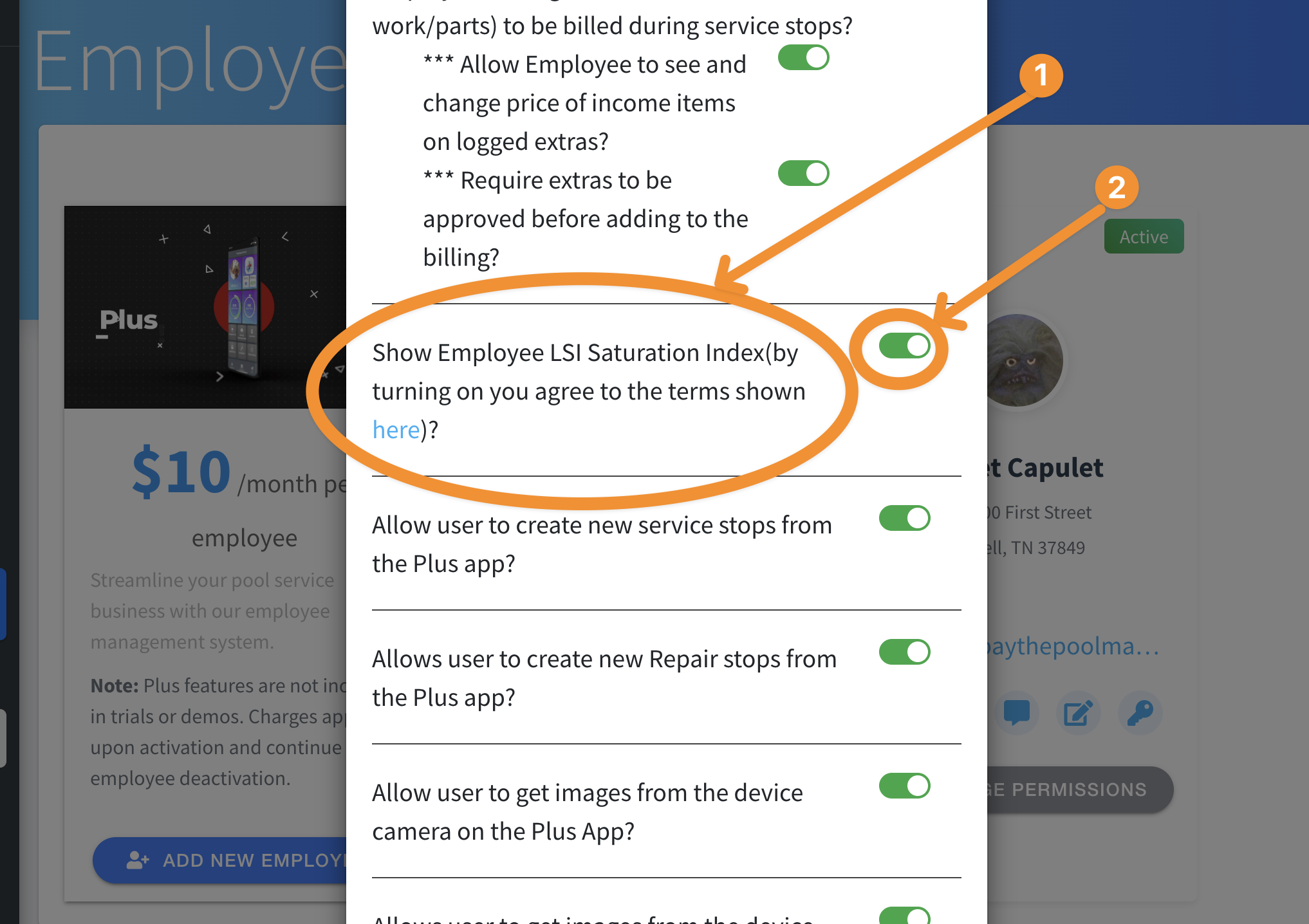
To see more detailed information about LSI readings, just click on the highlighted word, "here" to pull up this reference: 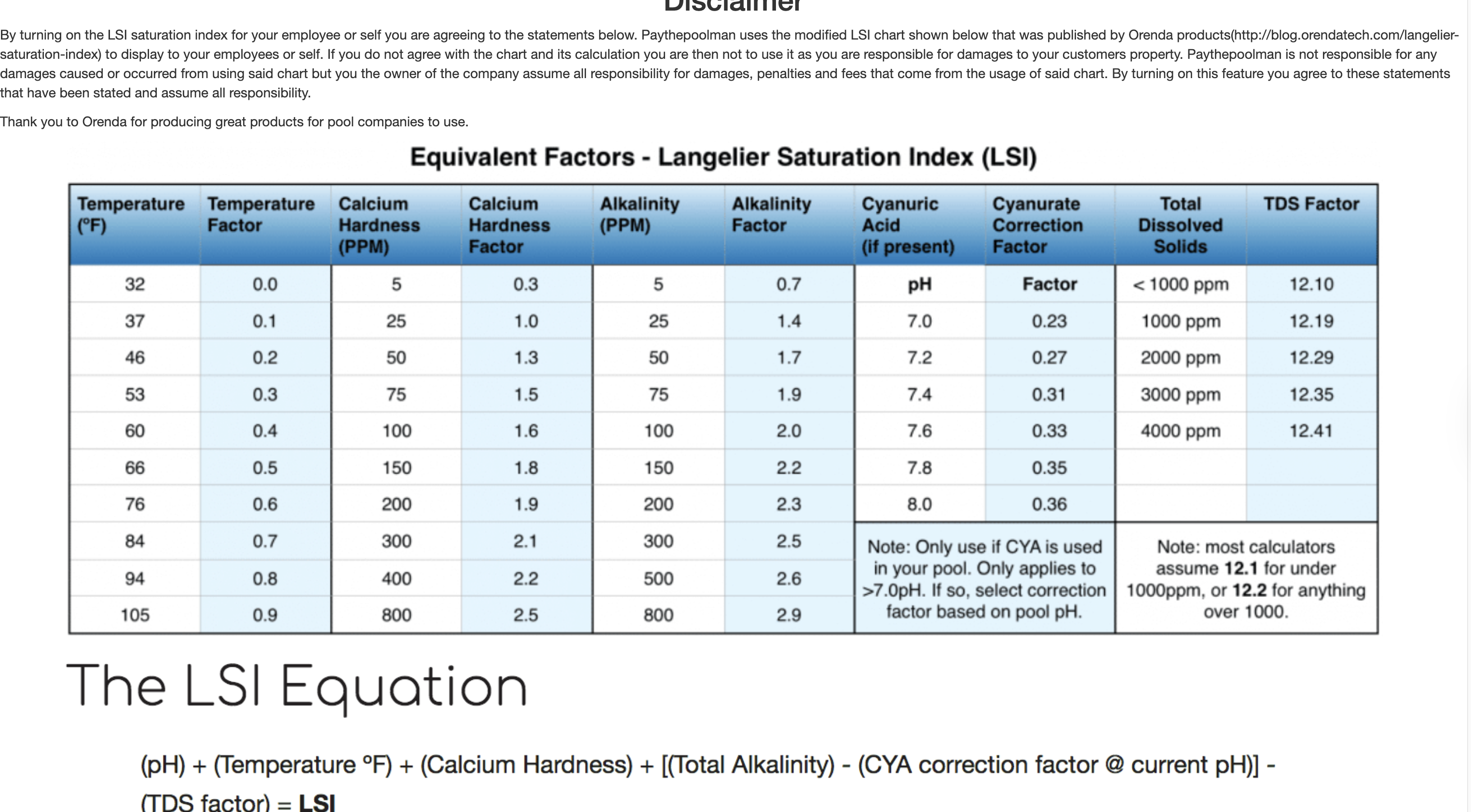
Be sure to check out our other Help Pages and our YouTube Channel with over 100 videos and tutorials!
Here's the link: https://www.youtube.com/@Paythepoolman
If you have any other questions or need further assistance, you can reach out to our Support Team at
support@paythepoolman.com or (951) 234 5166.
Office hours: Mon-Fri 8AM to 4PM EST| 5AM to 1PM PST
Have a nice day!