
Welcome to Paythepoolman Help Pages!
Our incredible Plus App can fully integrate with your WaterLink Spin Touch device via Bluetooth! Here are the steps to make this happen:
1. Open your Plus App and select the "hamburger" menu (three lines) in the top right corner: 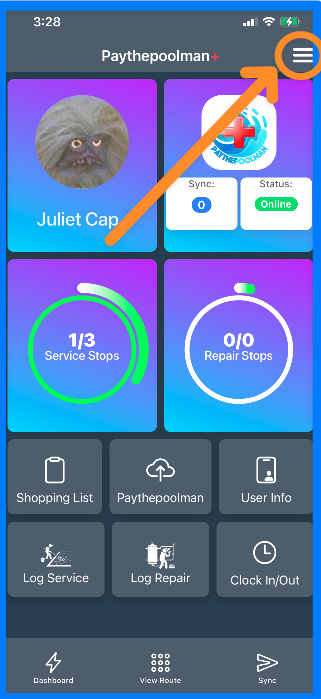
2. Next, you'll want to make sure all permissions are enabled, so click on PERMISSIONS: 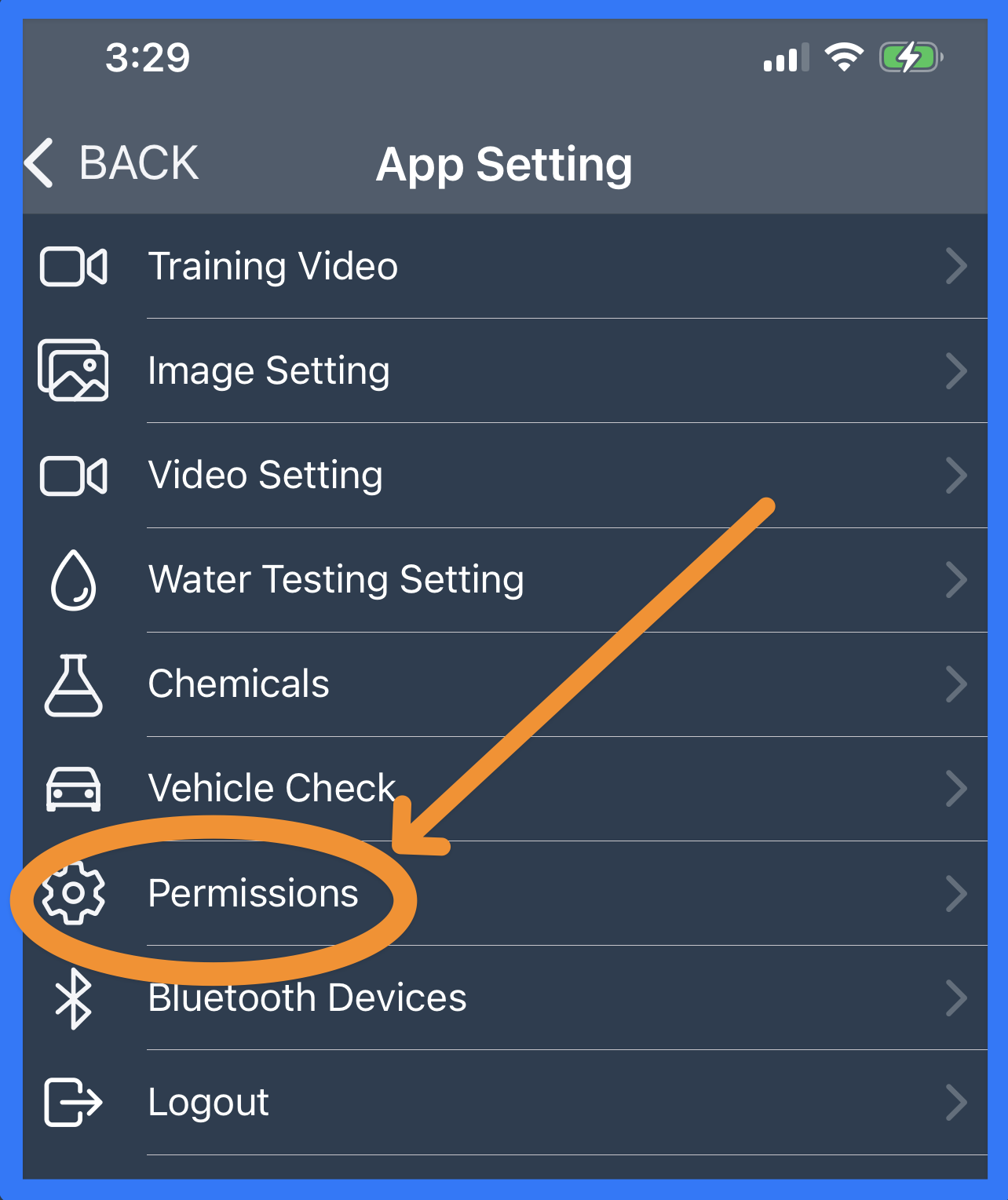
3. Enable all access: 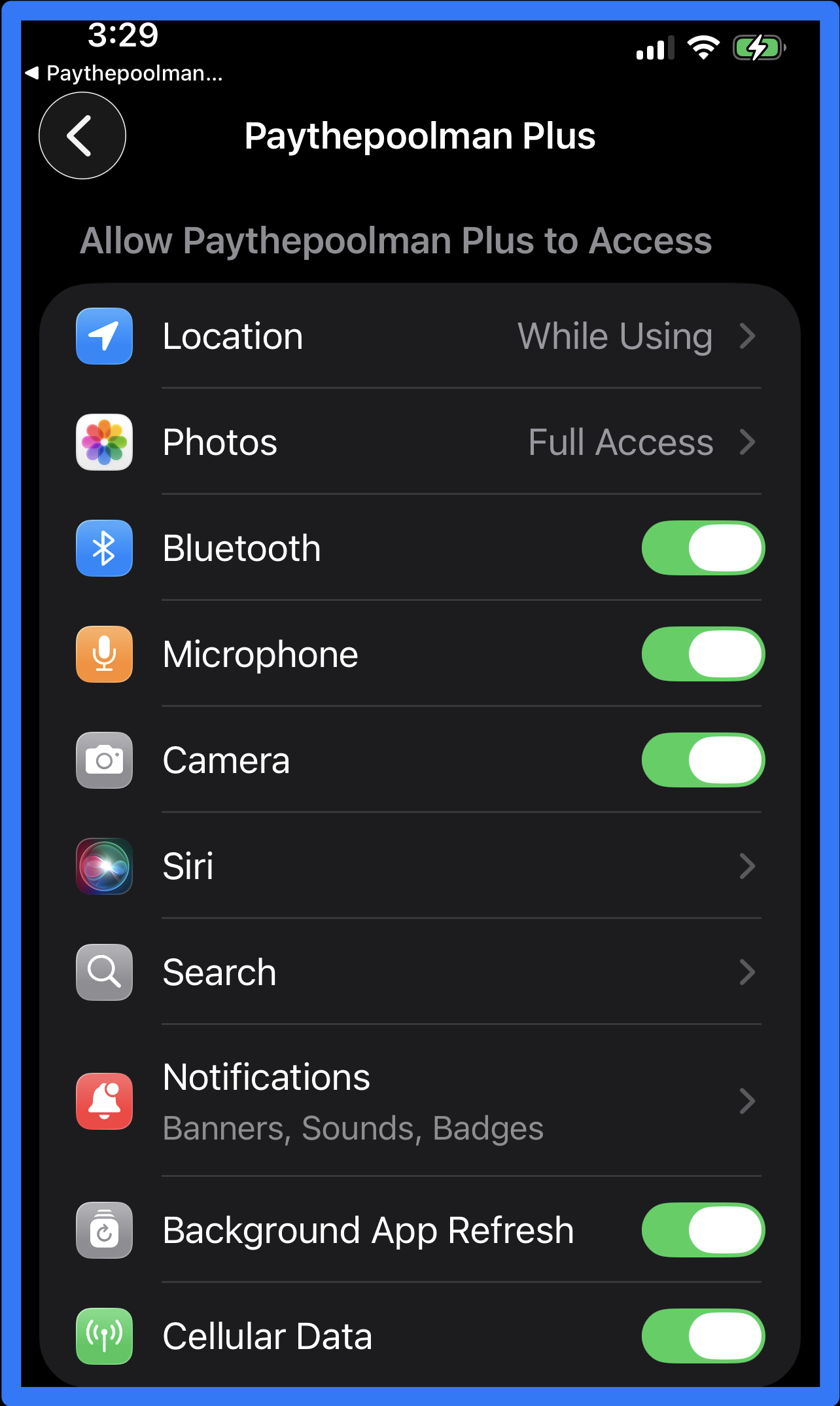
4. Now, just click on BLUETOOTH DEVICES to toggle ON the option for the WaterLink Spin Touch integration, and click the blue button to CONNECT DEVICE:
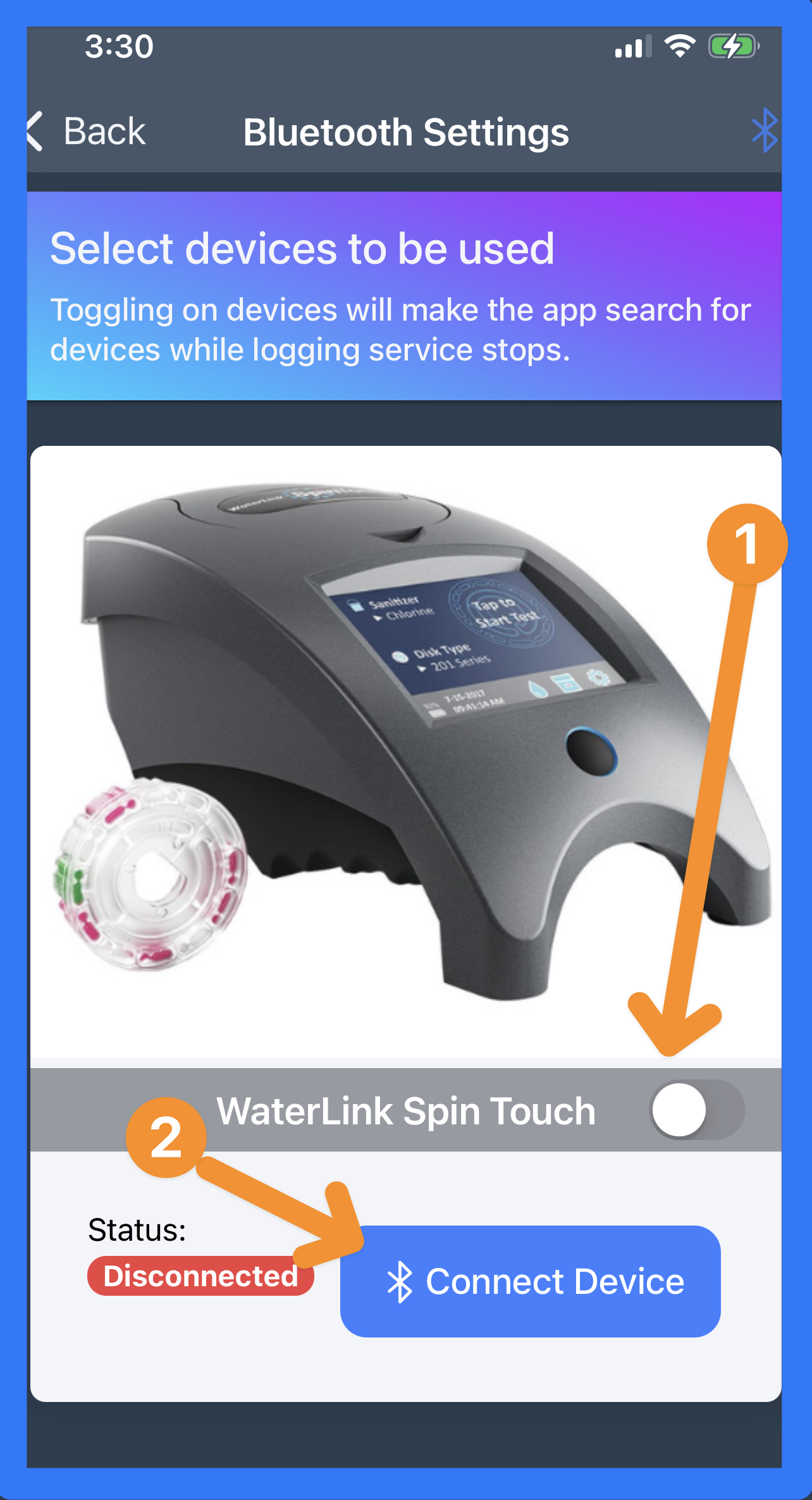
And that's it!
Be sure to check out our other Help Pages and our YouTube Channel with over 100 videos and tutorials!
Here's the link: https://www.youtube.com/@Paythepoolman
If you have any other questions or need further assistance, you can reach out to our Support Team at
support@paythepoolman.com or (951) 234 5166.
Office hours: Mon-Fri 8AM to 4PM EST| 5AM to 1PM PST
Have a nice day!