
Hello and Welcome to Paythepoolman Help Pages!
Do you need to remove an employee from your company?
Here are some screenshots to help you!
Before deactivating an employee we recommend removing customers from the employee's route because deactivating an employee WILL delete their route. Then you will be able to reroute those customers to other employees easily.
1. From your Company Dashboard, scroll down to PLUS on the black sidebar, then EMPLOYEE CENTER.
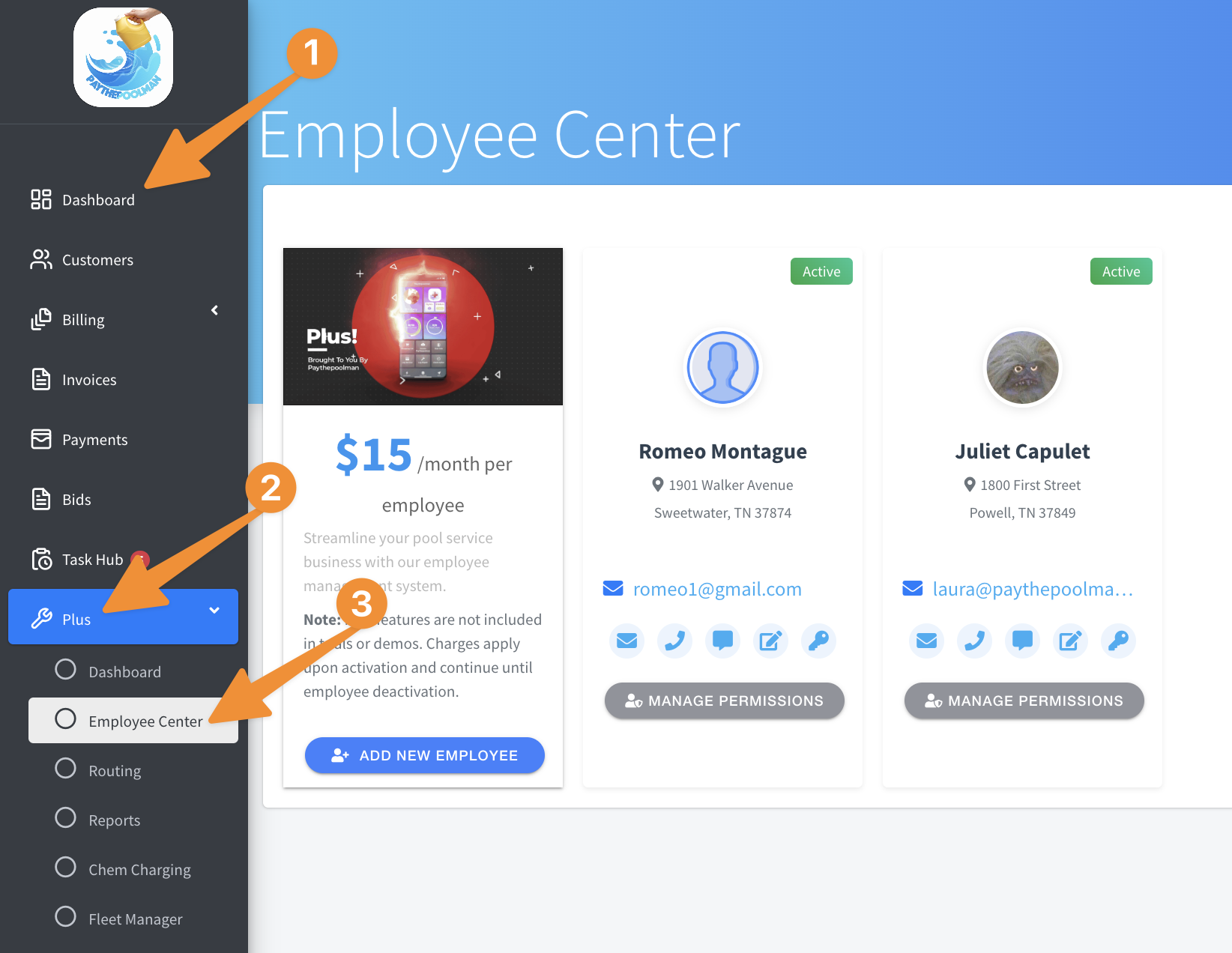
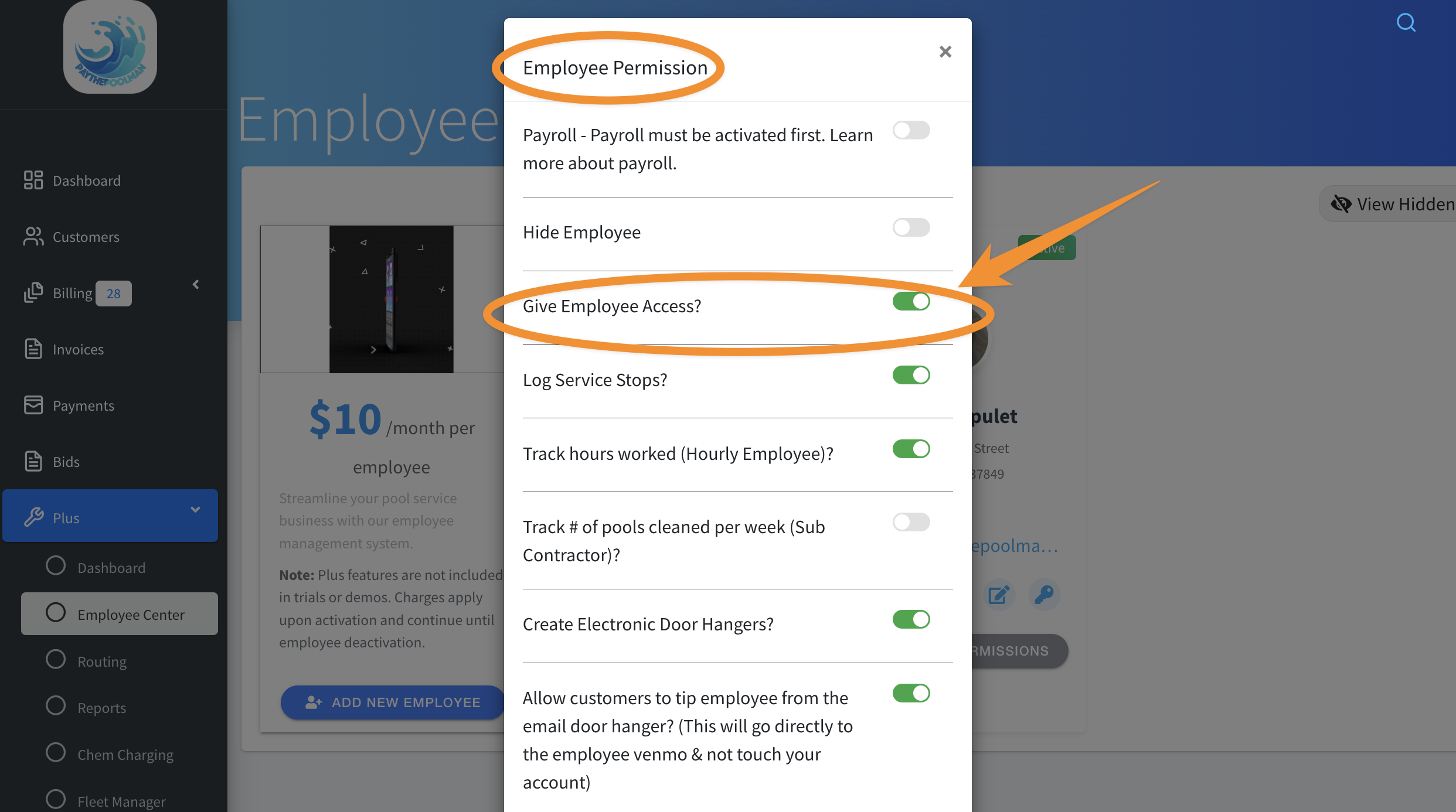
2. Next, find the Employee in question, and select MANAGE PERMISSIONS, then toggle off the option to GIVE EMPLOYEE ACCESS:
And that's it!
**PLEASE NOTE: "Hide Employee" does not deactivate the employee. You MUST remove access.
Be sure to check out our other Help Pages and our YouTube Channel with over 100 videos and tutorials!
Here's the link: https://www.youtube.com/@Paythepoolman
If you have any other questions or need further assistance, you can reach out to our Support Team at
support@paythepoolman.com or (951) 234 5166.
Office hours: Mon-Fri 8AM to 4PM EST| 5AM to 1PM PST
Have a nice day!