
Welcome to Paythepoolman Help Pages!
Here are some steps and videos to walk you through our new Income Items Page! This YouTube video gives a great overview of the entire Income Items Dashboard: Income Items Dashboard
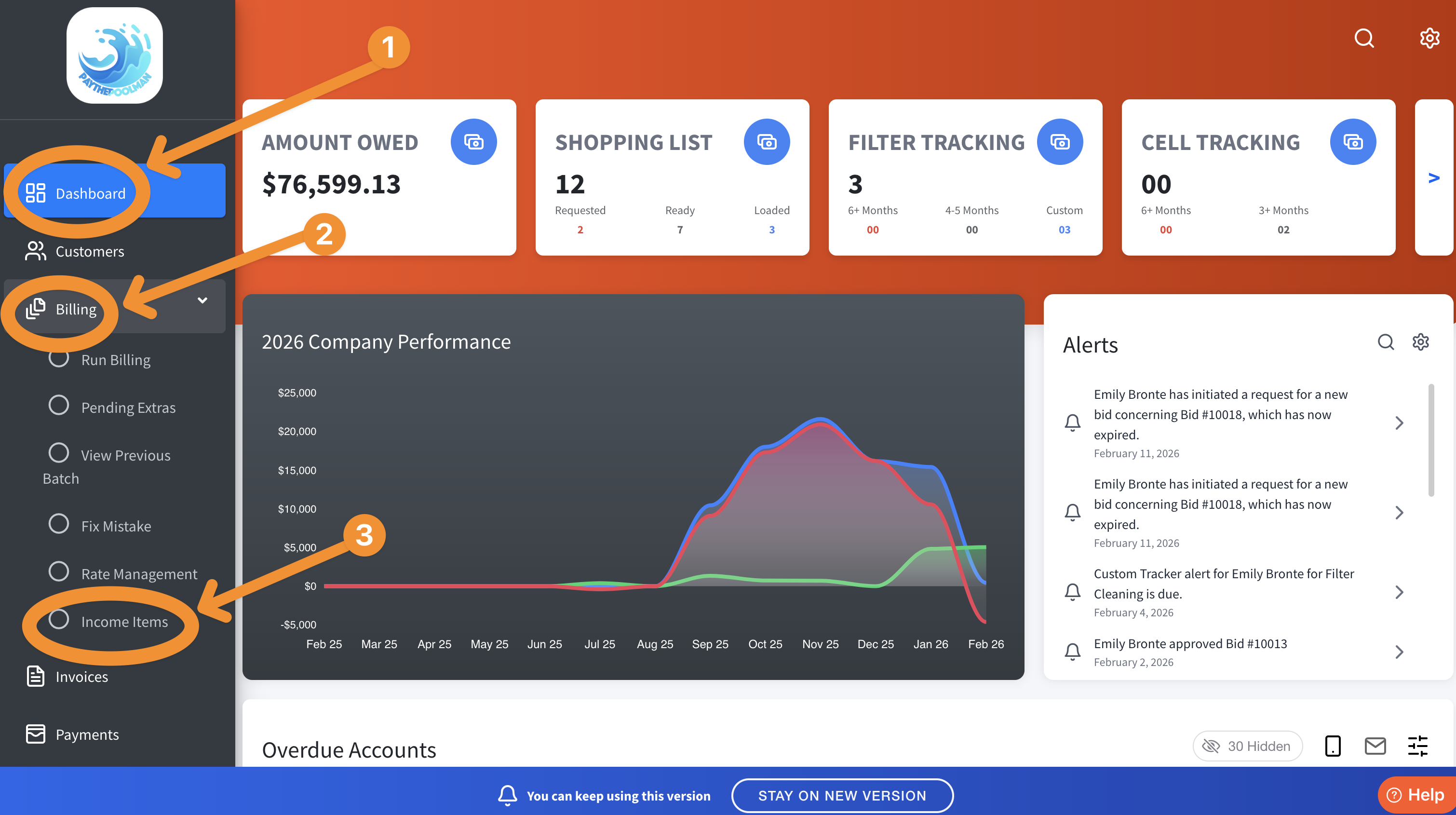
1. From your Company Dashboard, click on BILLING, then INCOME ITEMS:
2. To add a NEW INCOME ITEM, just click on the BLUE PLUS SIGN, then enter your information in the pop up window: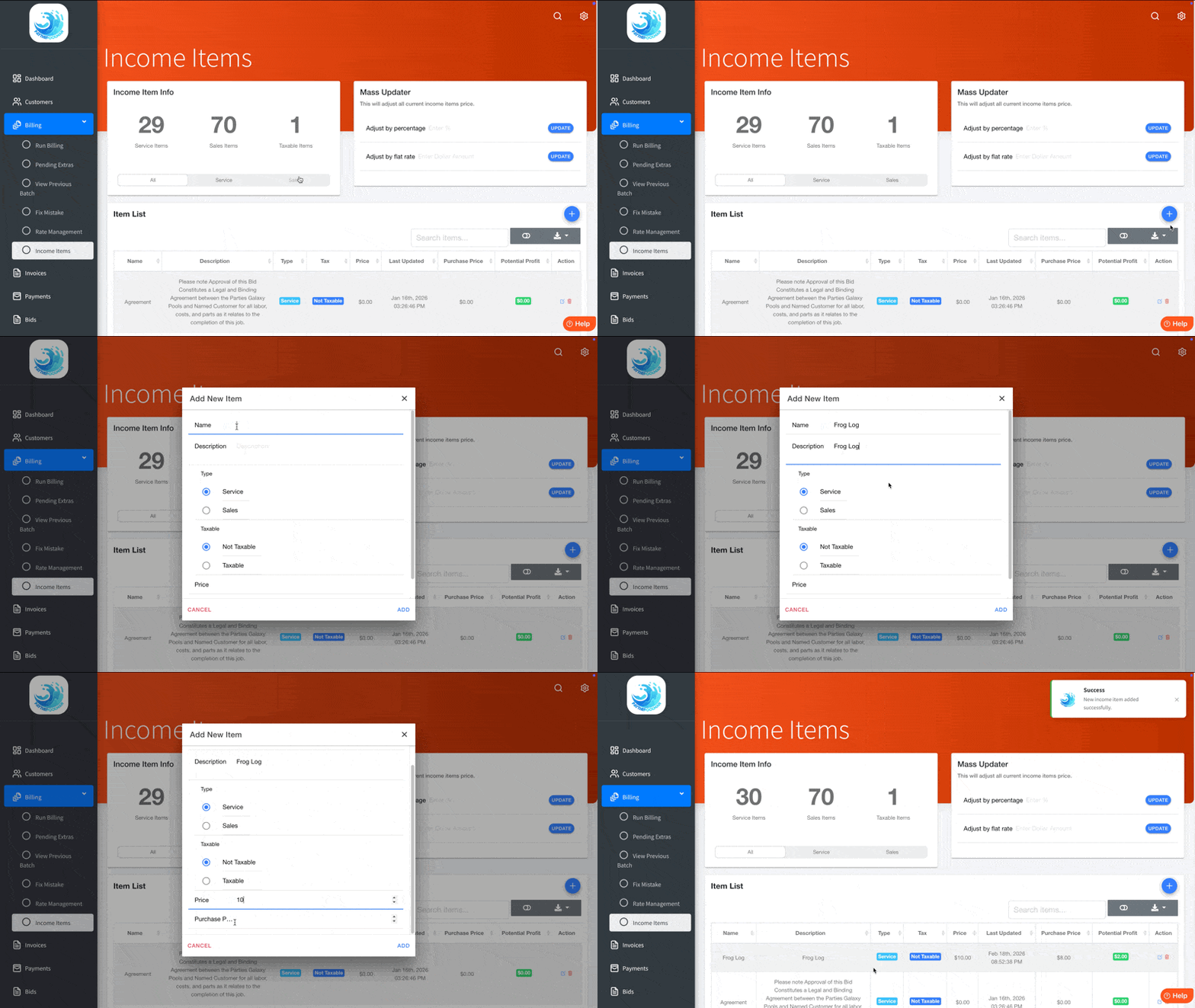
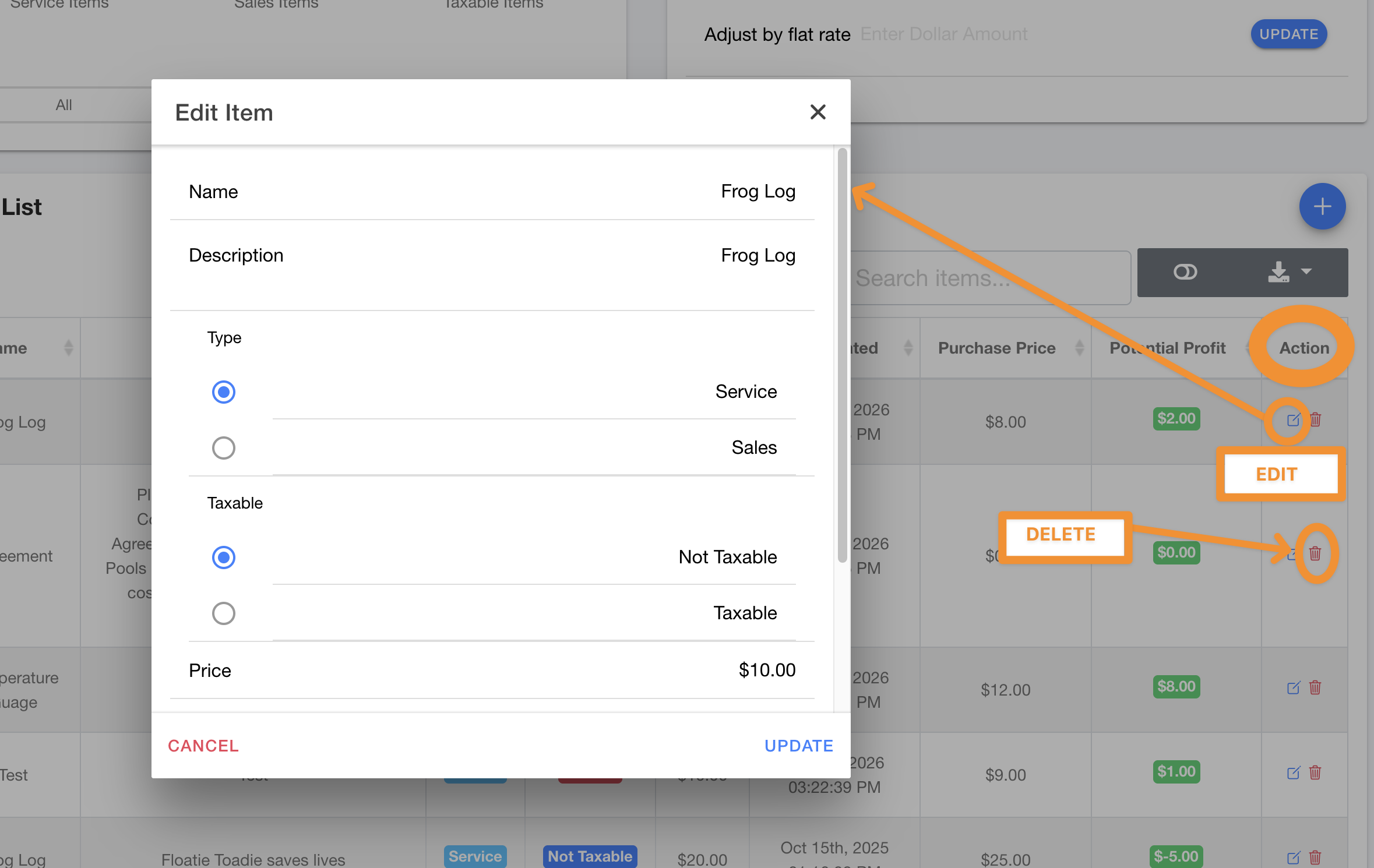
3. Under ACTIONS, you can either EDIT your item or DELETE:
Have a great day and let us know if you have any questions!
Be sure to check out our other Help Pages and our YouTube Channel with over 100 videos and tutorials!
Here's the link: https://www.youtube.com/@Paythepoolman
If you have any other questions or need further assistance, you can reach out to our Support Team at
support@paythepoolman.com or (951) 234 5166.
Office hours: Mon-Fri 8AM to 4PM EST| 5AM to 1PM PST
Have a nice day!