
Hello and Welcome to Paythepoolman Help Pages!
Let's explore this awesome new look for a Simple Service in our Plus App! This upgrade gives you and/or your techs all Service Log Details on ONE screen instead of having to navigate to separate screens via clicking on "next" as was previously used.
Here's a great video to learn more about it: Simple Service
Here are the steps to make this happen:
First, you'll want to be sure that you/your tech has the permission enabled for allowing new service stops to be added from the Plus App.
1. From your Company Dashboard, scroll down to PLUS and select EMPLOYEE CENTER, then MANAGE PERMISSIONS: 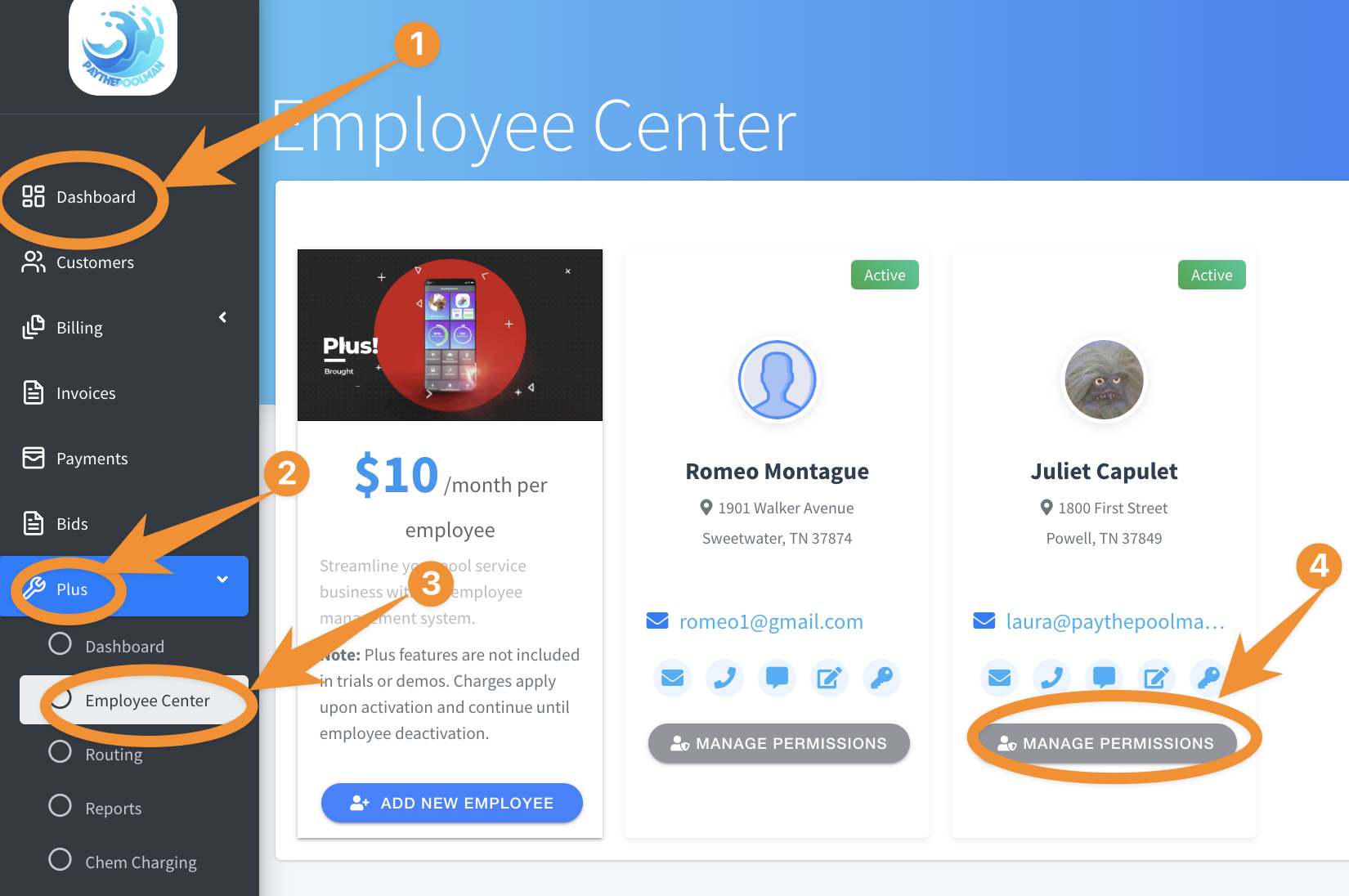
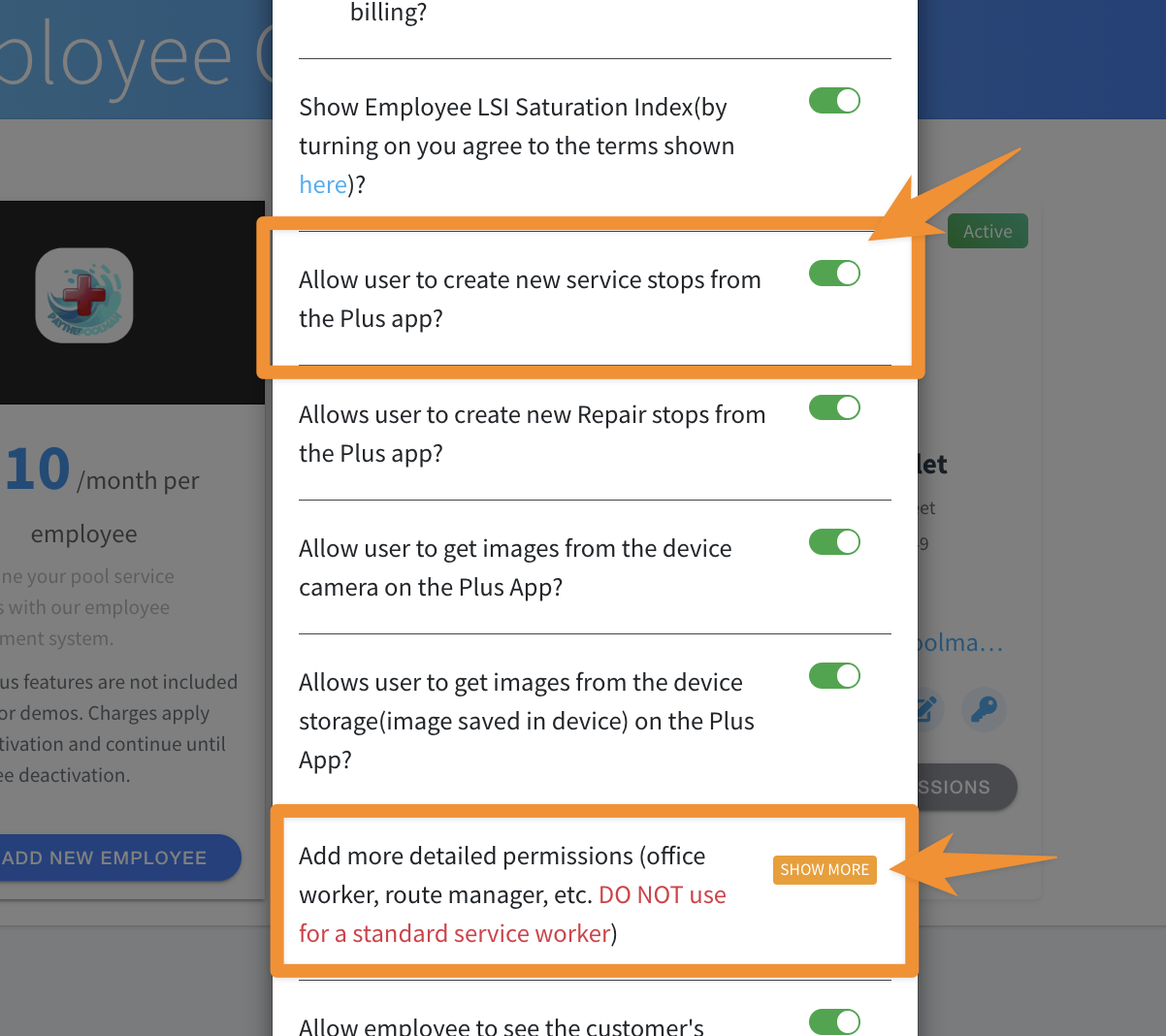
2. Scroll down and toggle ON the option to ALLOW USER TO CREAT NEW SERVICE STOPS FROM THE PLUS APP:
NOTE: The SHOW MORE permissions (also indicated in the image below) are specifically for single polers and/or company owners who use the Plus App, and not necessarily intended for your regular techs. If any changes are made, be sure to re-sync the Plus App to refresh!
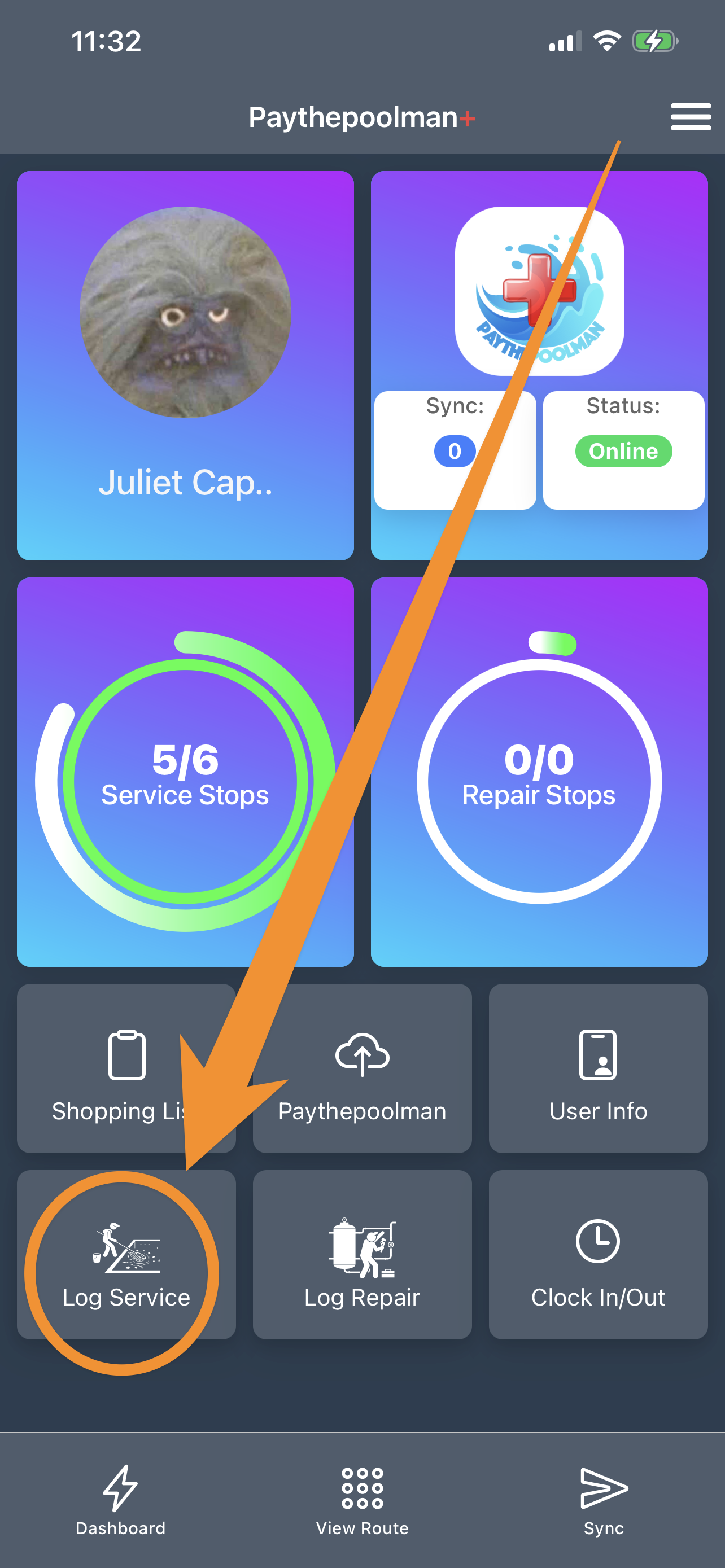
3. From the Main Dashboard after opening the Plus App, just click on LOG SERVICE as normal.
4. Select the next customer you need to record the service log for: 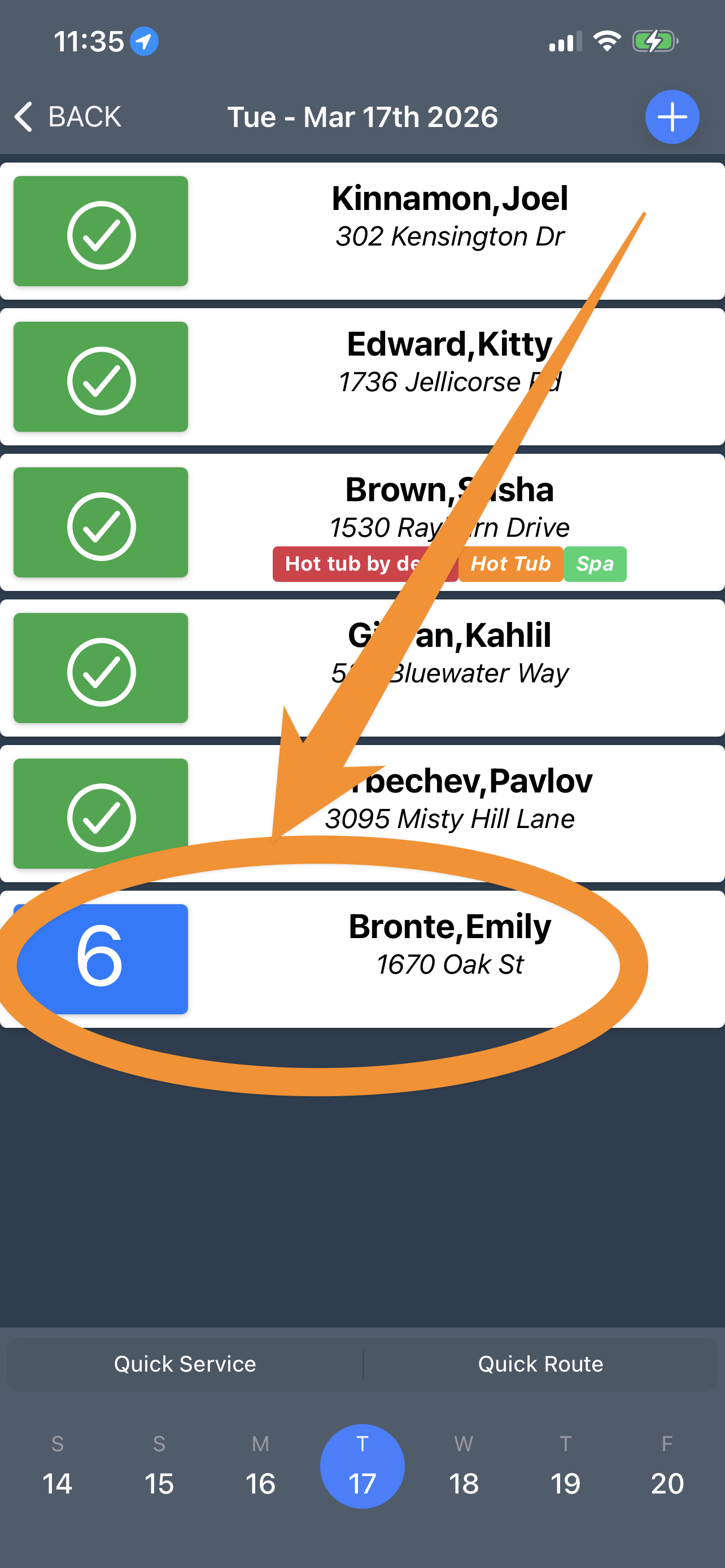
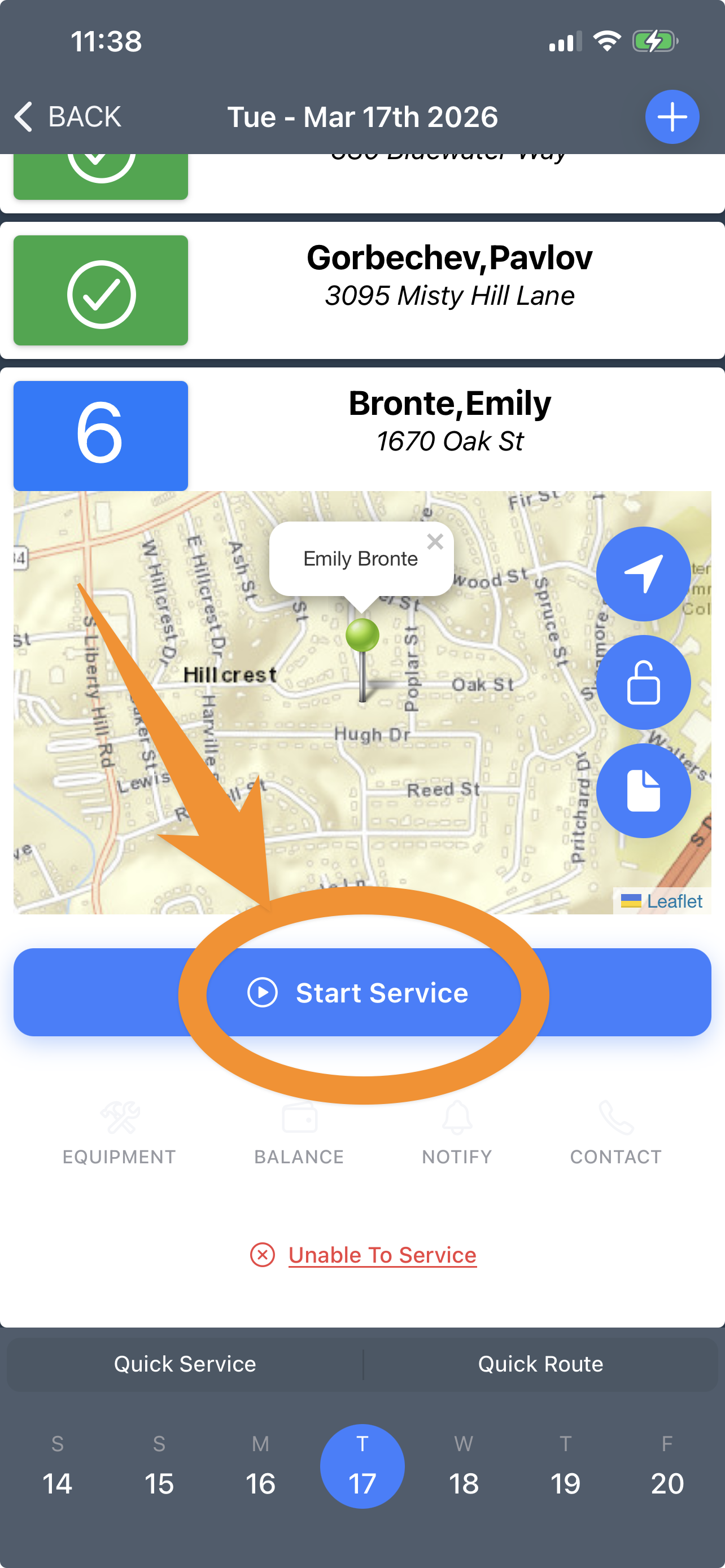
5. Next, click START SERVICE:
6. One of the first things you'll notice is that we've shifted FILTER AND SALT CLEANS to the top of the screen: 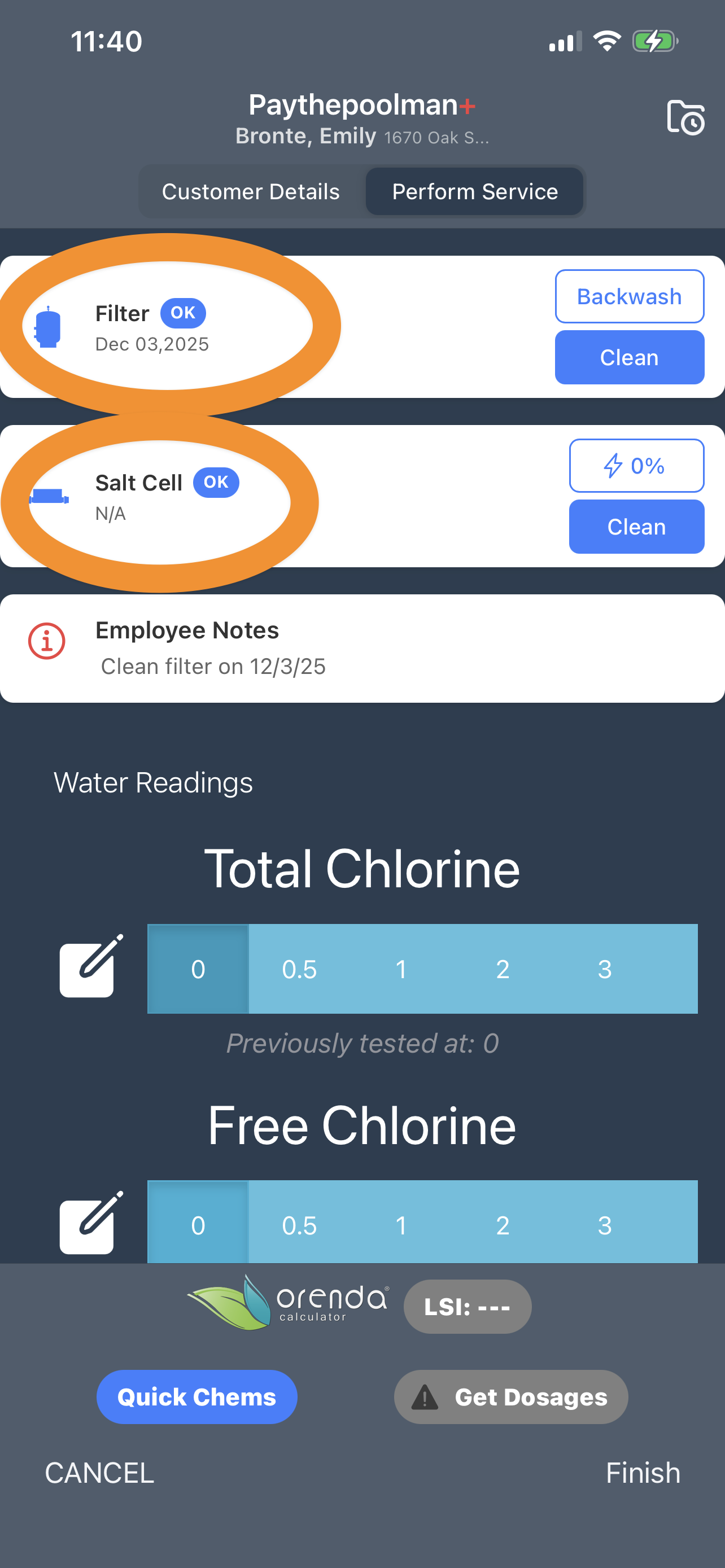
Here's a short video to see it all in action: Simple Service
Be sure to check out our other Help Pages and our YouTube Channel with over 100 videos and tutorials!
Here's the link: https://www.youtube.com/@Paythepoolman
If you have any other questions or need further assistance, you can reach out to our Support Team at support@paythepoolman.com or (951) 234 5166.
Office hours: Mon-Fri 8AM to 4PM EST| 5AM to 1PM PST
Have a nice day!