
Hello and Welcome to Paythepoolman Help Pages!
Need to add a service stop to your route on the fly? We can show you how to do that! The only caveat is that you and/or your tech must have that permission enabled in their permissions. Here's how to check the permissions:
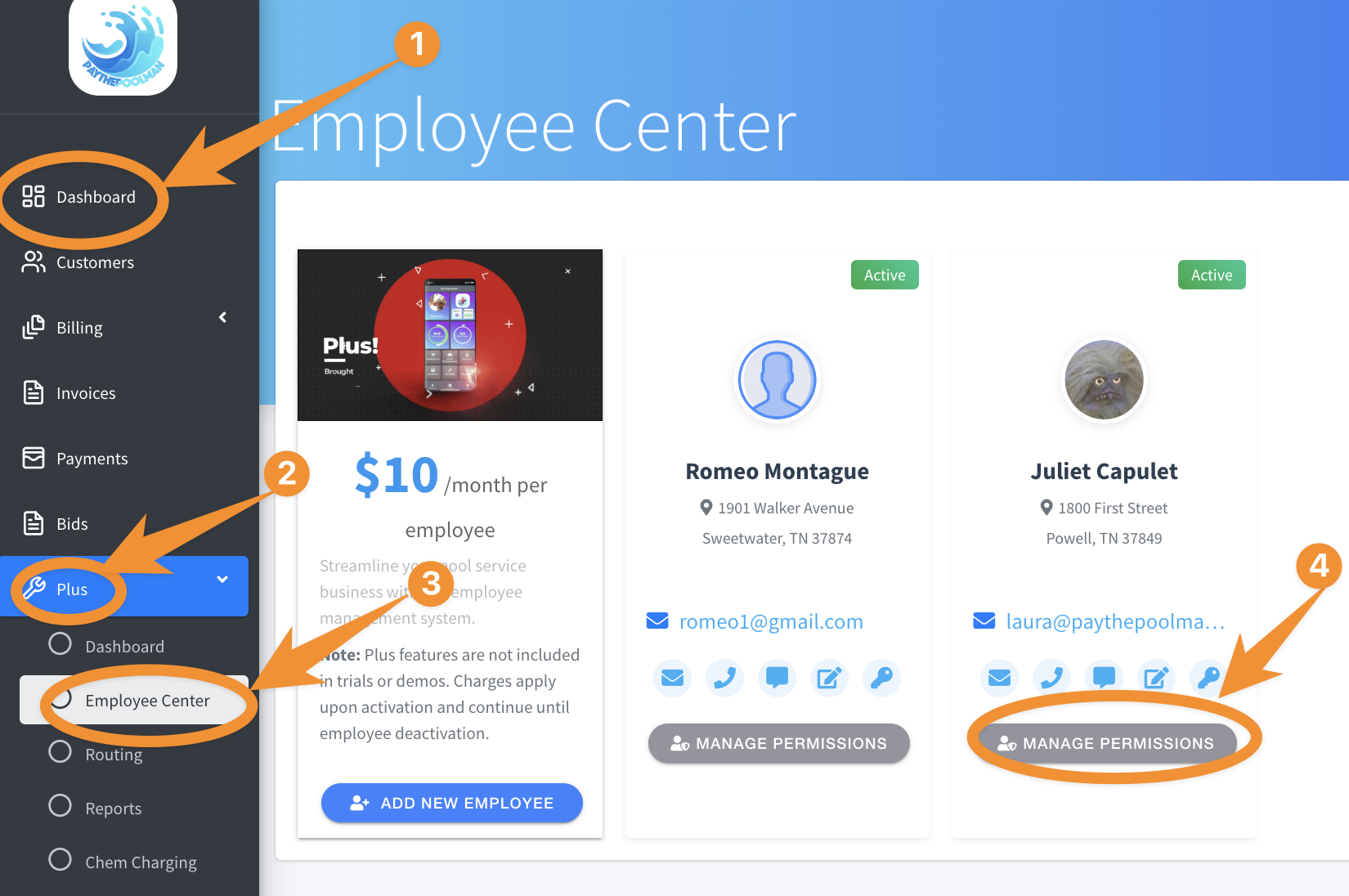
1. From your Company Dashboard, click on PLUS, then EMPLOYEE CENTER, then MANAGE PERMISSIONS:
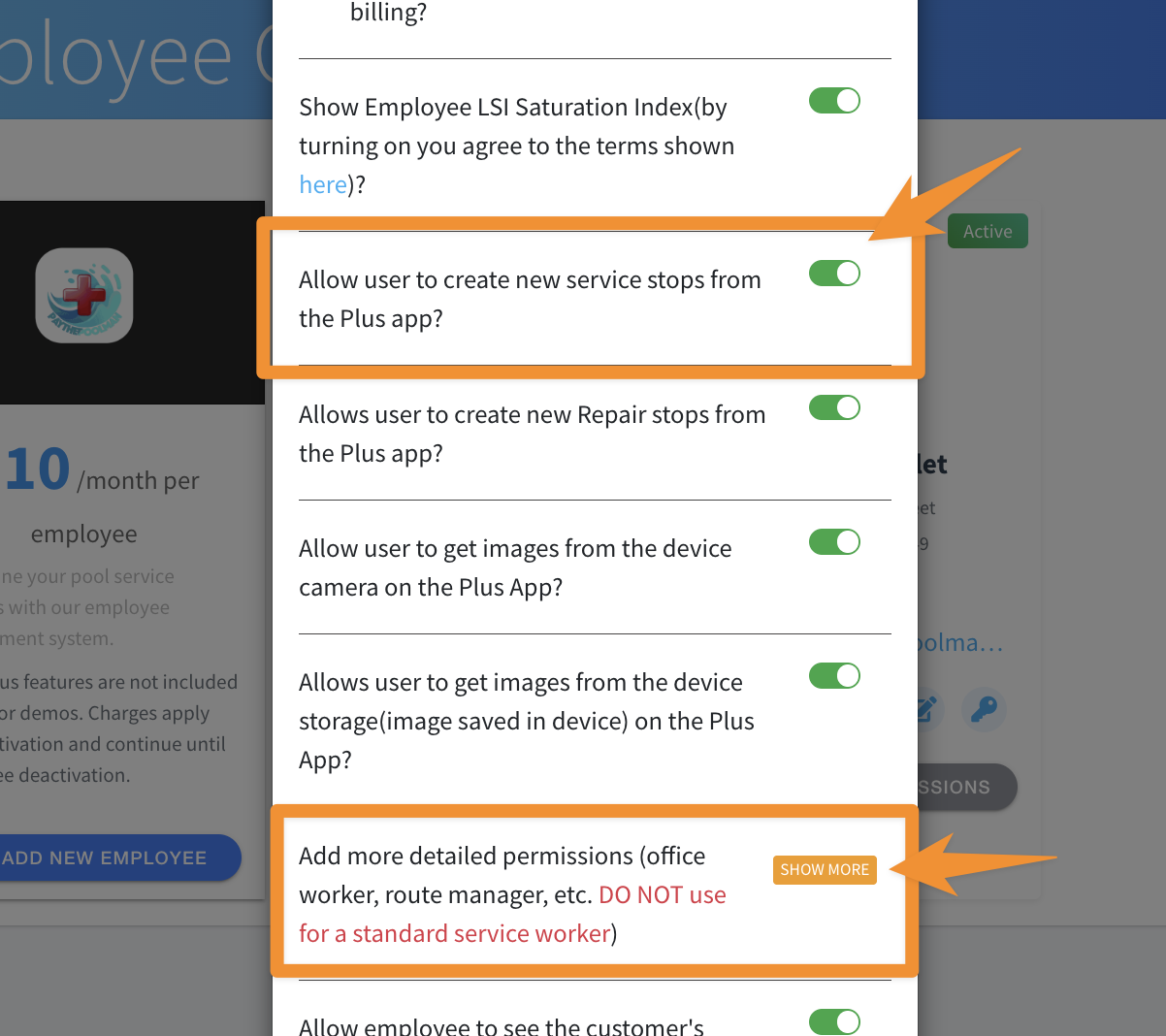
2. Next, make sure that the option is toggled ON for ALLOW USER TO CREATE NEW SERVICE STOPS FROM THE PLUS APP (see image below.)
NOTE: If you are the company owner and/or a single poler, be sure to click on the orange "SHOW MORE" button to enable owner mode. Also, anytime changes are made, your Plus App must be re-synced to pull in the new data.
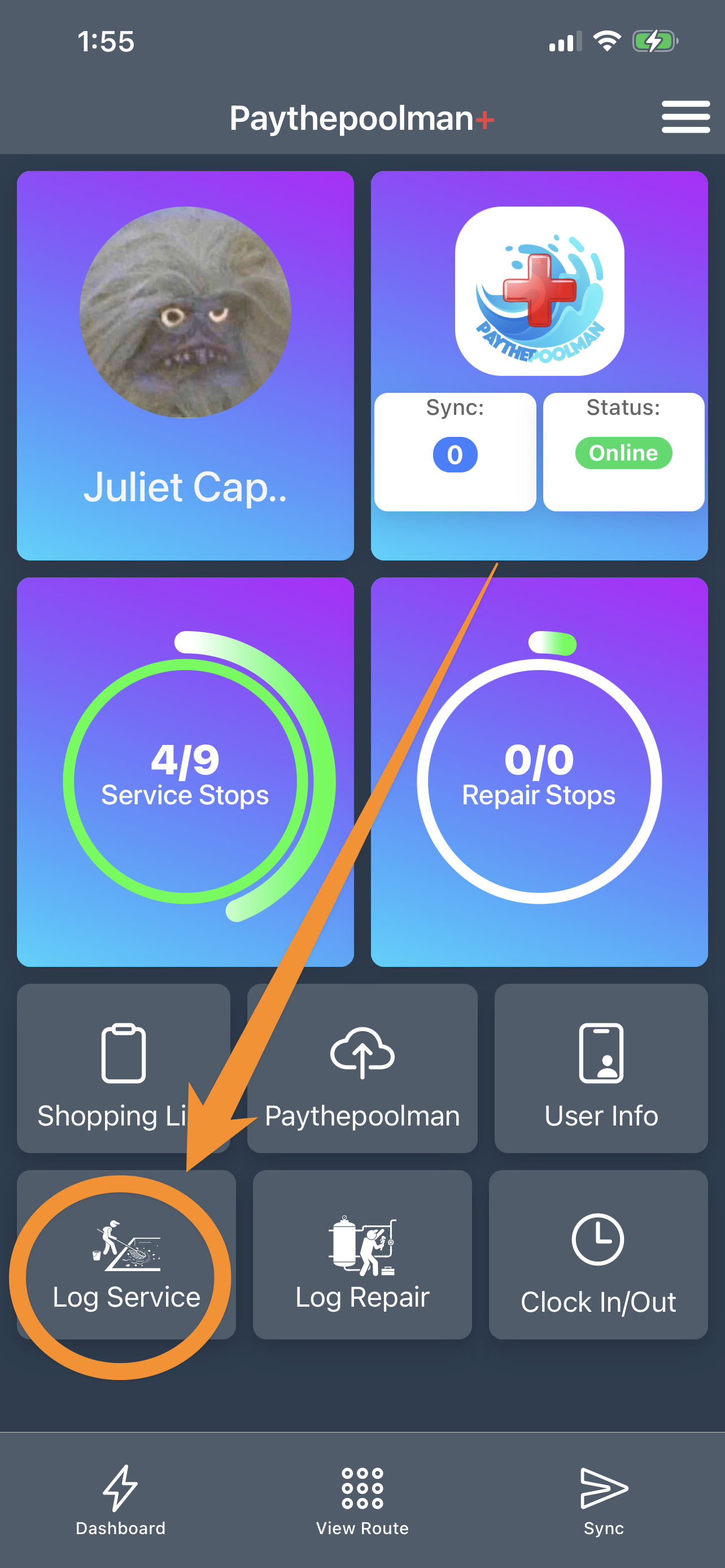
3. Now that you've confirmed the correct permissions, open your PLUS APP and click on the gray box to LOG SERVICE:
4. Next, just click on QUICK SERVICE at the bottom left of your screen:
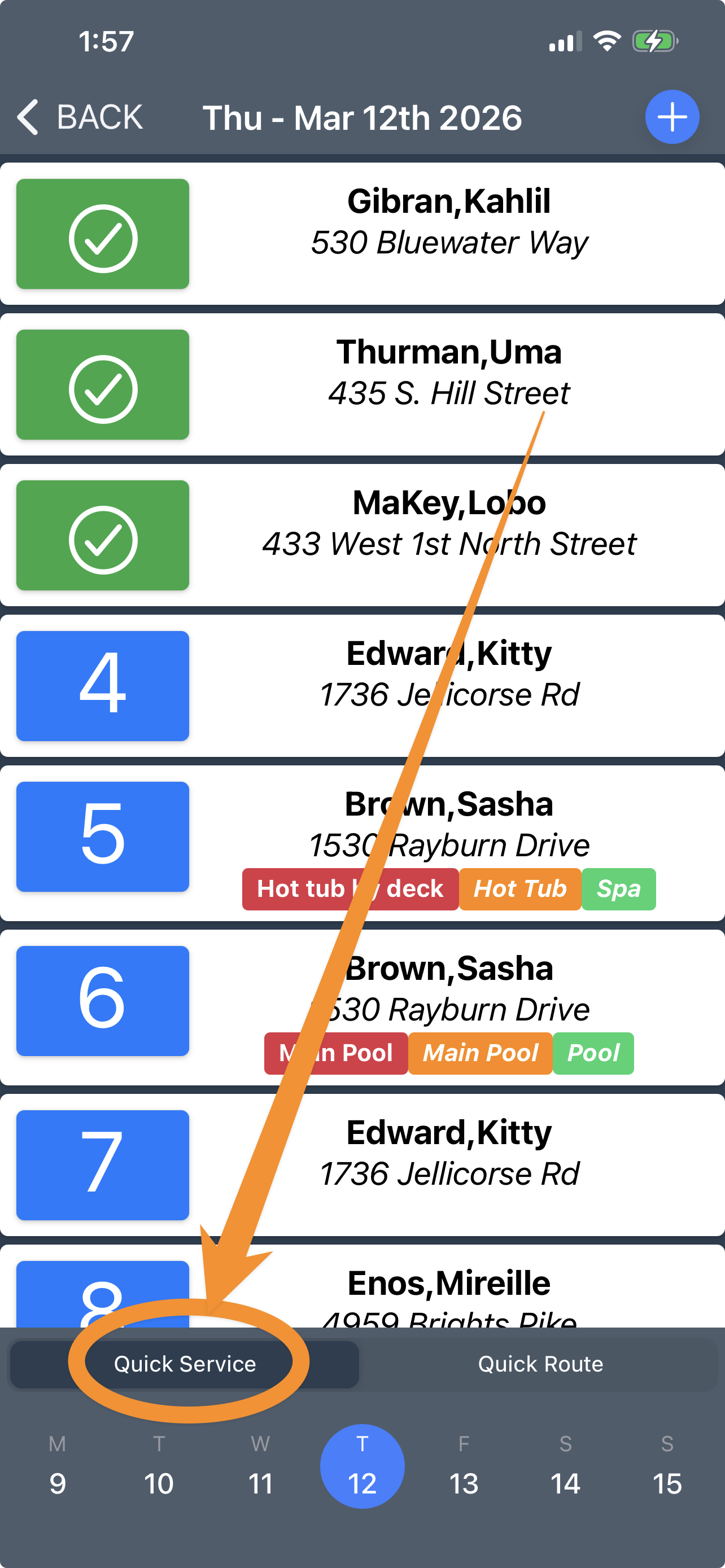
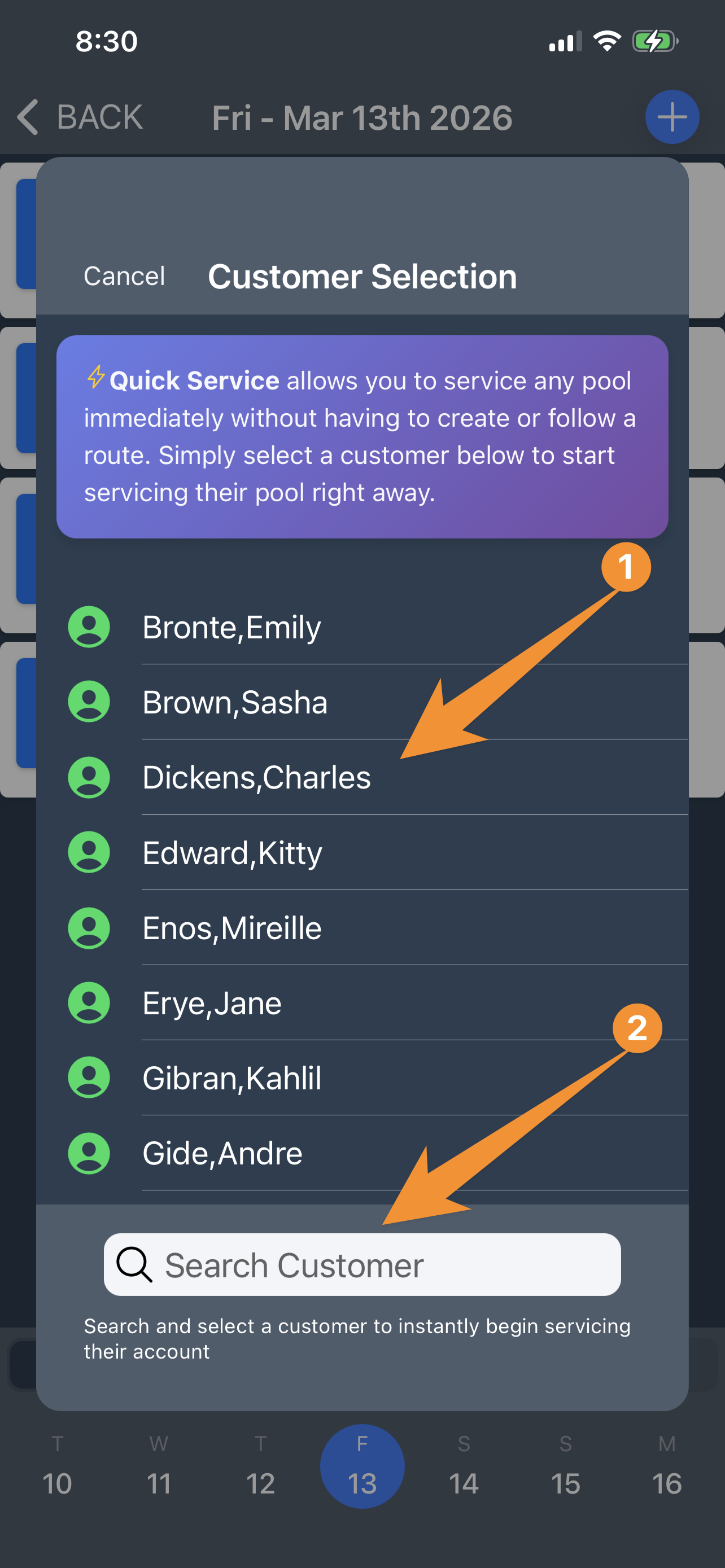
5. Scroll to find the customer you want to add, or use the search bar, then begin their service!
Please note that this will create a permanent service route for that customer. If you need to add a service and make it temporary (for that day only) check out this Help Page article for the steps to make that happen: How to Add a Temporary Service in the Plus App
Be sure to check out our other Help Pages and our YouTube Channel with over 100 videos and tutorials!
Here's the link: https://www.youtube.com/@Paythepoolman
If you have any other questions or need further assistance, you can reach out to our Support Team at support@paythepoolman.com or (951) 234 5166.
Office hours: Mon-Fri 8AM to 4PM EST| 5AM to 1PM PST
Have a nice day!