
Welcome to Paythepoolman Help Pages!
Need to quickly add a service request on the fly? This is great option if a customer calls and requests a last-minute service from you or your technicians. By following these steps, you have the option of making this added service a temporary OR permanent stop for that day's route. It's literally just a means of working in an unforeseen request.
Here are the steps to make this happen:
First, you'll want to be sure that you/your tech has the permission enabled for allowing new service stops to be added from the Plus App.
1. From your Company Dashboard, scroll down to PLUS and select EMPLOYEE CENTER, then MANAGE PERMISSIONS: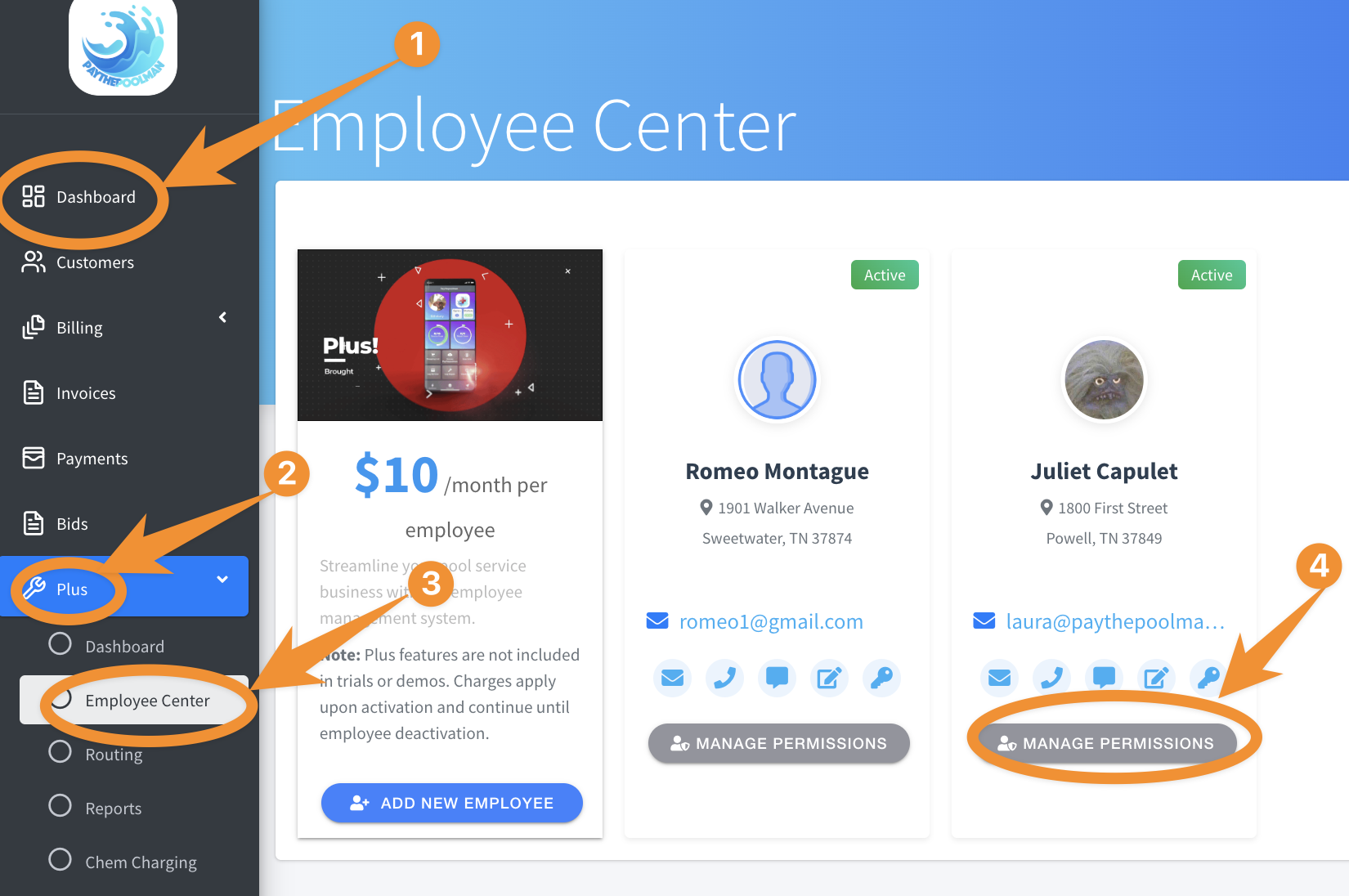
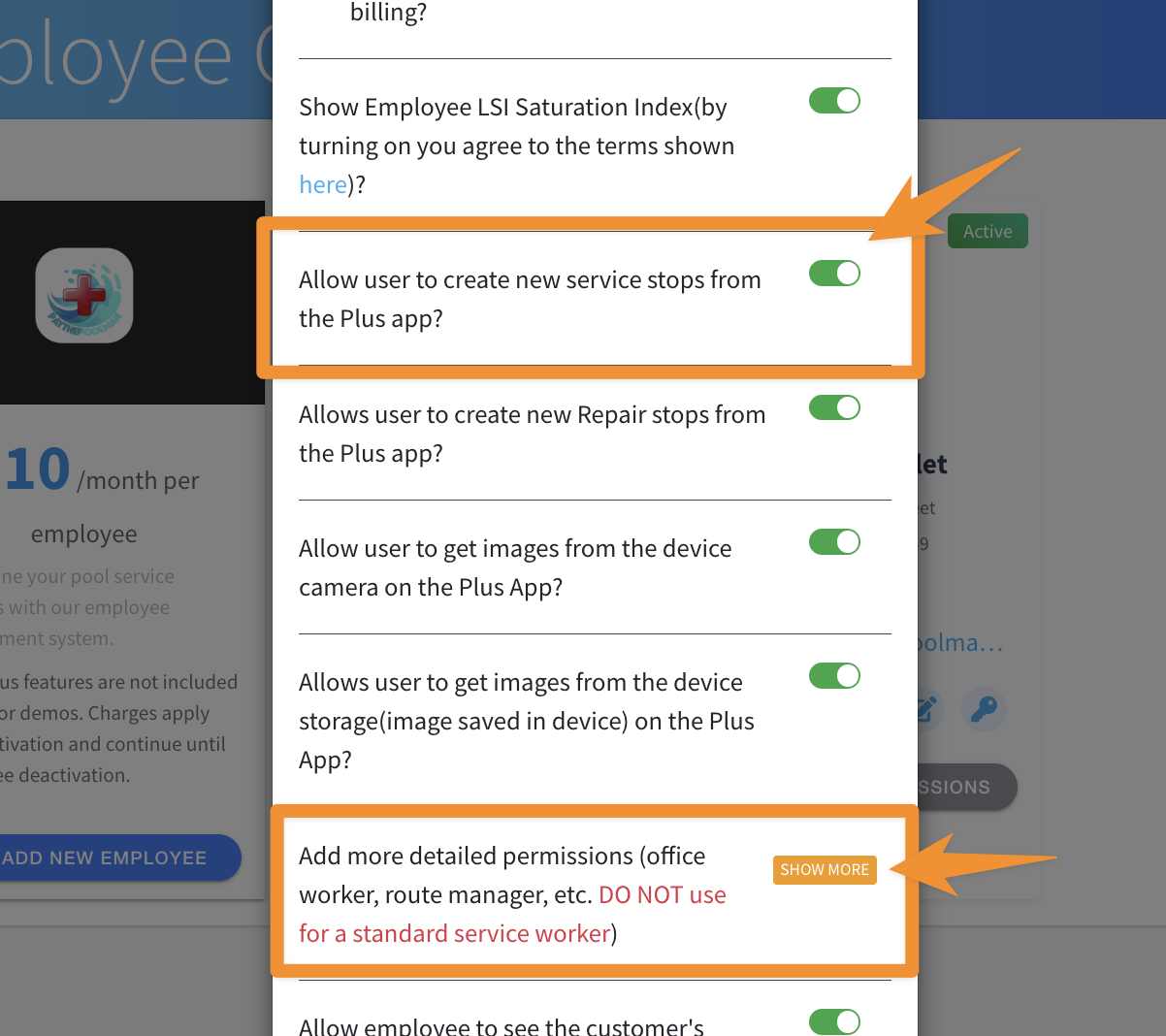
2. Next, make sure that the option is toggled ON for ALLOW USER TO CREATE NEW SERVICE STOPS FROM THE PLUS APP (see image below.)
NOTE: If you are the company owner and/or a single poler, be sure to click on the orange "SHOW MORE" button to enable owner mode. Also, anytime changes are made, your Plus App must be re-synced to pull in the new data.
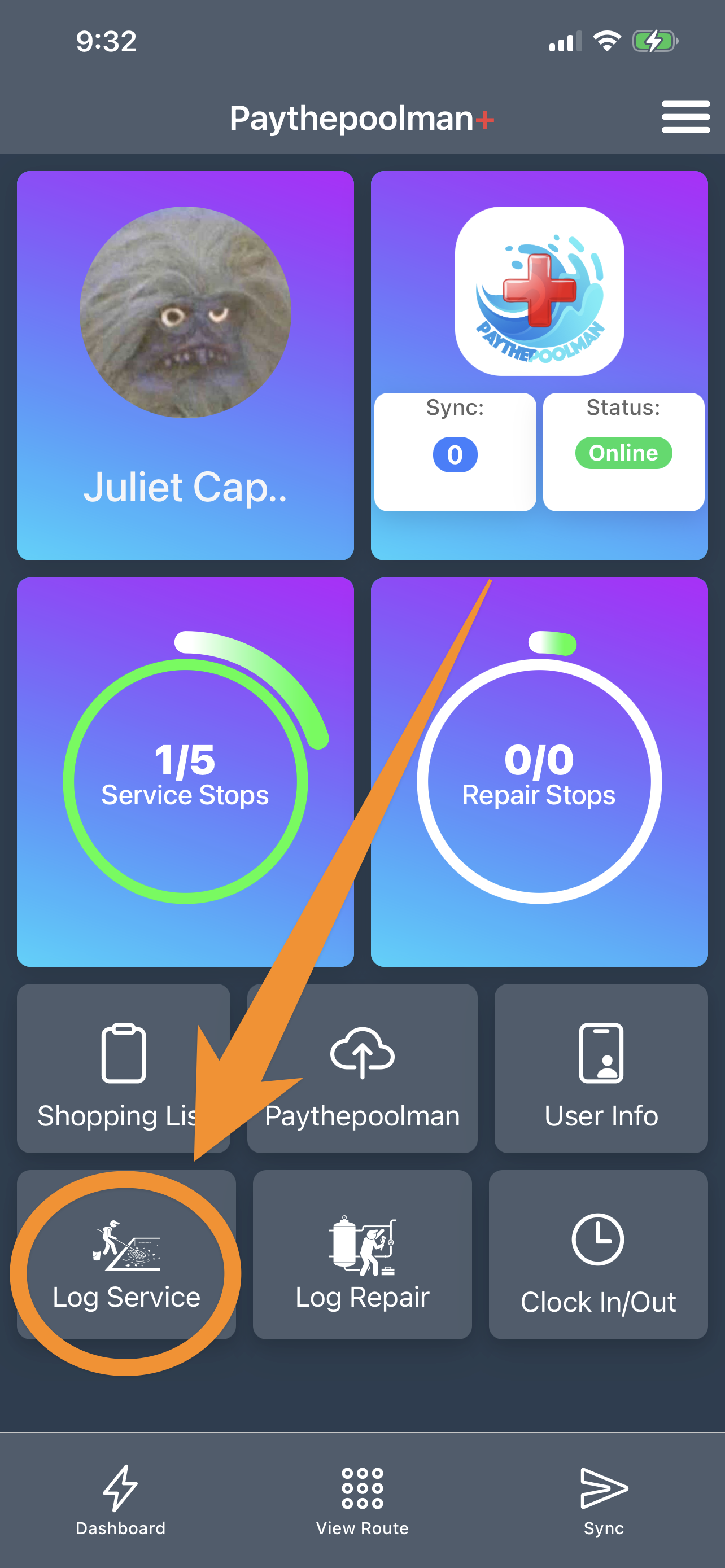
3. Now that necessary permissions have been set/confirmed, we'll see how this works in the Plus App itself. Just open your Plus App and select LOG SERVICE:
4. On the next screen, hit the BLUE PLUS SIGN in the top right corner: 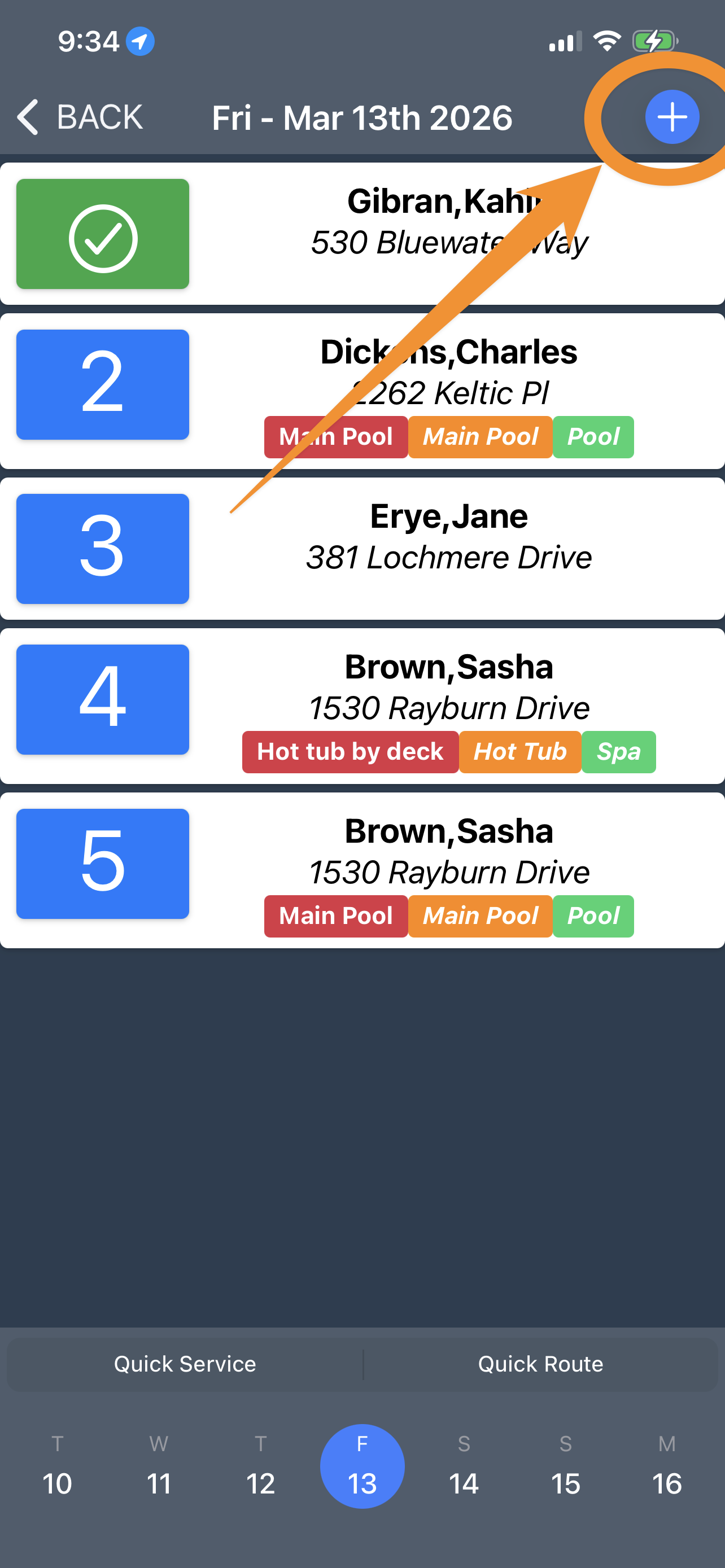
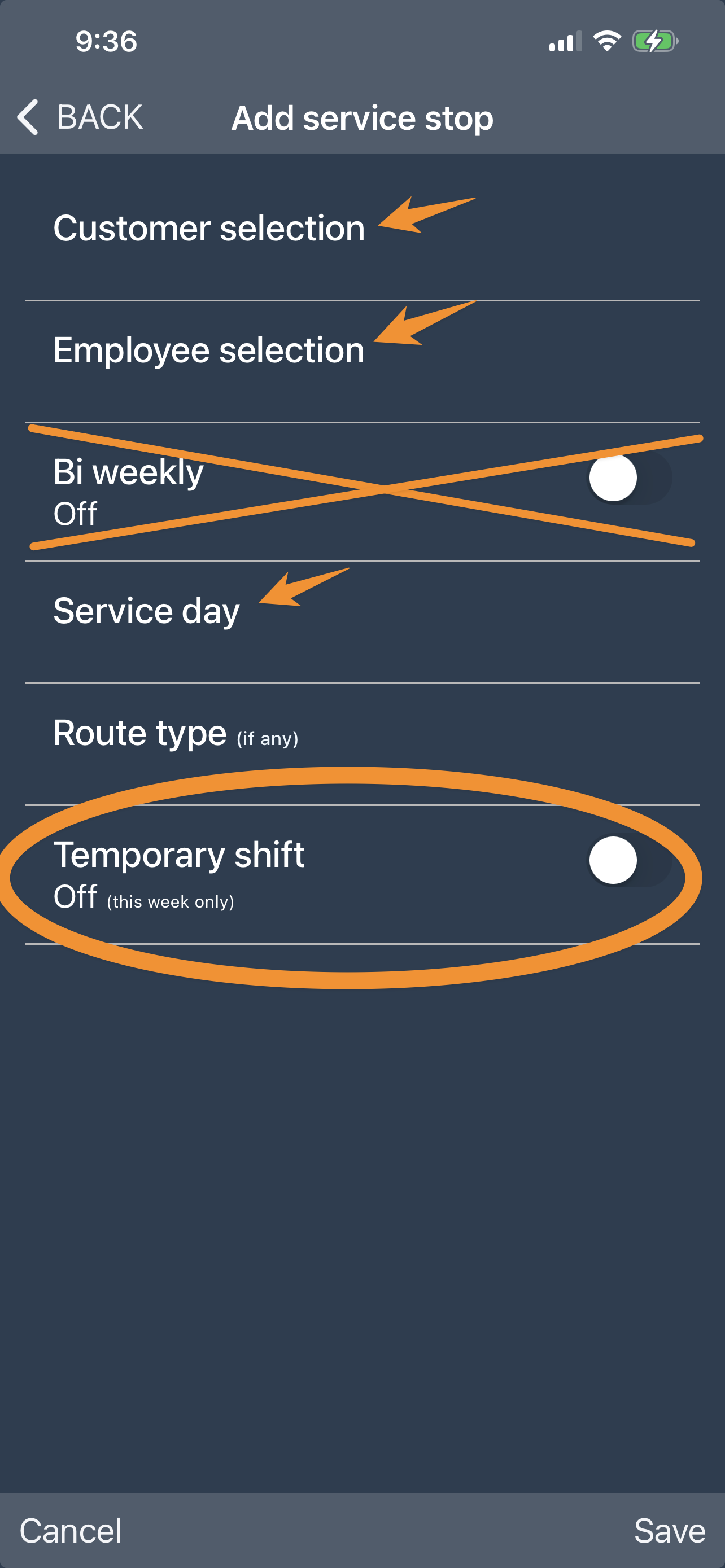
5. Finally, enter the customer name, the employee/tech performing the service and the service day. This is the minimum information needed to create the service log. If you want this to be a TEMPORARY shift, then skip the Bi Weekly setting, and toggle ON the option for TEMPORARY SHIFT
And that's it!
Be sure to check out our other Help Pages and our YouTube Channel with over 100 videos and tutorials!
Here's the link: https://www.youtube.com/@Paythepoolman
If you have any other questions or need further assistance, you can reach out to our Support Team at support@paythepoolman.com or (951) 234 5166.
Office hours: Mon-Fri 8AM to 4PM EST| 5AM to 1PM PST
Have a nice day!