
Hello and Welcome to Paythepoolman Help Pages!
Need to track those Salt Cell cleanings? Here's how!
1. From your Company Dashboard, scroll down to TRACKING, then select SALT CELL CLEANING: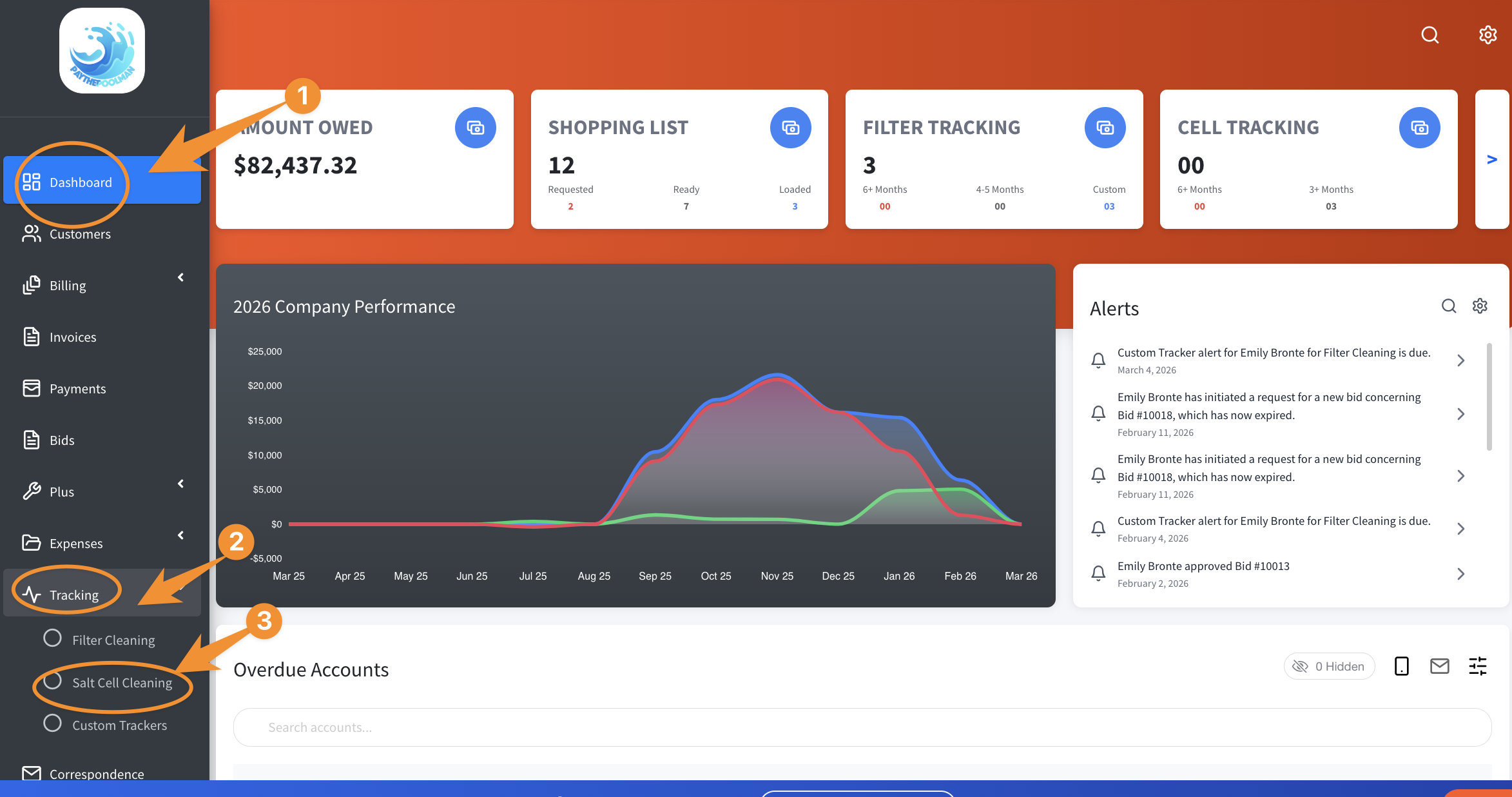
2. Next, you'll see options for sorting, selecting the STATUS type, and adding new Salt Cell Cleanings by clicking on the BRIGHT BLUE PLUS SIGN to the right. Notice, too, that the colors indicate upcoming and overdue cleanings. 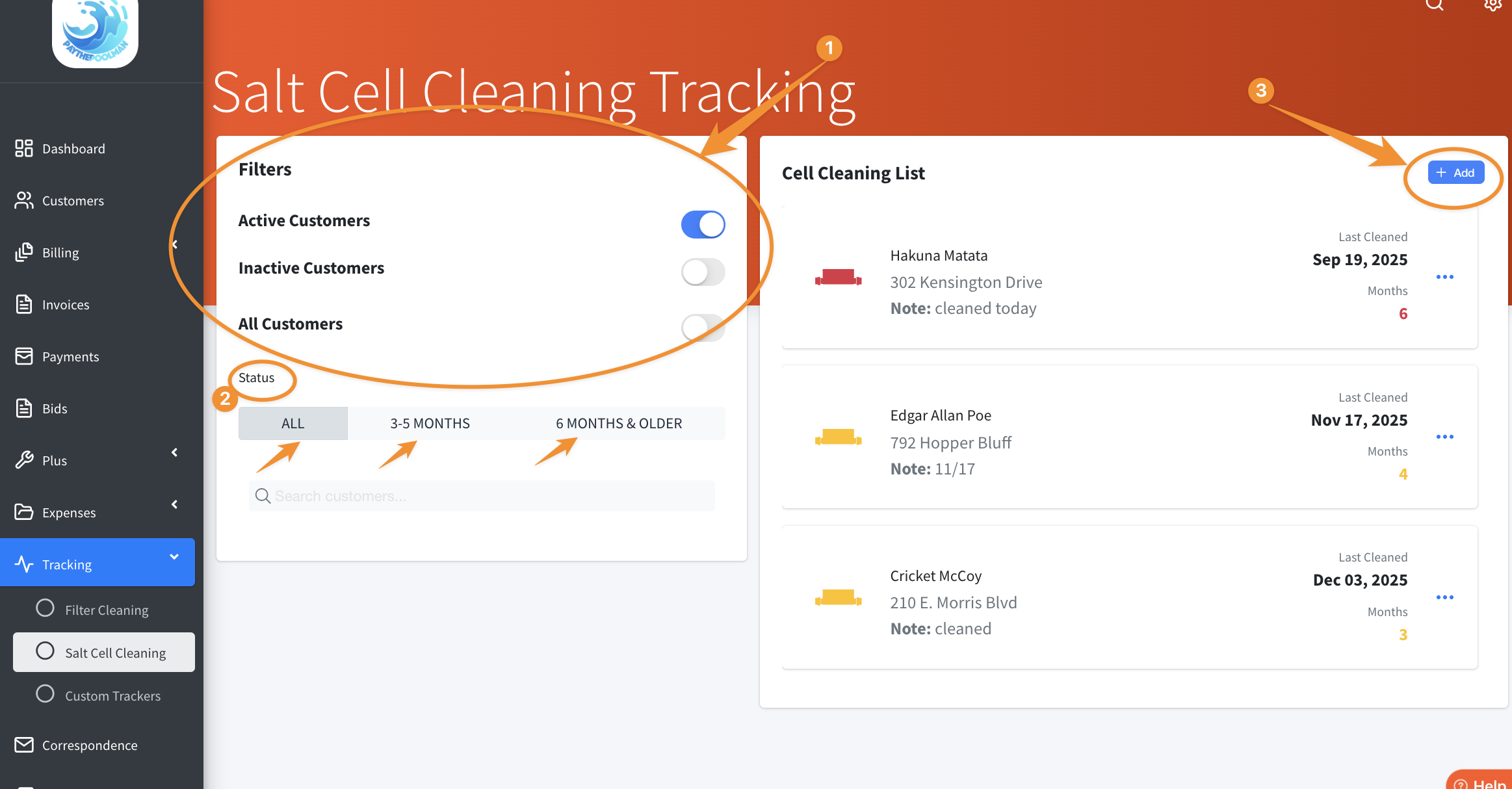
Be sure to check out our other Help Pages and our YouTube Channel with over 100 videos and tutorials!
Here's the link: https://www.youtube.com/@Paythepoolman
If you have any other questions or need further assistance, you can reach out to our Support Team at support@paythepoolman.com or (951) 234 5166.
Office hours: Mon-Fri 8AM to 4PM EST| 5AM to 1PM PST
Have a nice day!