
Hello and welcome to Paythepoolman Help Pages!
This article will show you the steps for how to Delete a Customer - and why you should probably NEVER do it!
Here's why you should never delete a customer for whom any data has been created - This action will PERMANENTLY DELETE all data regarding this customer, including the following as listed in the image below: 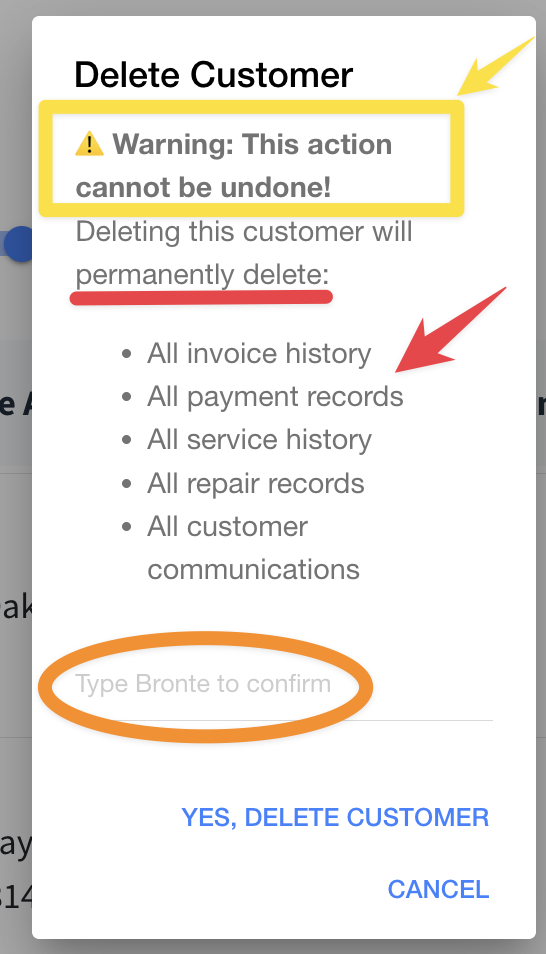
This pop-up warning will appear in your Paythepoolman account both on mobile and desktop versions. It does require action on your part to type in the confirmation line, then you can Delete Customer. However, doing so is irreversible and DOES affect your income reports! Once the income and payment logs are deleted, those totals are also erased from your reporting, which is why we strongly recommend that you do NOT delete any customers, but make them INACTIVE, instead. Basically, just remove them from active billing in their customer profile under BILLING.
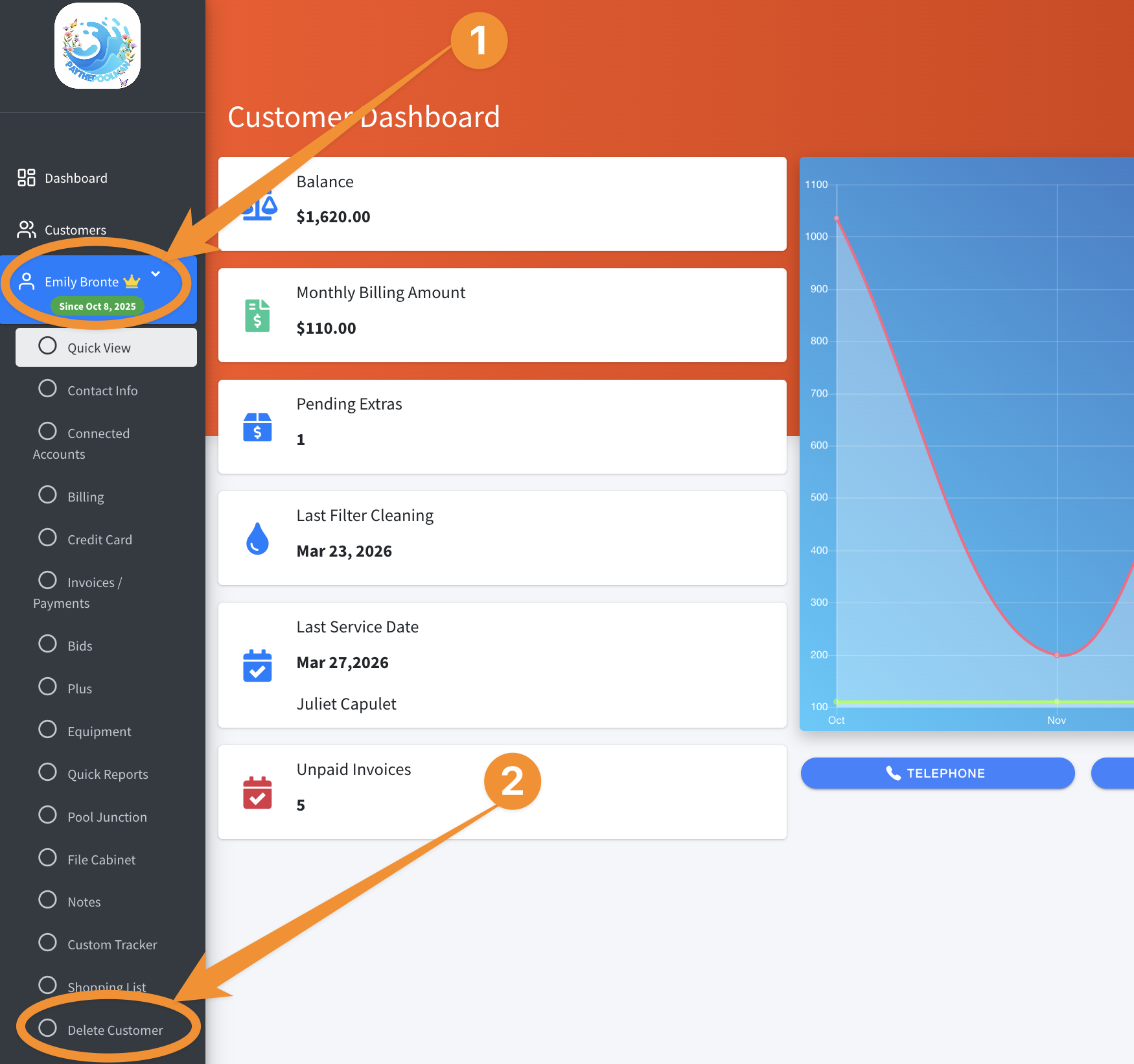
If you decide to proceed, simply go to the Customer Dashboard (customer's profile) and select DELETE CUSTOMER, then follow the prompts:
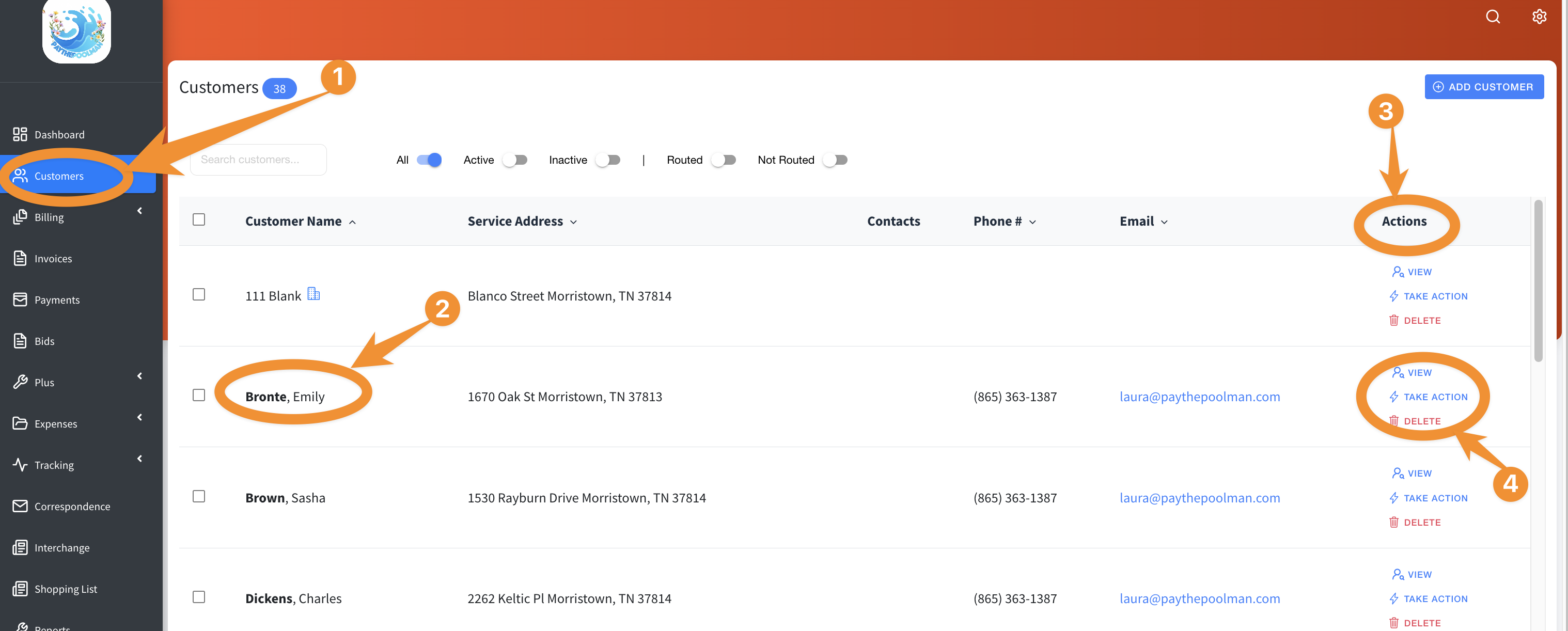
Or, you can simply find the customer's name from your Customer List, then click on DELETE under ACTIONS, and the same pop-up will appear as the above sample image:
Be sure to check out our other Help Pages and our YouTube Channel with over 100 videos and tutorials!
Here's the link: https://www.youtube.com/@Paythepoolman
If you have any other questions or need further assistance, you can reach out to our Support Team at support@paythepoolman.com or (951) 234 5166.
Office hours: Mon-Fri 8AM to 4PM EST| 5AM to 1PM PST
Have a nice day!