
Hello and welcome to Paythepoolman Help Pages!
Adding a profile picture is a very important step because it registers that profile as complete in our system and can affect functionality.
Here are the easy steps to do it!
1. Open the Plus App and click on the grey button, USER INFO: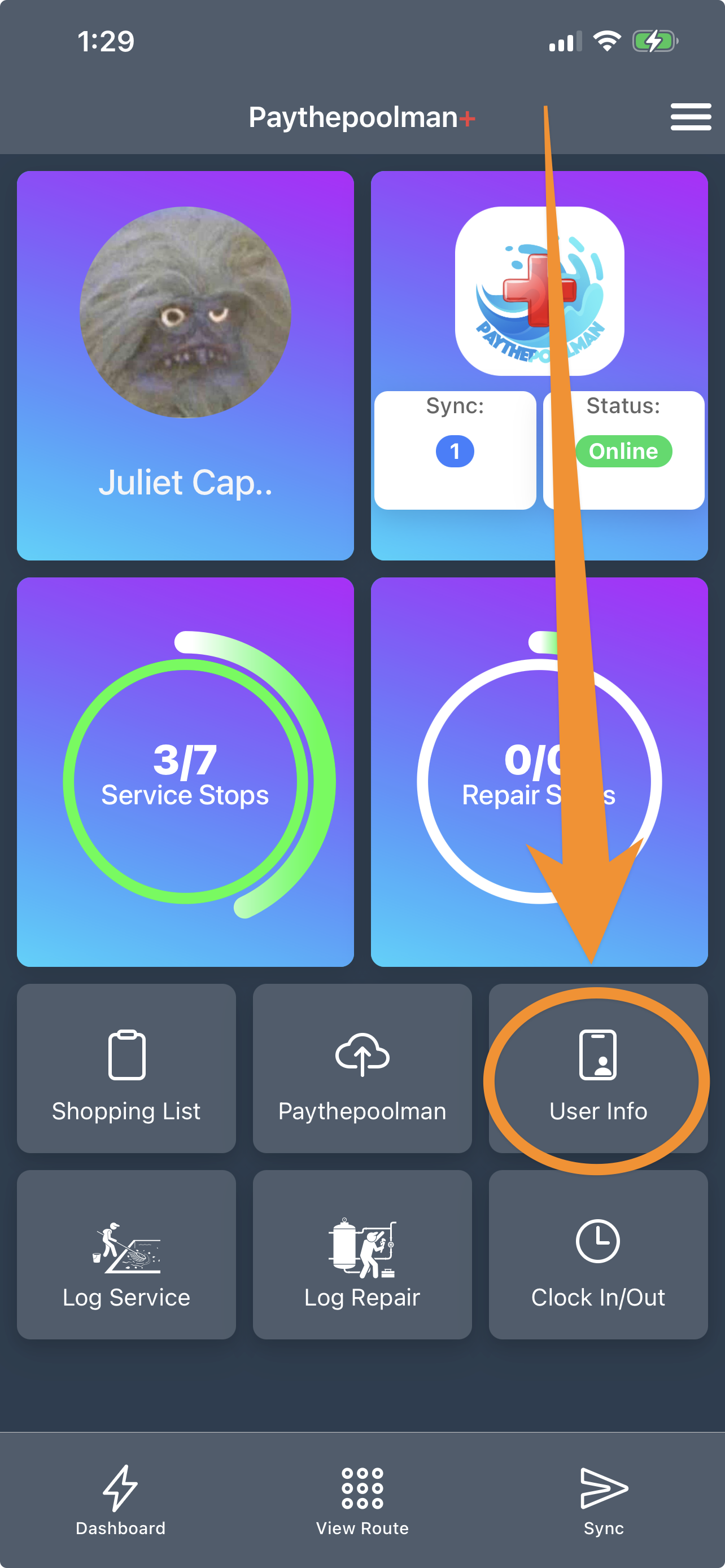
2. Scroll down to either select a photo from your GALLERY or take a new picture with CAMERA:
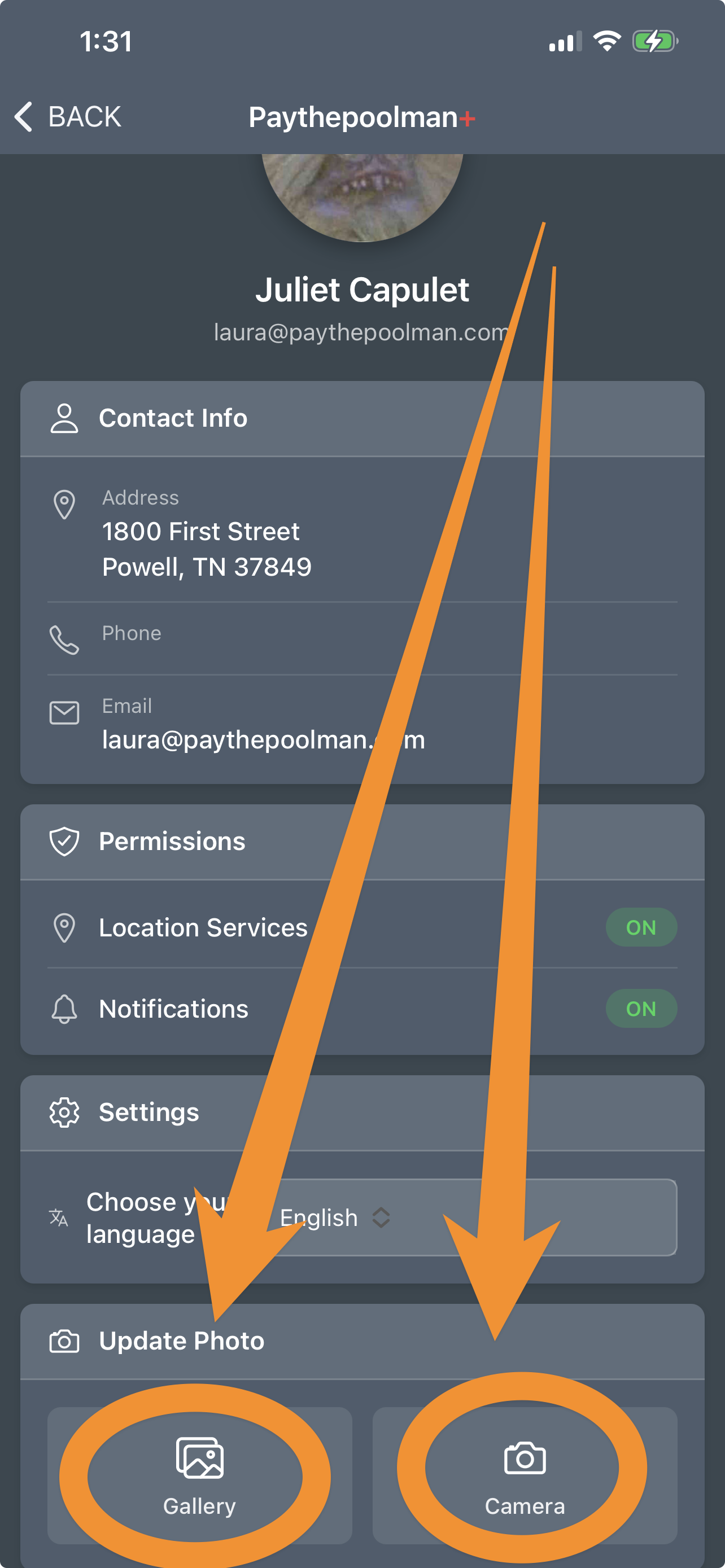
And that's it!
Be sure to check out our other Help Pages and our YouTube Channel with over 100 videos and tutorials!
Here's the link: https://www.youtube.com/@Paythepoolman
If you have any other questions or need further assistance, you can reach out to our Support Team at support@paythepoolman.com or (951) 234 5166.
Office hours: Mon-Fri 8AM to 4PM EST| 5AM to 1PM PST
Have a nice day!