
Hello and Welcome to Paythepoolman Help Pages!
Our Customer Support Agents might ask you for a Support Token from your Plus App. Here are the steps to do this:
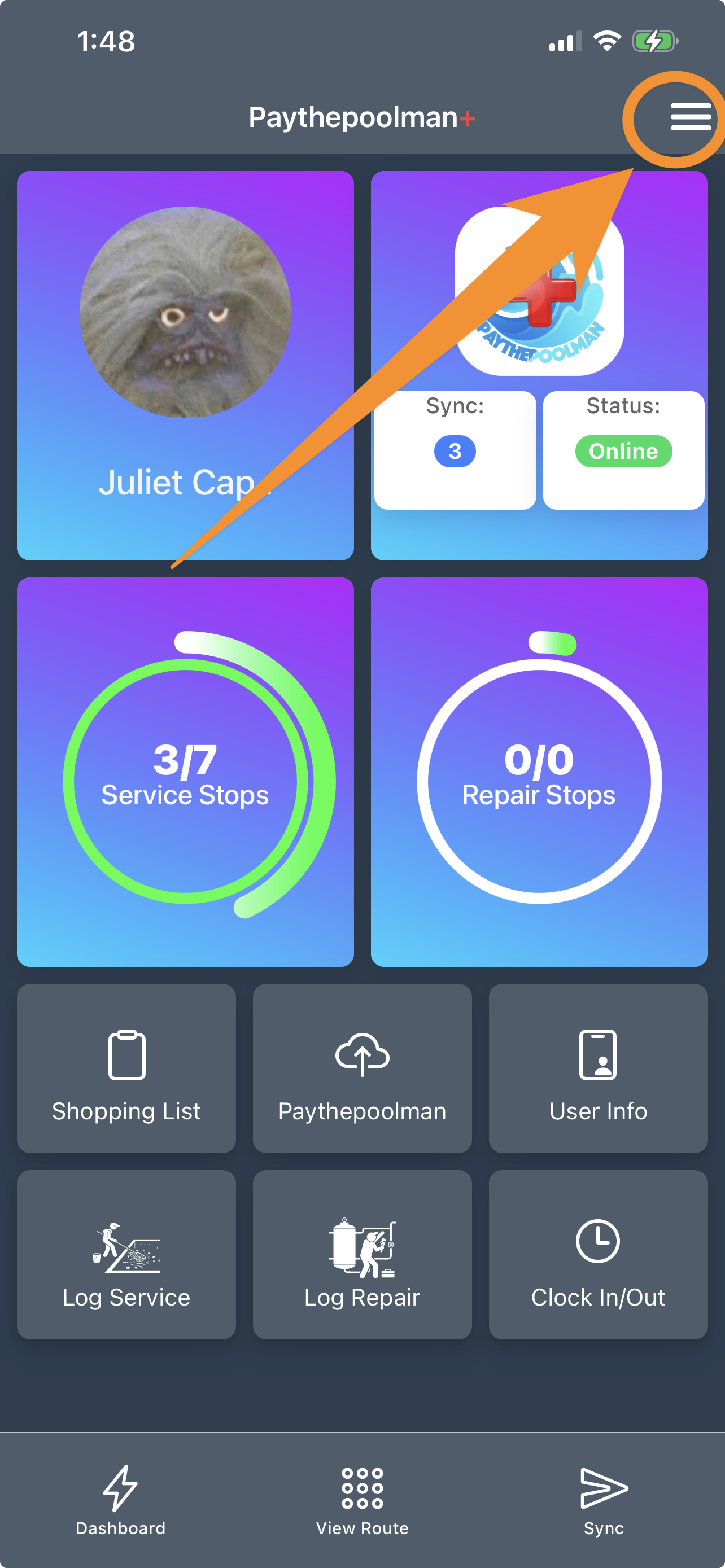
1. From your Plus App, click on the hamburger menu at the top right corner of your screen:
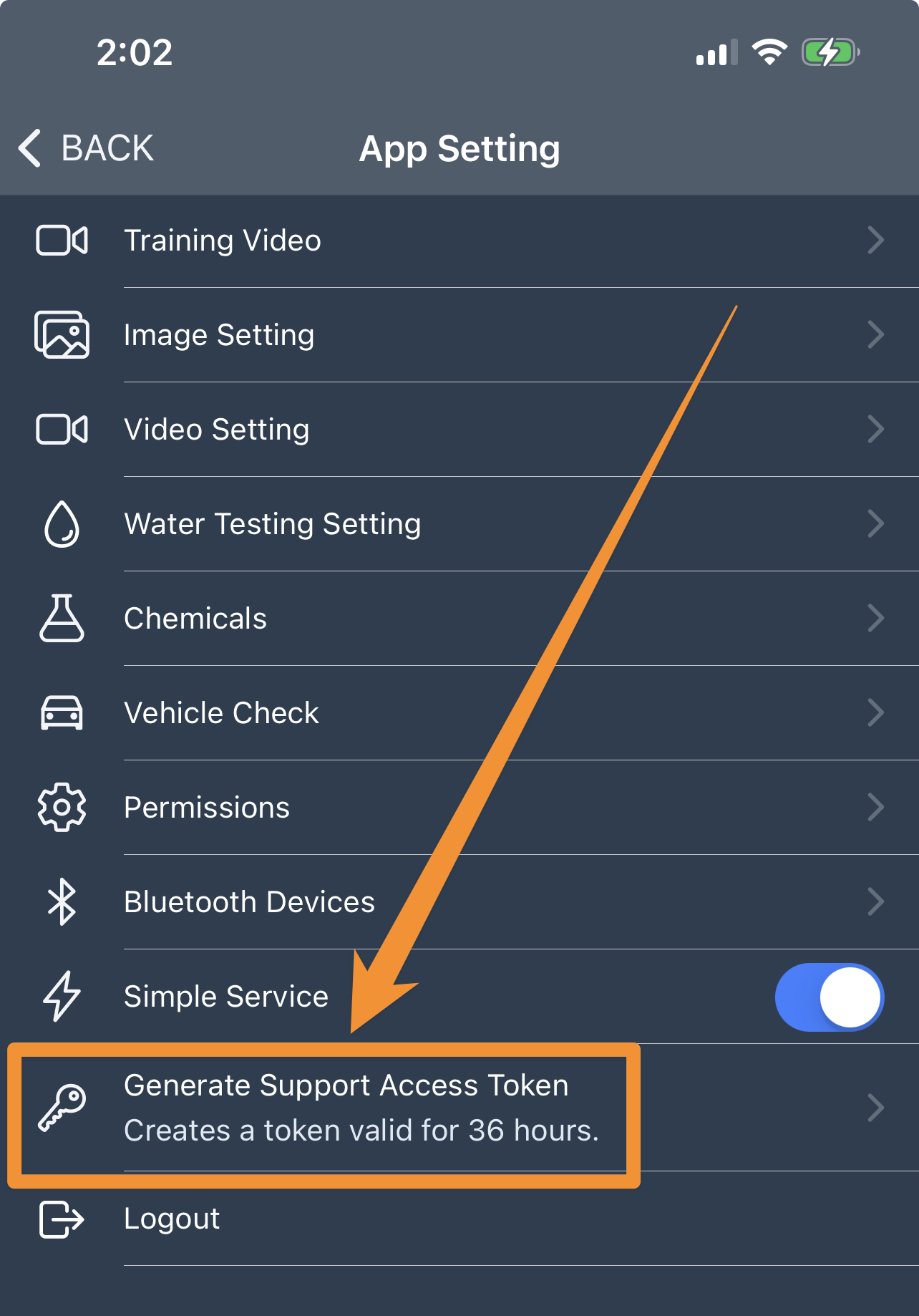
2. Click on Generate Support Access Token with the KEY icon:
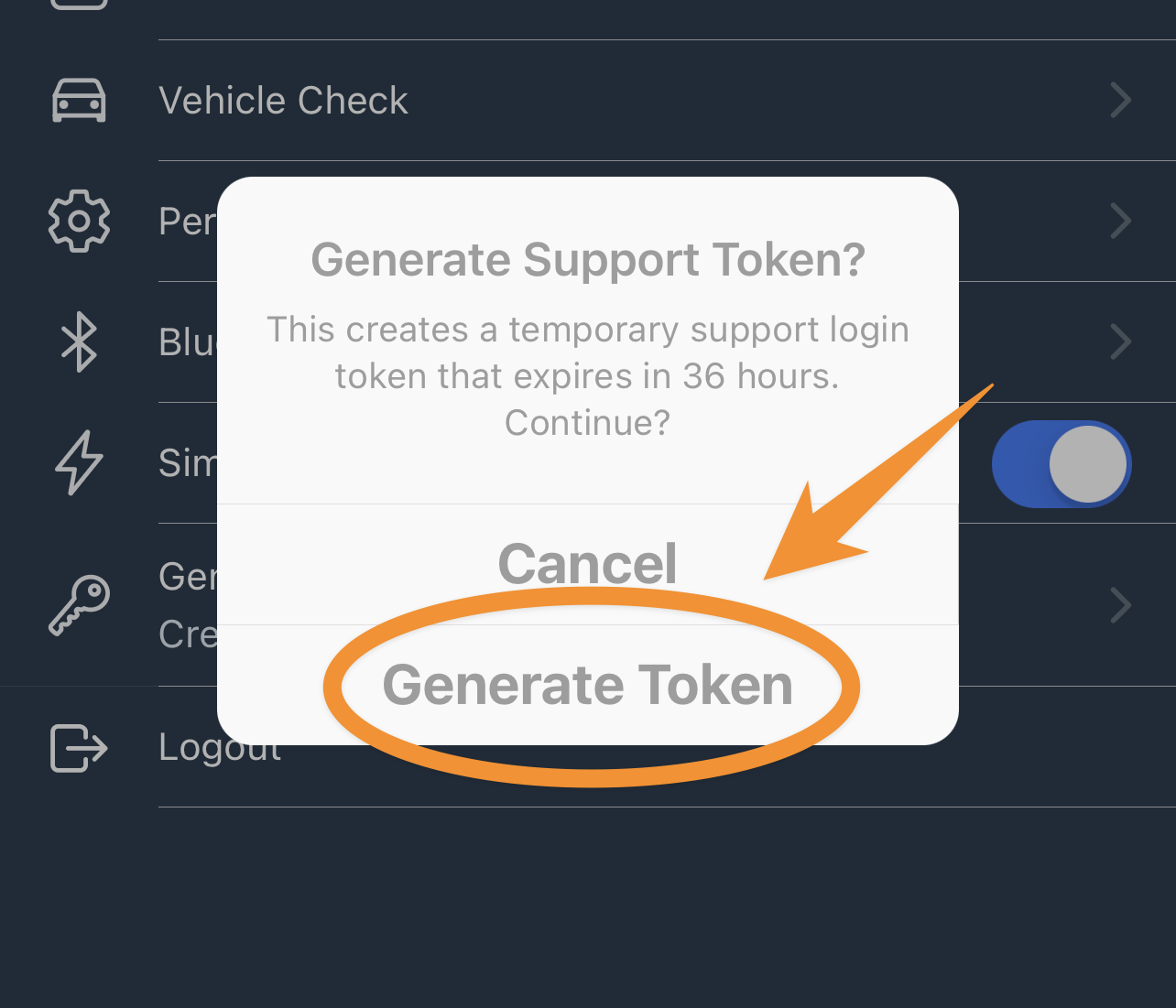
3. Next, click on GENERATE TOKEN:
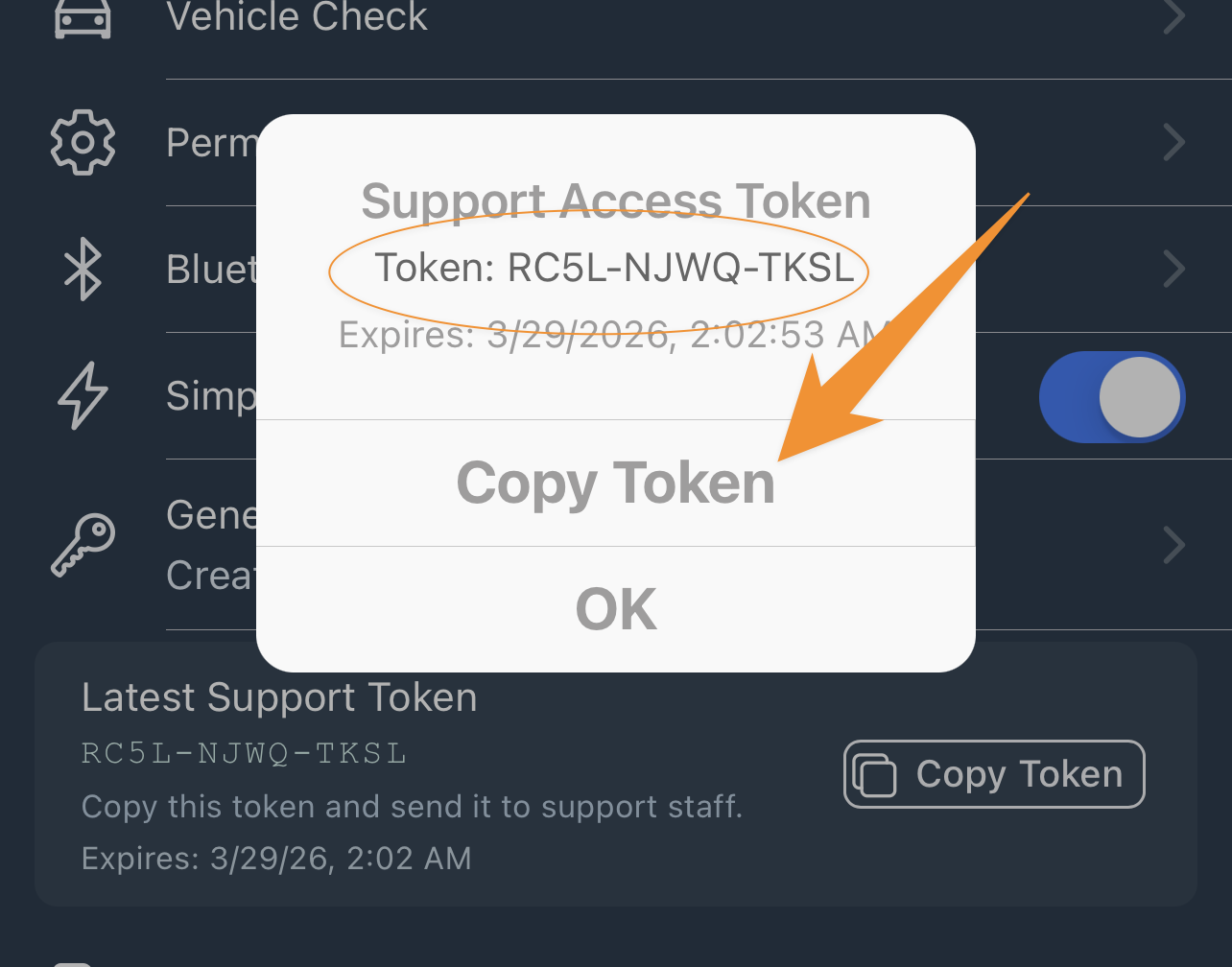
4. Your token is a list of 12 characters which you can COPY, then PASTE in either an email or text to Paythepoolman support!
This great feature allows members of our support team to do further investigation and provide you with the best possible service!
Be sure to check out our other Help Pages and our YouTube Channel with over 100 videos and tutorials!
Here's the link: https://www.youtube.com/@Paythepoolman
If you have any other questions or need further assistance, you can reach out to our Support Team at support@paythepoolman.com or (951) 234 5166.
Office hours: Mon-Fri 8AM to 4PM EST| 5AM to 1PM PST
Have a nice day!