
Hello and Welcome to Paythepoolman Help Pages!
When you add a new employee/technician, it's very important to look closely at the Permissions they are given in their Plus App. Especially if you are a single poler and the Plus App is for you!
Here's a great Youtube video on these steps: Adding a Technician / Employee in Plus
Pro Tip: We strongly encourage that any employee that needs access to be entered as an employee. This provides the ability to assign permissions to employees based on their role while also protecting sensitive company data.
1. Start at the Company Dashboard in Paythepoolman
2. Navigate to Plus on the sidebar
3. Select "Employee Center"
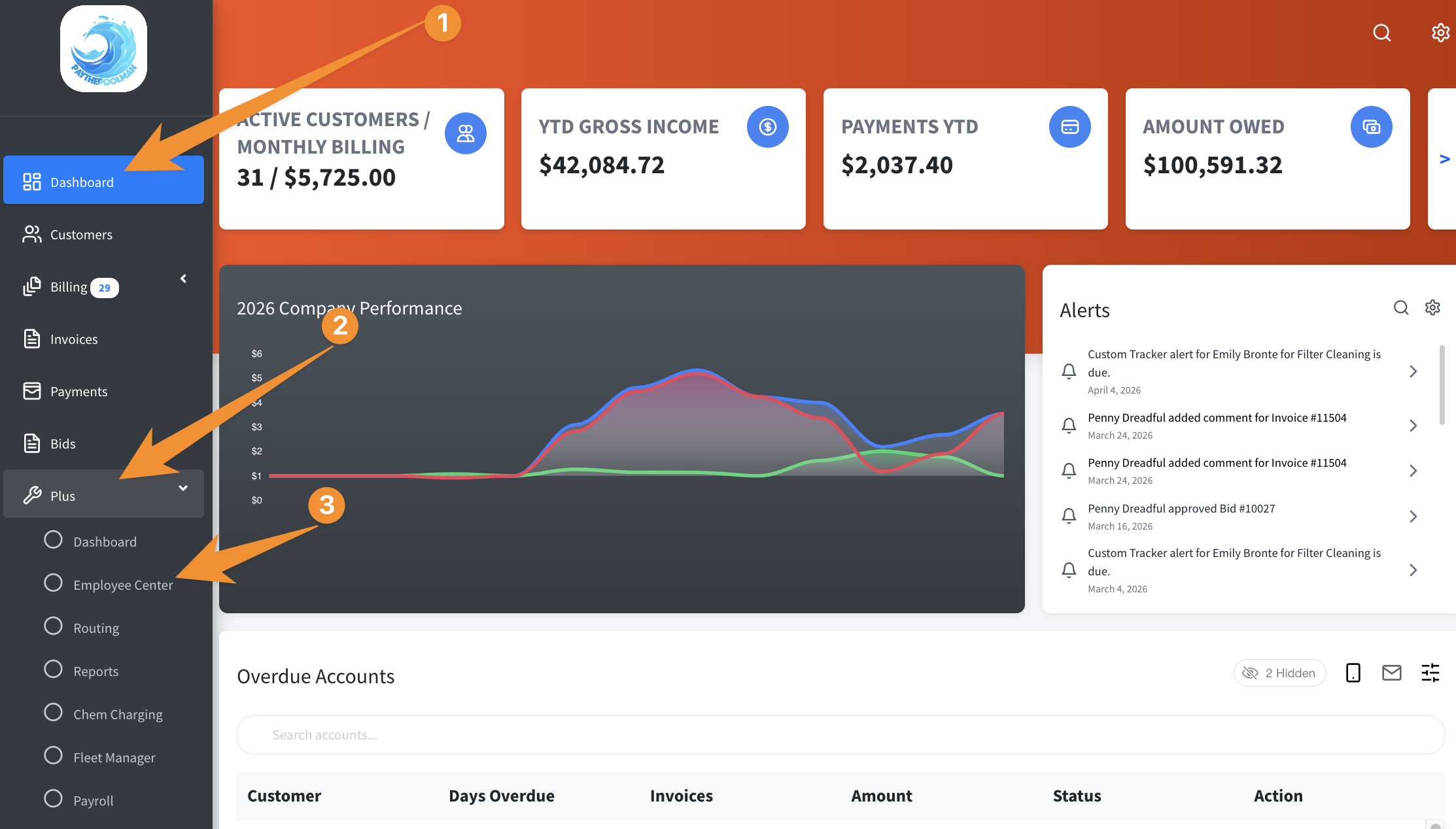
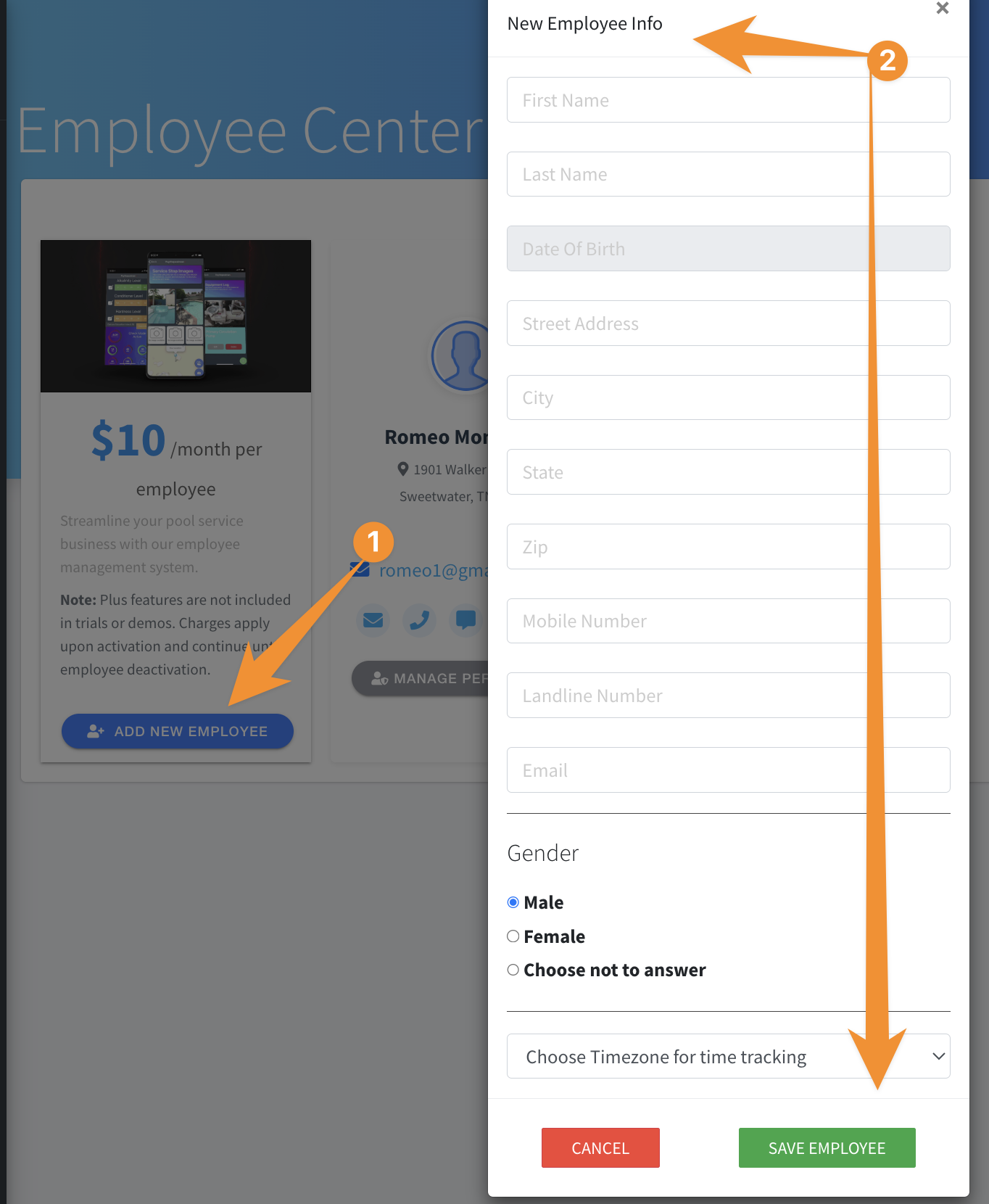
4. Click on "Add New Employee"
5. Add in all the employees' information and save:
6. Click MANAGE PERMISSIONS for that employee to see all the options! If you are a single poler, be sure to click on SHOW MORE, then click ENABLE OWNER MODE to give yourself all permissions in the Plus App. Here's a quick video to see the options: Plus Permissions
There are many fine points to consider within these options so take some time to familiarize yourself with them.
Be sure to check out our other Help Pages and our YouTube Channel with over 100 videos and tutorials!
Here's the link: https://www.youtube.com/@Paythepoolman
If you have any other questions or need further assistance, you can reach out to our Support Team at support@paythepoolman.com or (951) 234 5166.
Office hours: Mon-Fri 8AM to 4PM EST| 5AM to 1PM PST
Have a nice day!