
Hello and Welcome to Paythepoolman Help Pages!
We've built an incredible tool to help you keep track of loose ends - everything from personal reminders to custom trackers - all contained in what we call, the TASK HUB! This Help Page article will provide some detailed information about "MY TASKS" and its features. There are other, more in-depth Help Pages on specific sections of the Task Hub. To see those, just use the Help Button on your screen to search by topic or keyword and always include the words, "task hub" in your search!
The section for MY TASKS is great for owners, single poles and designated administrative staff!
Here's a great video to see it all in action: https://youtu.be/y4G2cRcQ-CU?si=5YCOYSkRt-bKIqoF
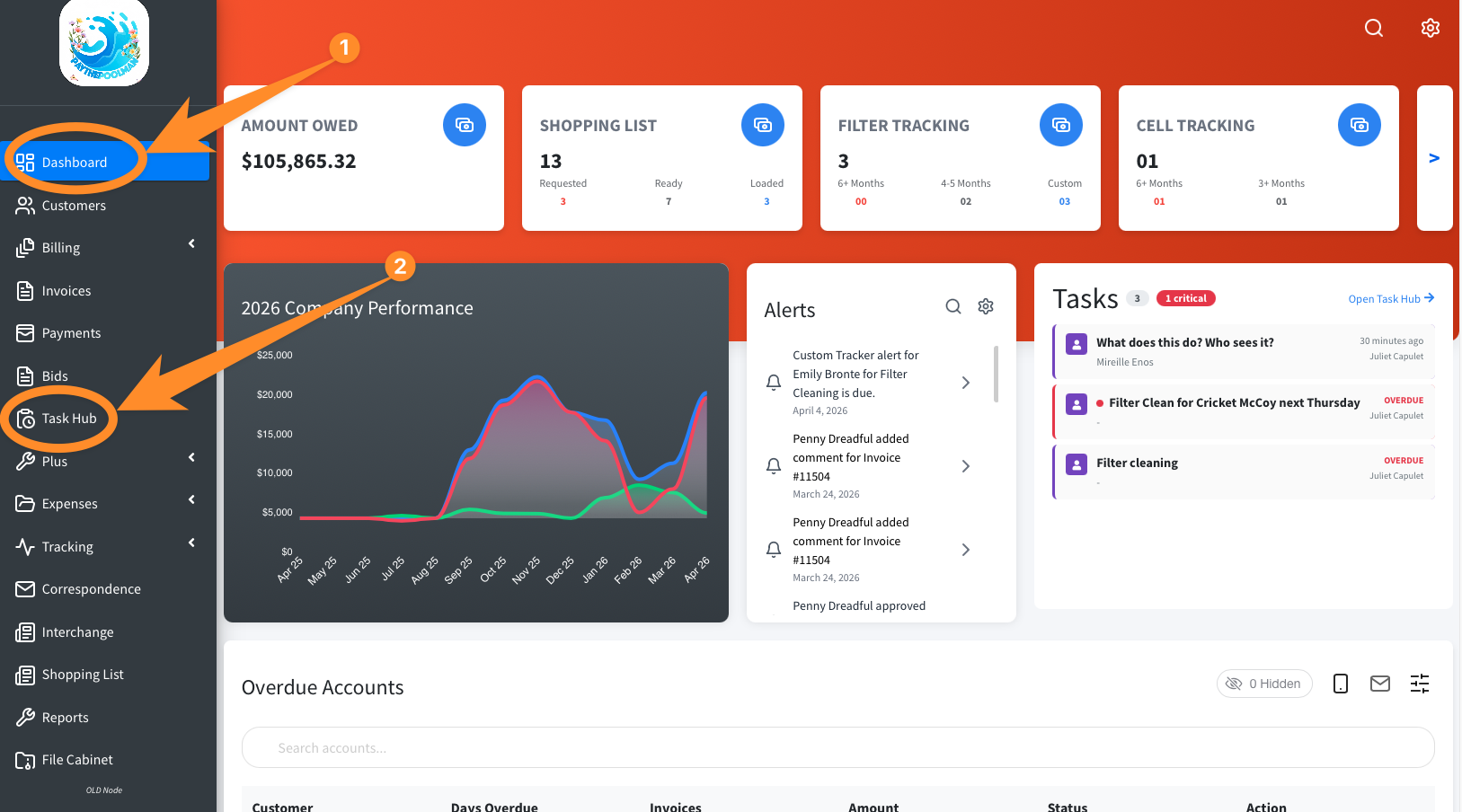
1. From your Company Dashboard, look at the black menu to the left of the screen and click on TASK HUB:
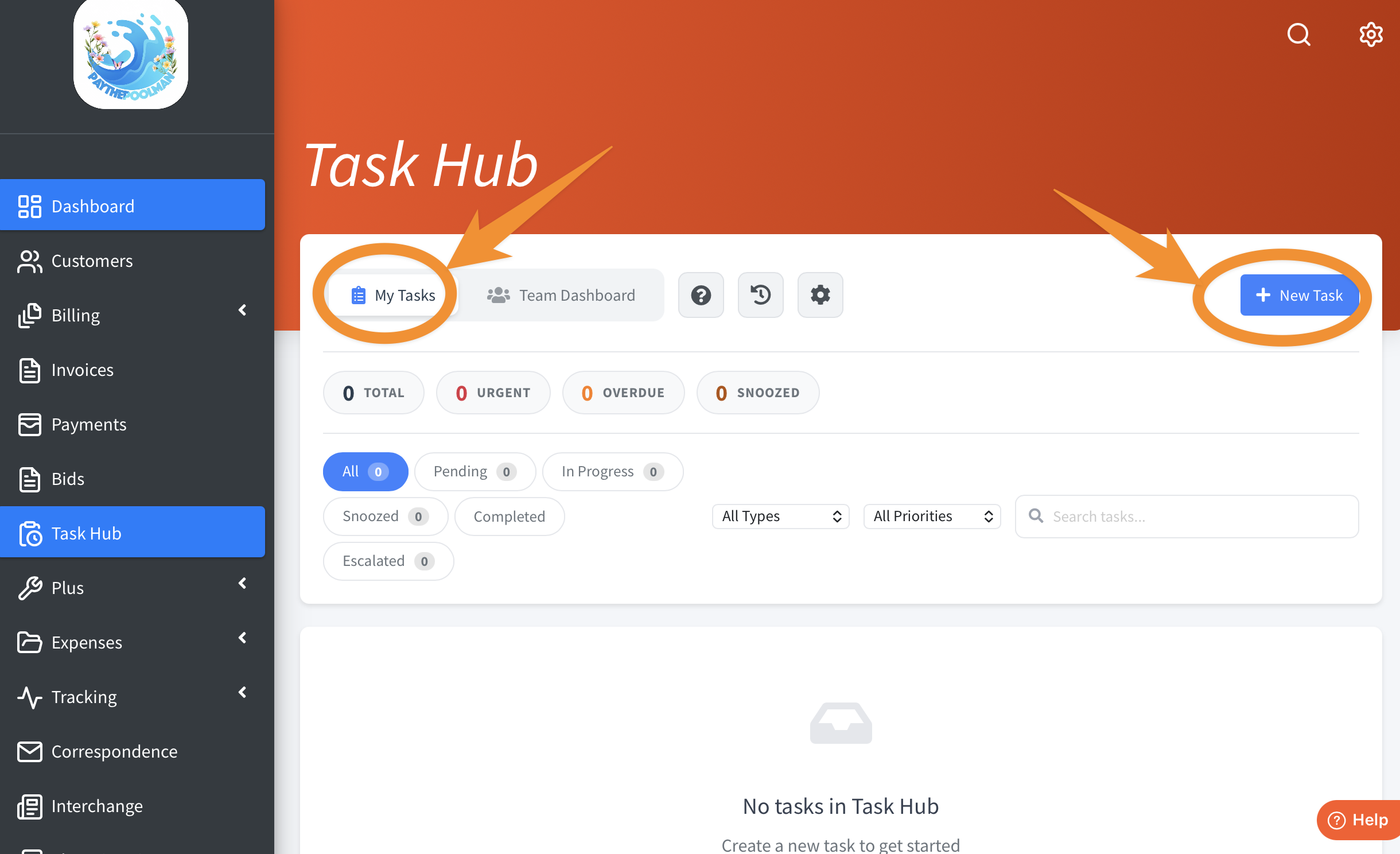
2. To add a new task for yourself as the company owner (or by your administrative staff as you requested), the Task Hub will default to MY TASKS, so you'll just click on + NEW TASK in the bright blue button to the right:
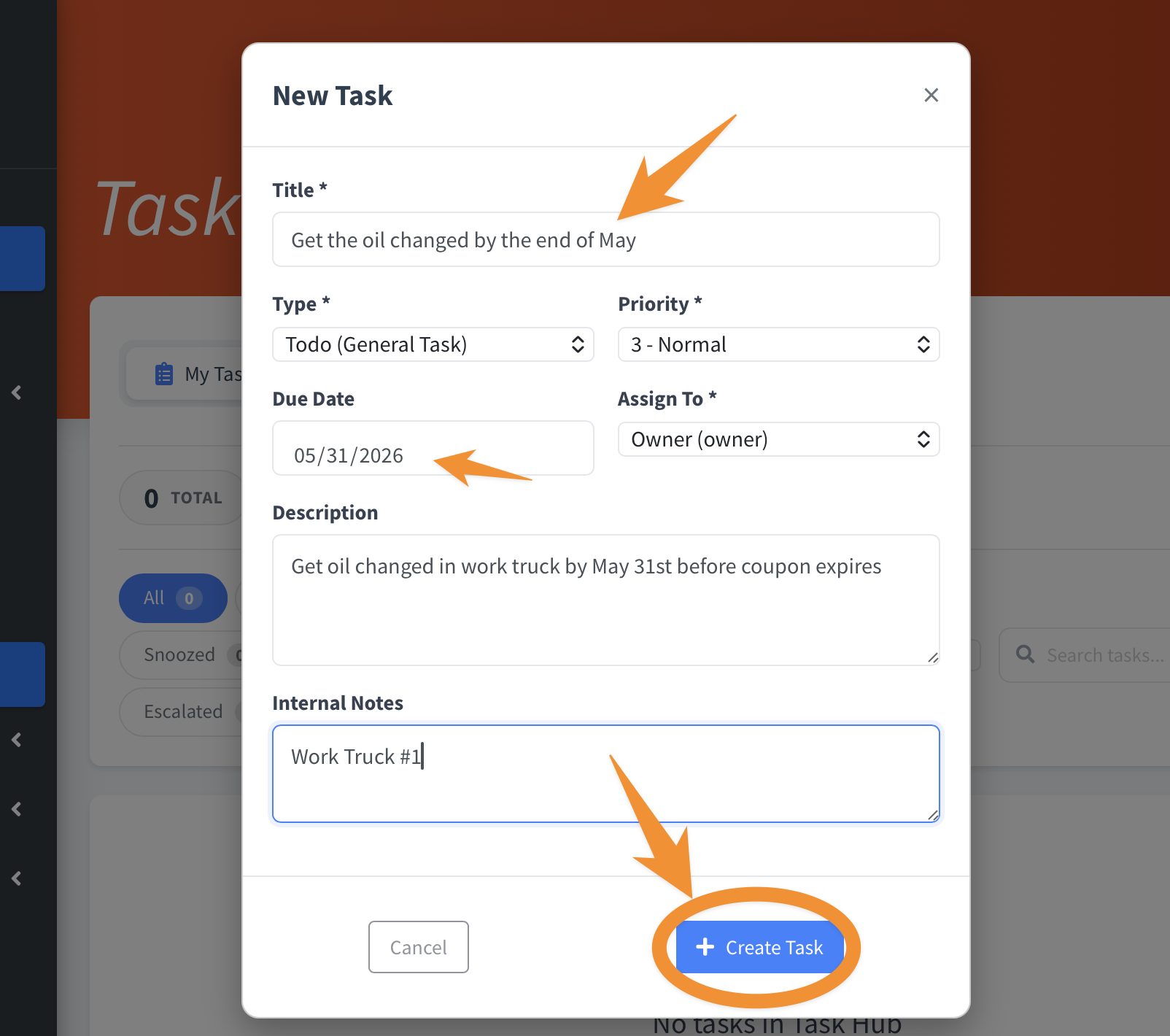
3. This opens a pop up window like the one shown in the sample below. Just enter the pertinent information and click on + CREATE TASK in the bright blue button at the bottom of the pop up window:
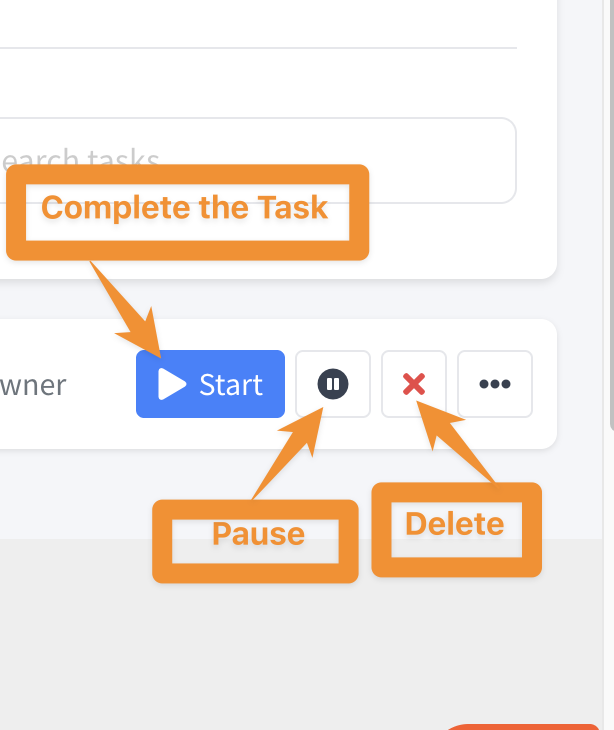
4. Now you'll see it populate in the TO-DO list! There are more options to the right as indicated in the screenshot below and we'll explore those next!
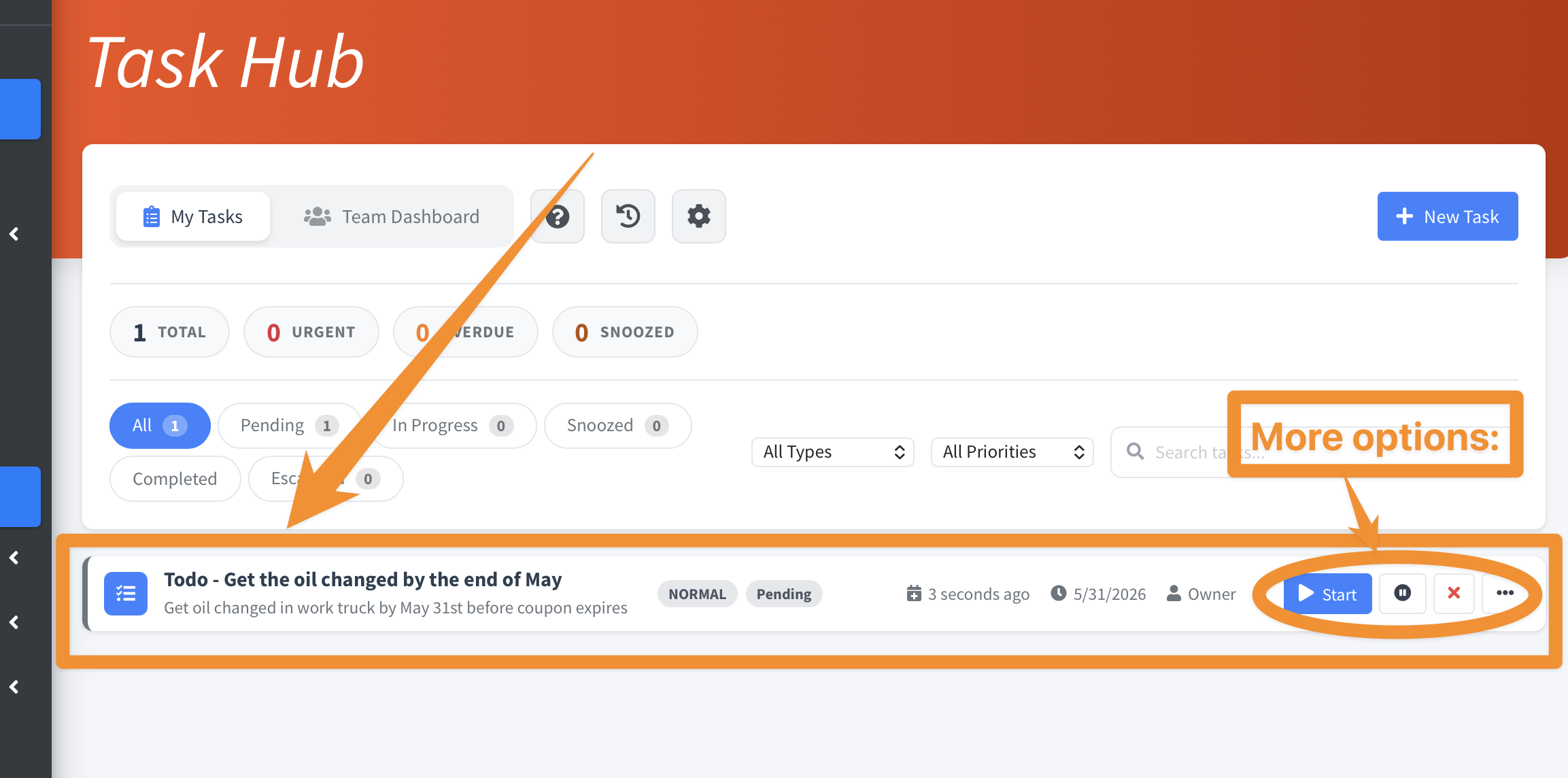
5. You can mark the task complete by hitting the blue START button. The next button will PAUSE the Task; The RED X will delete it, and the ELLIPSE (three black dots) will bring up a pop up window, which is covered in the next screenshot at item number (6).
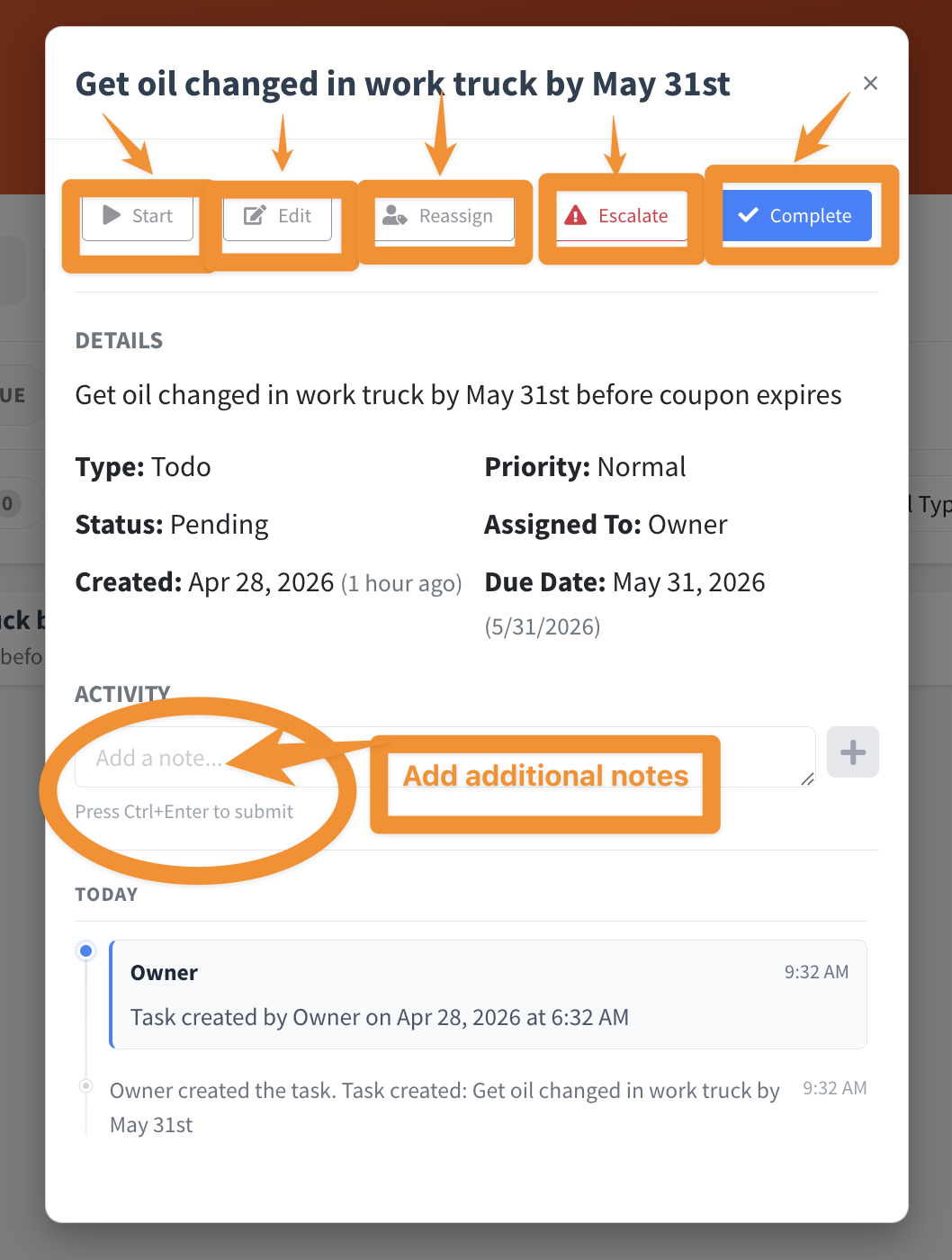
6. By clicking on the ELLIPSE (three black dots) a pop up window will open with the following options as shown below. Here you can Start the task, Edit, Reassign it, Escalate (to change the urgency), or simply mark it Complete. Further down you can also add any additional notes under ACTIVITY.
Be sure to check out our other Help Pages and our YouTube Channel with over 100 videos and tutorials!
Here's the link: https://www.youtube.com/@Paythepoolman
If you have any other questions or need further assistance, you can reach out to our Support Team at support@paythepoolman.com or (951) 234 5166.
Office hours: Mon-Fri 8AM to 4PM EST| 5AM to 1PM PST
Have a nice day!