
Hello and Welcome to Paythepoolman Help Pages!
This article will provide a general overview of our Leads feature (our new and improved contactless bidding with more CRM capabilities) and give you an idea of what it does and how it works! This awesome feature lets you track more metrics for contactless bidding and provides new features such as reminder settings for follow up correspondence, etc, so no new leads fall through the cracks!
Here's a great video about this feature: Leads
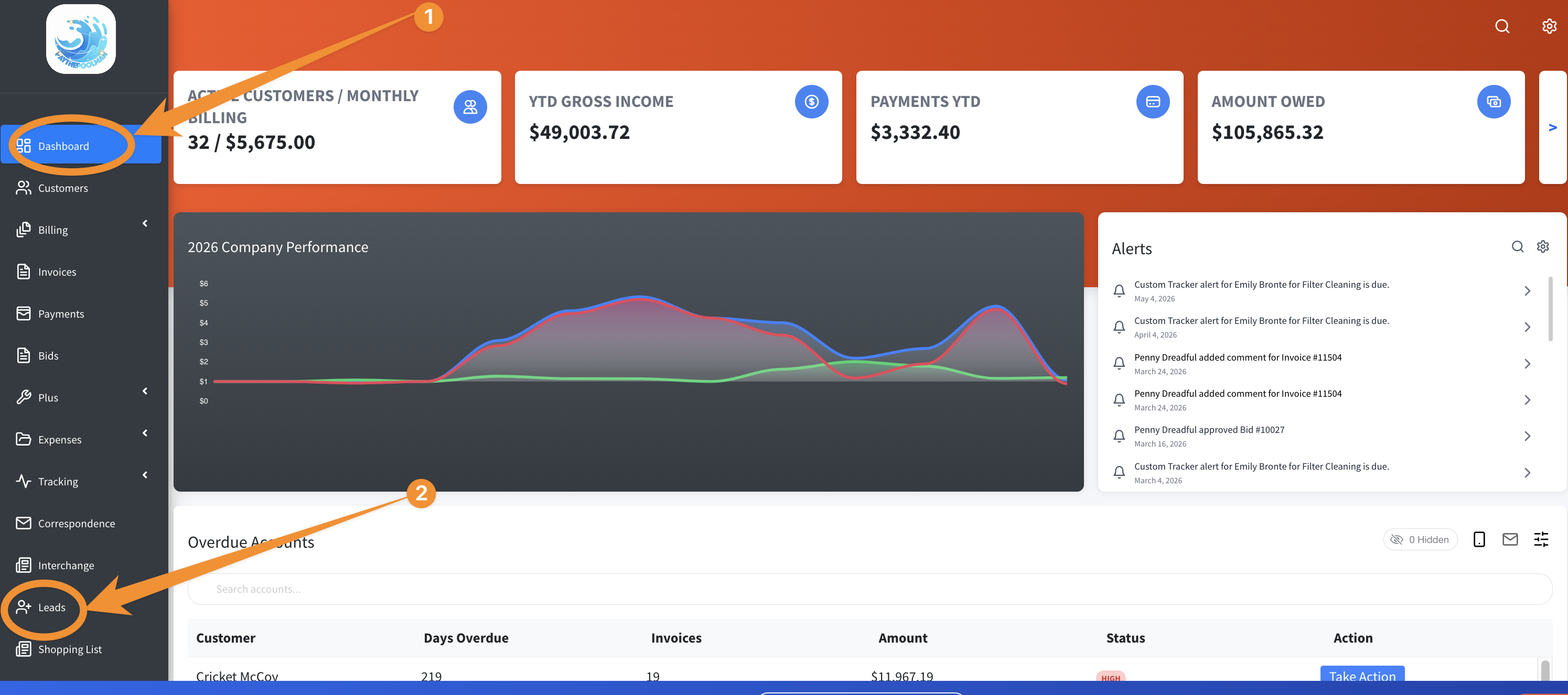
1. From your Company Dashboard, navigate to LEADS:
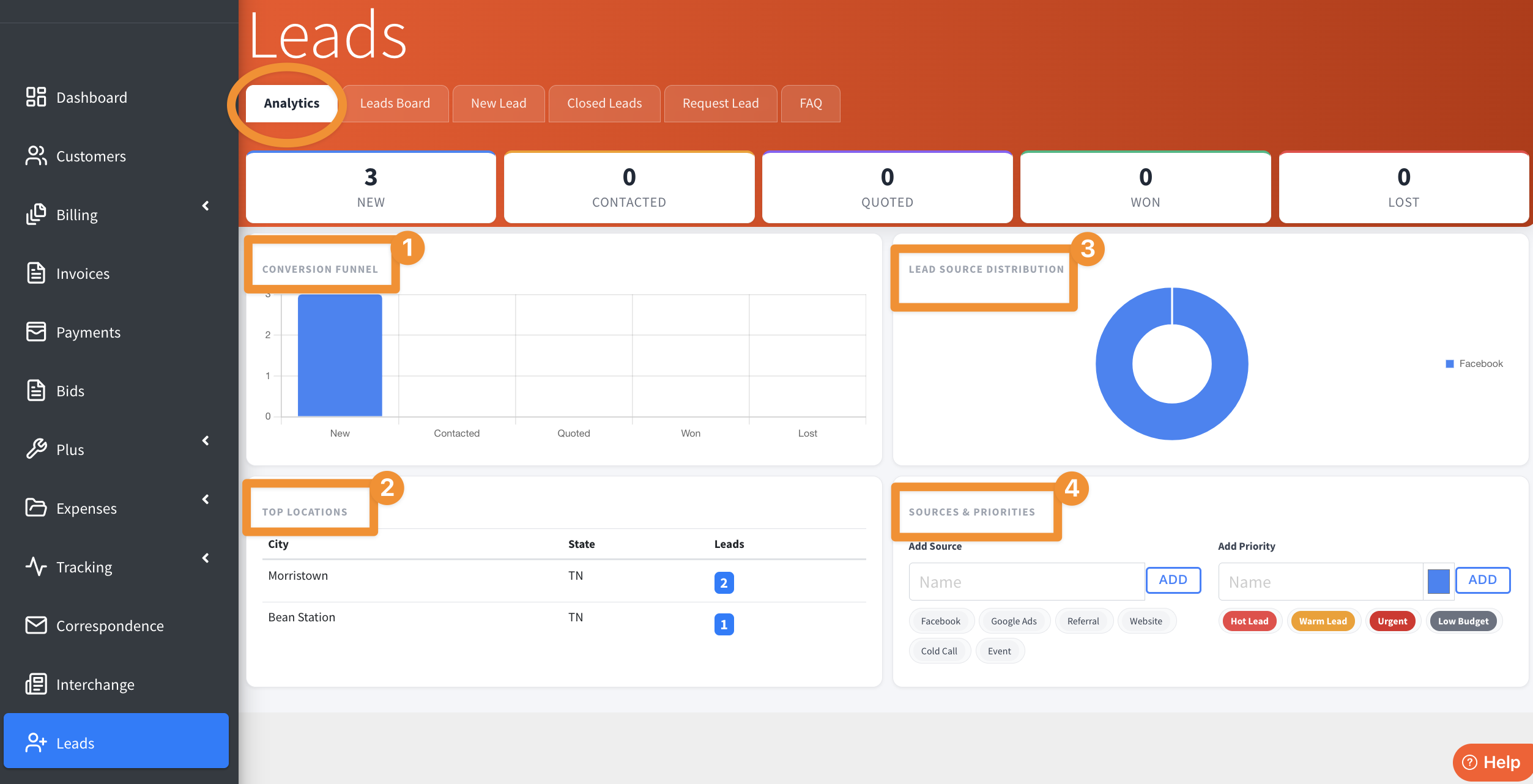
2. You'll see the ANALYTICS tab/page by default. Here you can see the CONVERSION FUNNEL, TOP LOCATIONS, LEAD SOURCE DISTRIBUTION, and SOURCES & PRIORITIES:
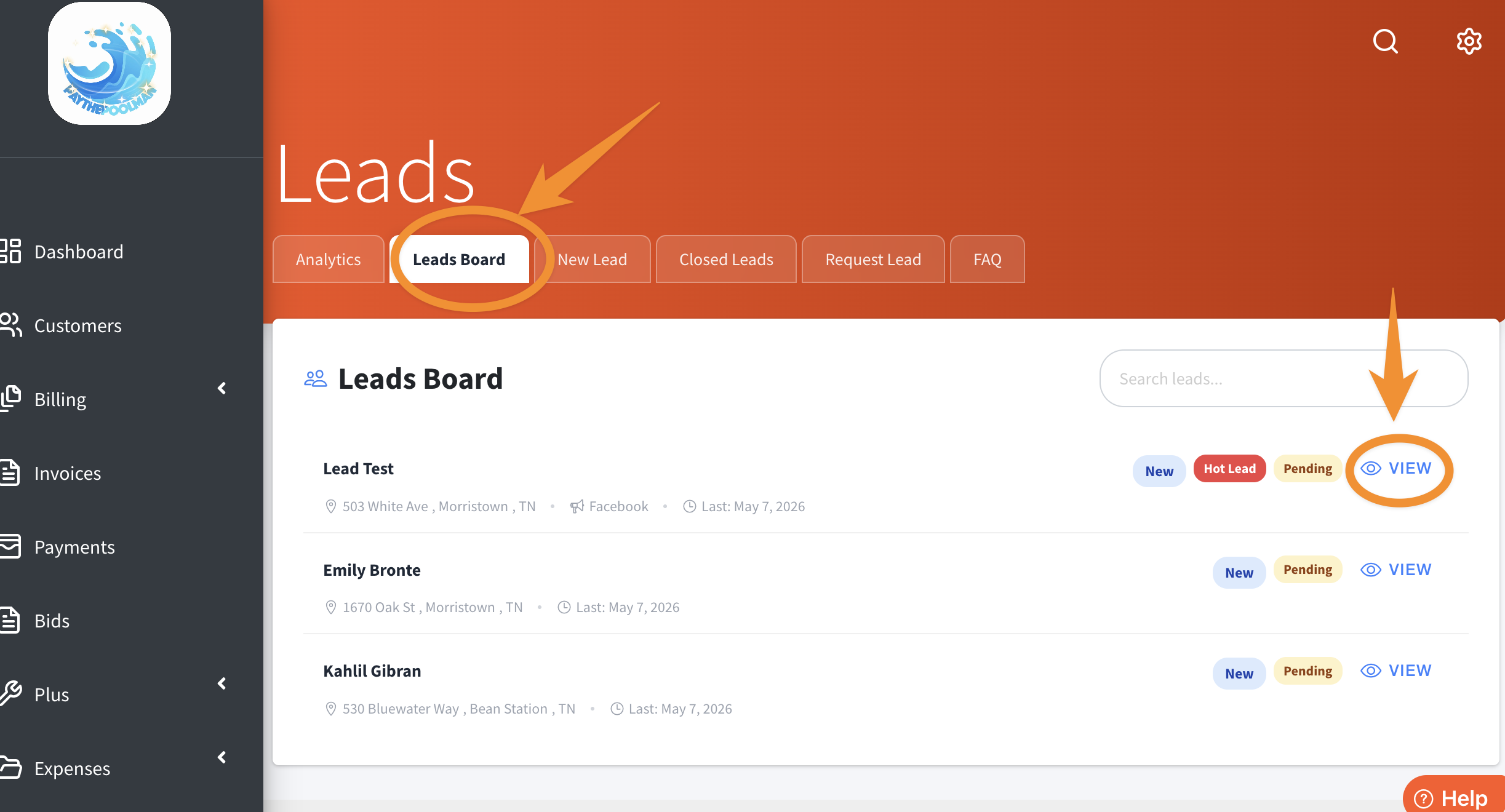
3. The next tab is the LEADS BOARD. Here you can select each lead by clicking on VIEW and see other actions to take:
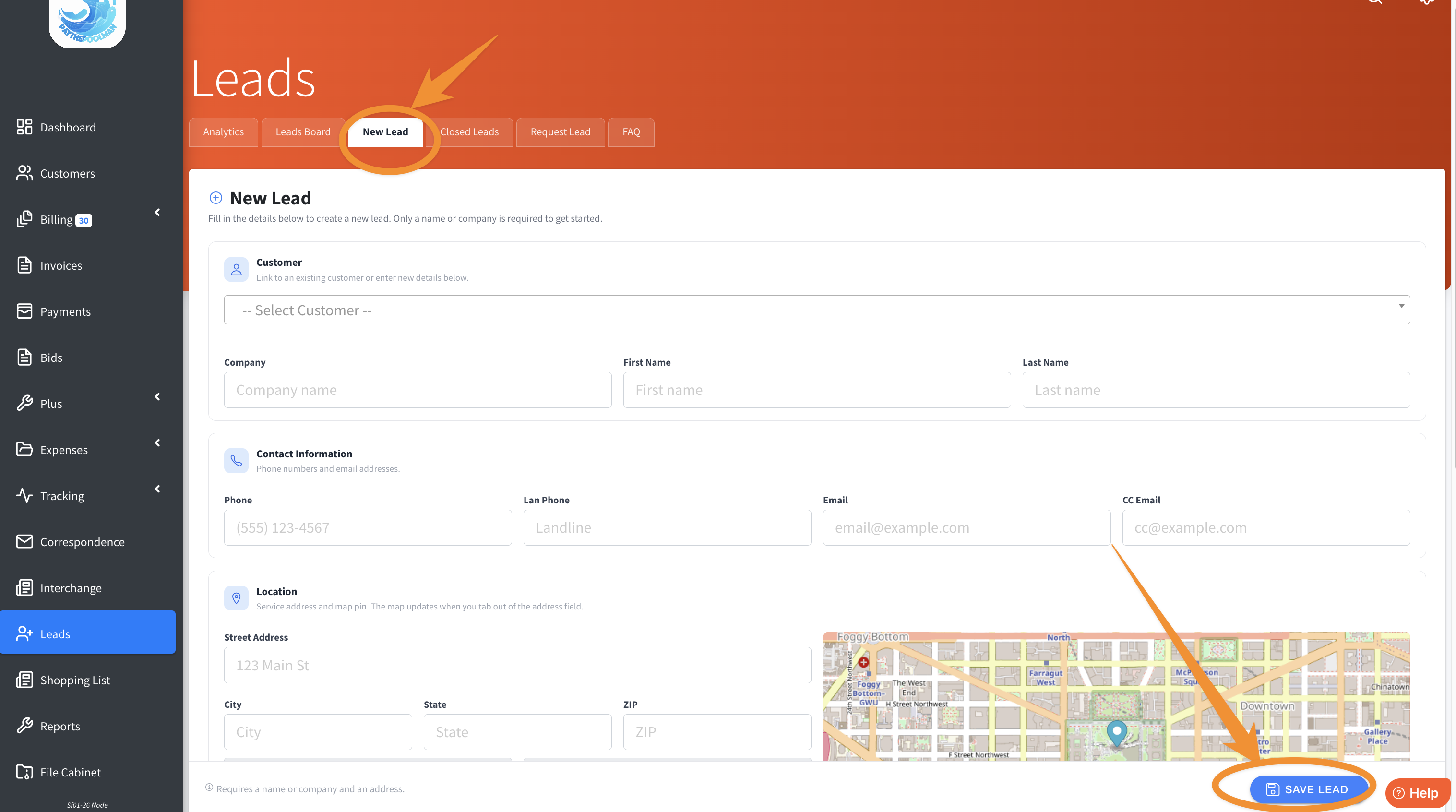
4. The next tab is NEW LEAD, where you can quickly and easily add a potential new customer! Just enter the pertinent information and click the blue SAVE LEAD button at the bottom right.
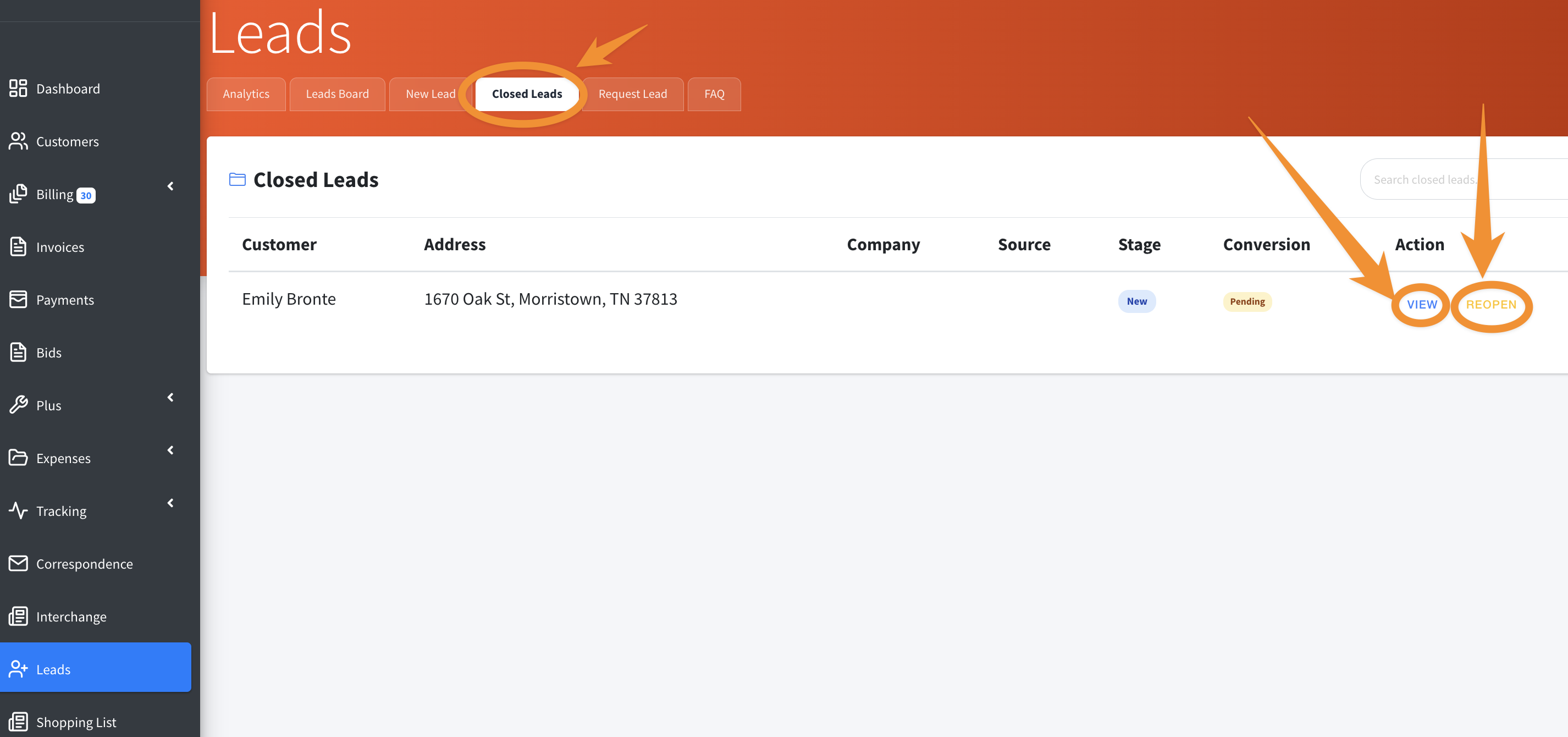
5. Moving on, you can view your CLOSED LEADS. If the situation changes, you can always VIEW and REOPEN the contact to make changes to your notes or change the status.
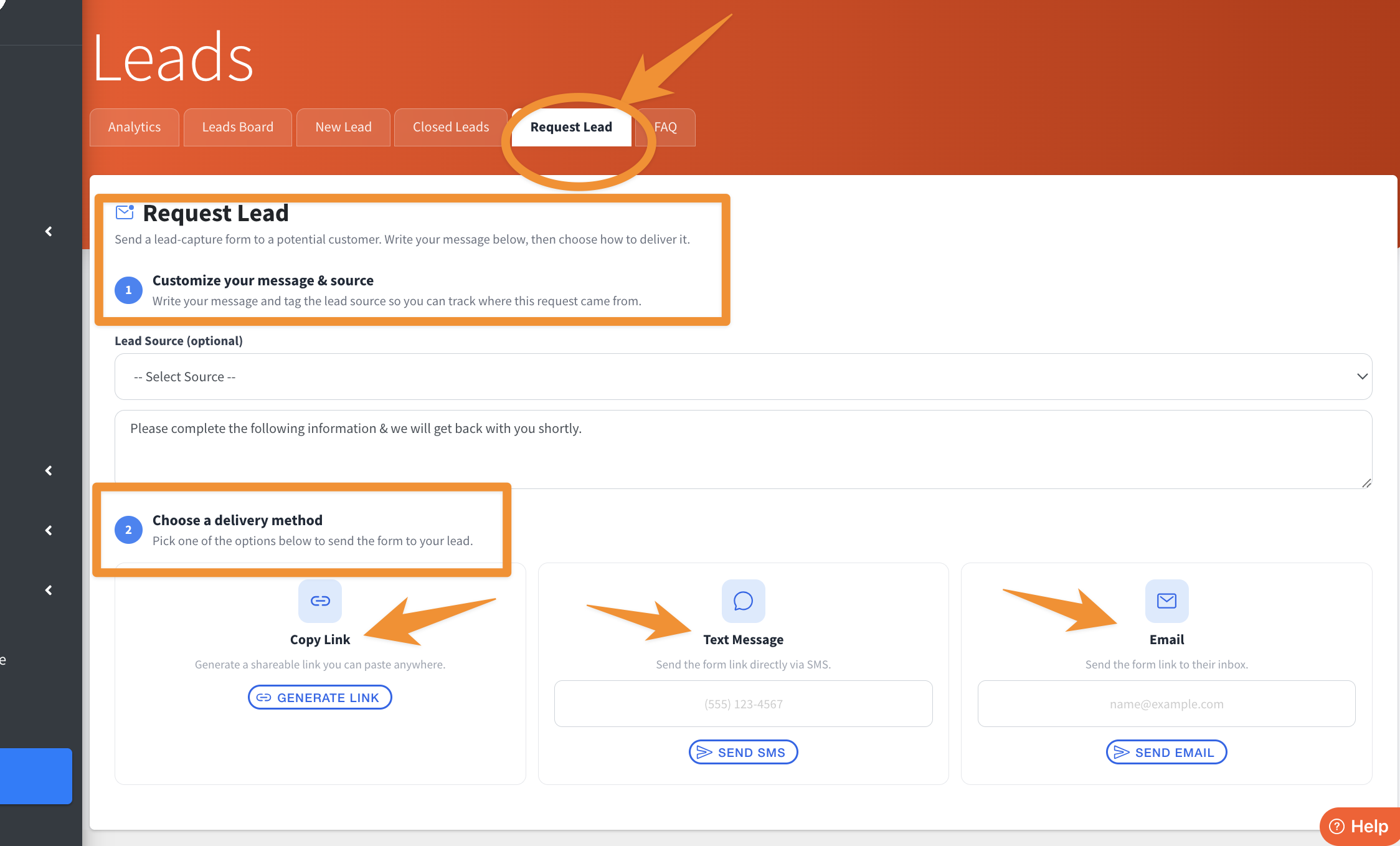
6. The REQUEST LEAD tab allows you to send a customizable form to your potential customer! There are instructions on this screen, along with options for sending, like copying and pasting a LINK, TEXT MESSAGE, or EMAIL.
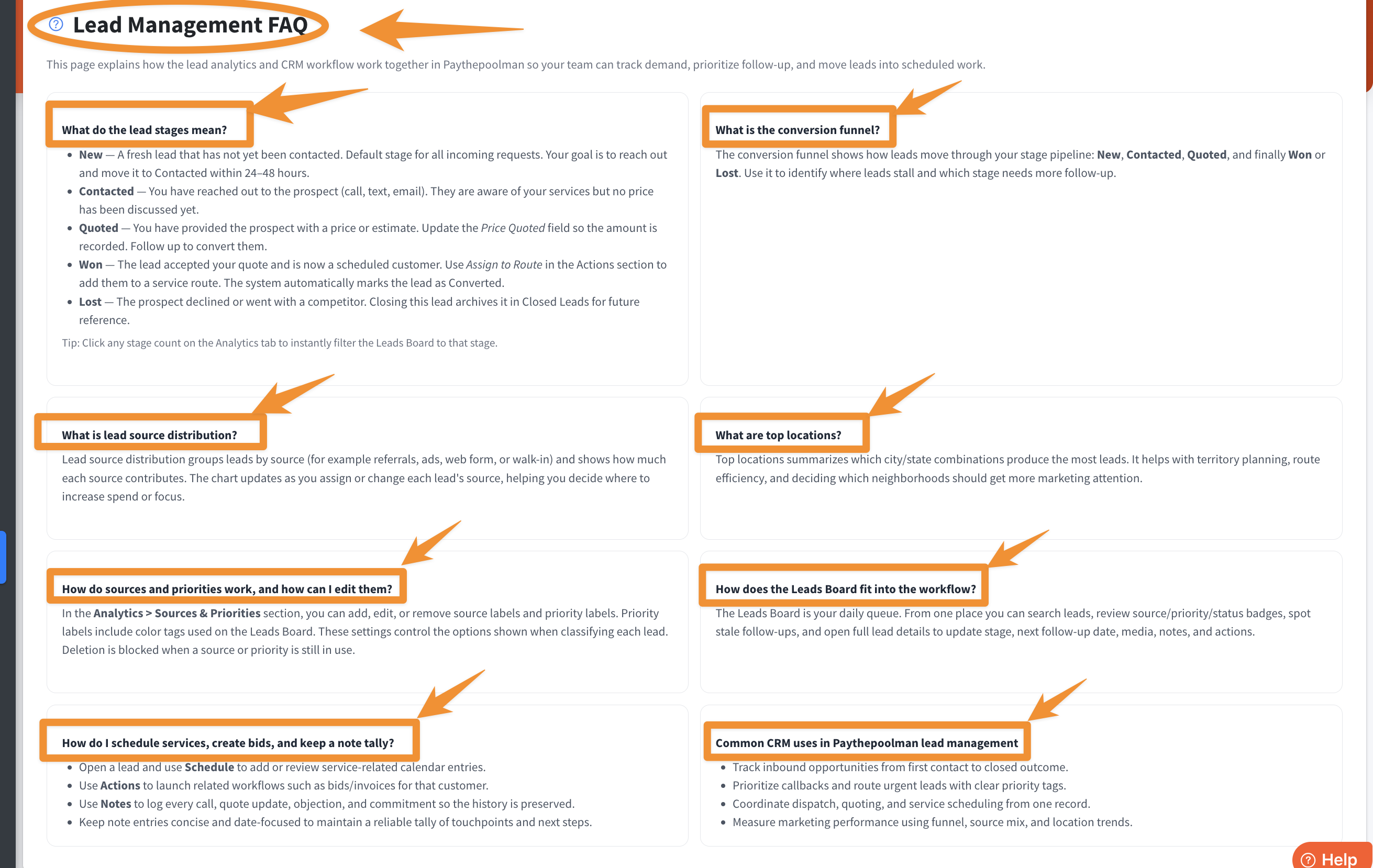
7. The last is full of great information, our FAQ's. Here you'll find details about what each stage entails, terminology definitions, and practical application.
Be sure to check out our other Help Pages and our YouTube Channel with over 100 videos and tutorials!
Here's the link: https://www.youtube.com/@Paythepoolman
If you have any other questions or need further assistance, you can reach out to our Support Team at support@paythepoolman.com or (951) 234 5166.
Office hours: Mon-Fri 8AM to 4PM EST| 5AM to 1PM PST
Have a nice day!