
Welcome to Paythepoolman Help Pages!
Here we'll break down the Task Hub with a real world scenario to help you understand how it might be applied for a company owner/single poler.
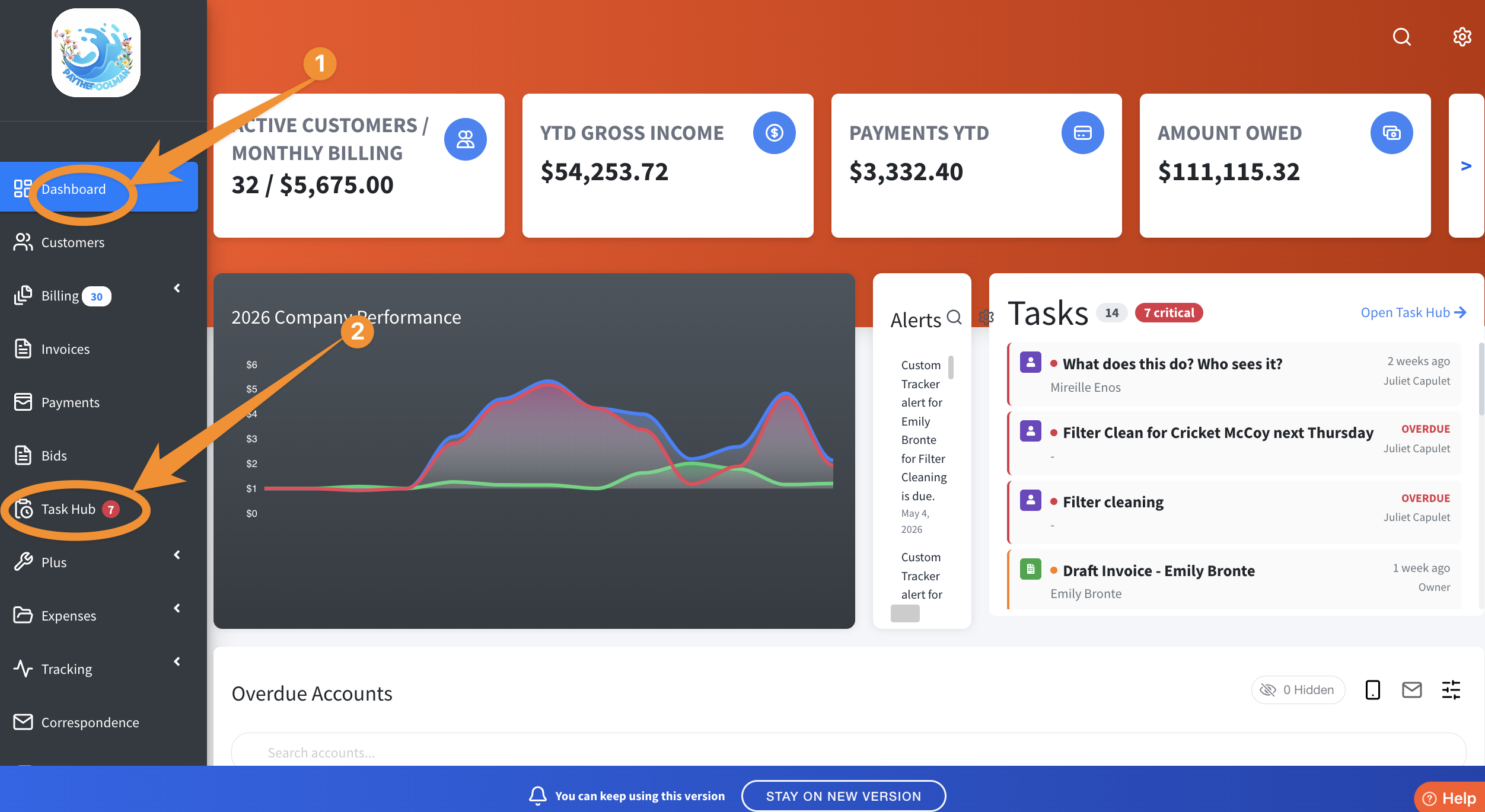
1. From your Company Dashboard, click on TASK HUB located in the black menu bar to the left:
2. Once you've been active in the Task Hub and have added some To-Do's, your screen may look similar to the one below. Notice there are TWO TABS - (1) MY TASKS, and (2) TEAM DASHBOARD. For the example expounded upon in this Help Page, we will focus on MY TASKS.
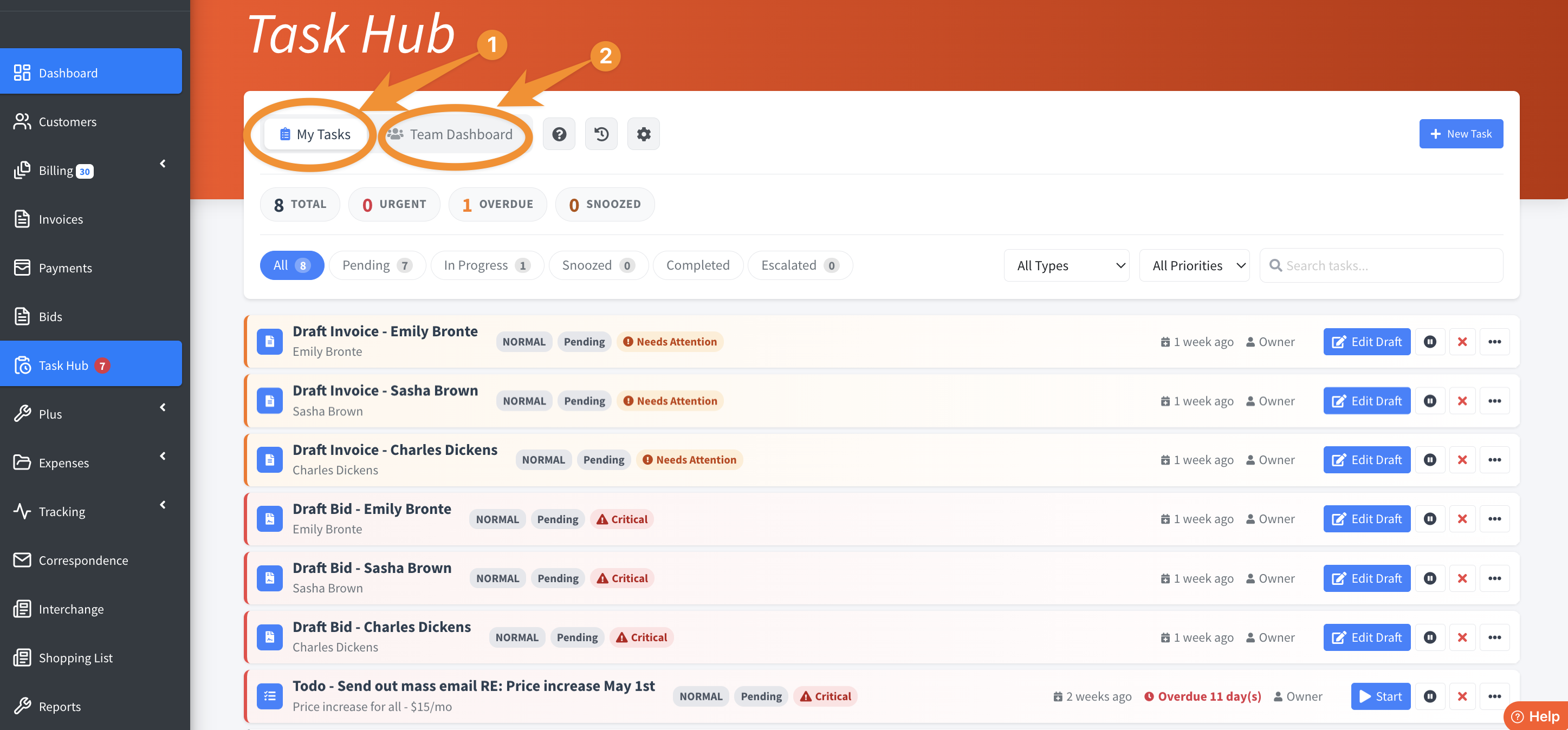
3. MY TASKS are literally just that - Any tasks/actions you create and assign to yourself. Under the TEAM DASHBOARD tab, and as the Company Owner, however, you will ALSO be able to see not only *your* tasks, but all tasks that you have assigned to others (admin staff, techs, etc). Below is an example of what that might look like as you switch views between YOUR assigned tasks, and those assigned to others:
Note: Your admin, employees and/or techs will only see whatever permissions you allow them based on the settings in their profile: Plus > Employee Center > (Employee Selection) Manage Permissions.
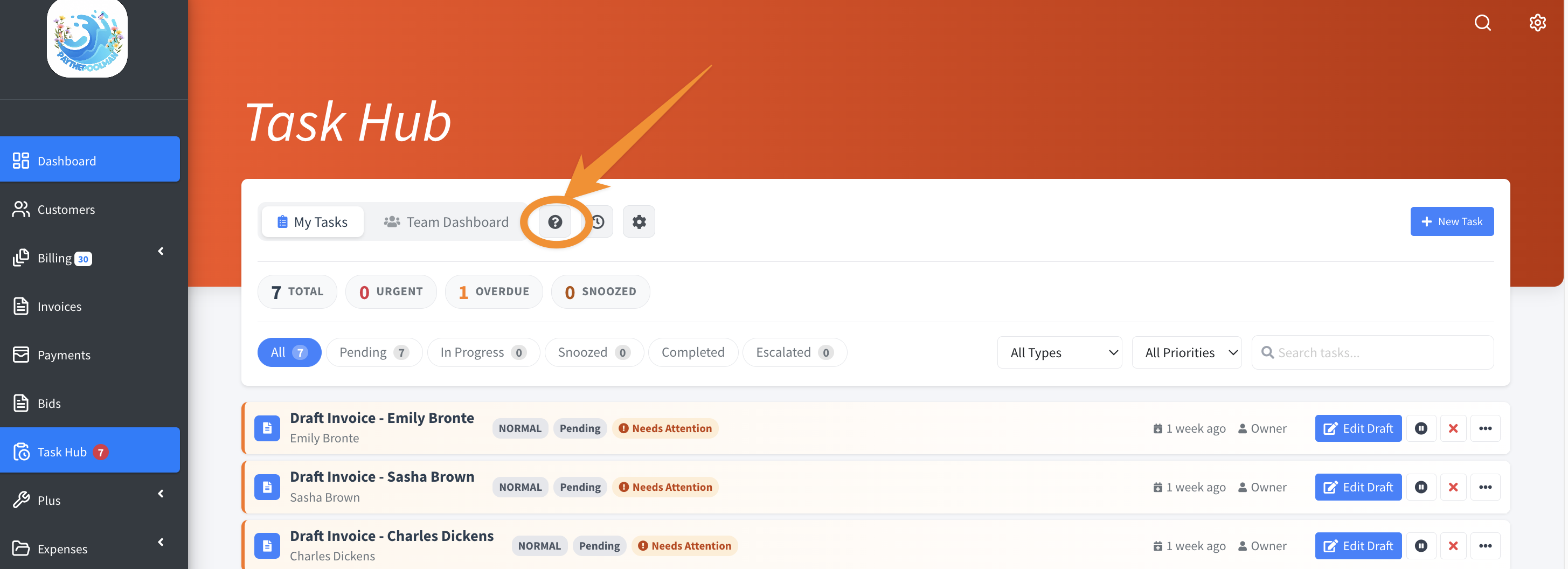
4. The QUESTION MARK icon is full of valuable information to help you navigate the Task Hub, including the following scenario for a Company Owner/Single Poler, and how you might utilize this awesome feature:
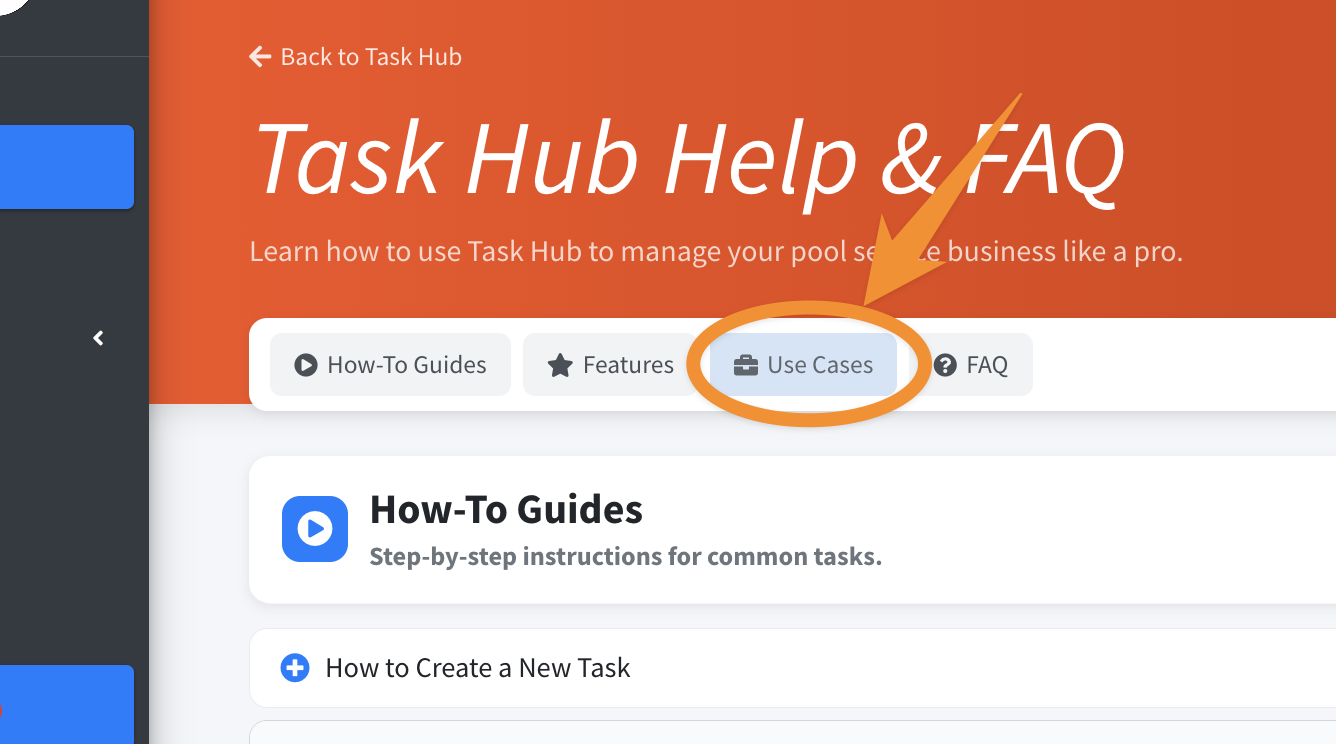
5. Select USE CASES to explore these scenarios:
6. Let's take a look at the first scenario, SOLO POOL COMPANY OWNER. The sample outlines a typical work day and includes possibilities where the Task Hub could be applied. At the bottom of the page, it highlights the features you'll use most in this scenario: DRAFT INVOICE RESUME; SNOOZE WITH TIMER FREEZE; COLOR-CODED AGING; QUICK COMPLETE, and SERVICE QUEUE - ROUTE.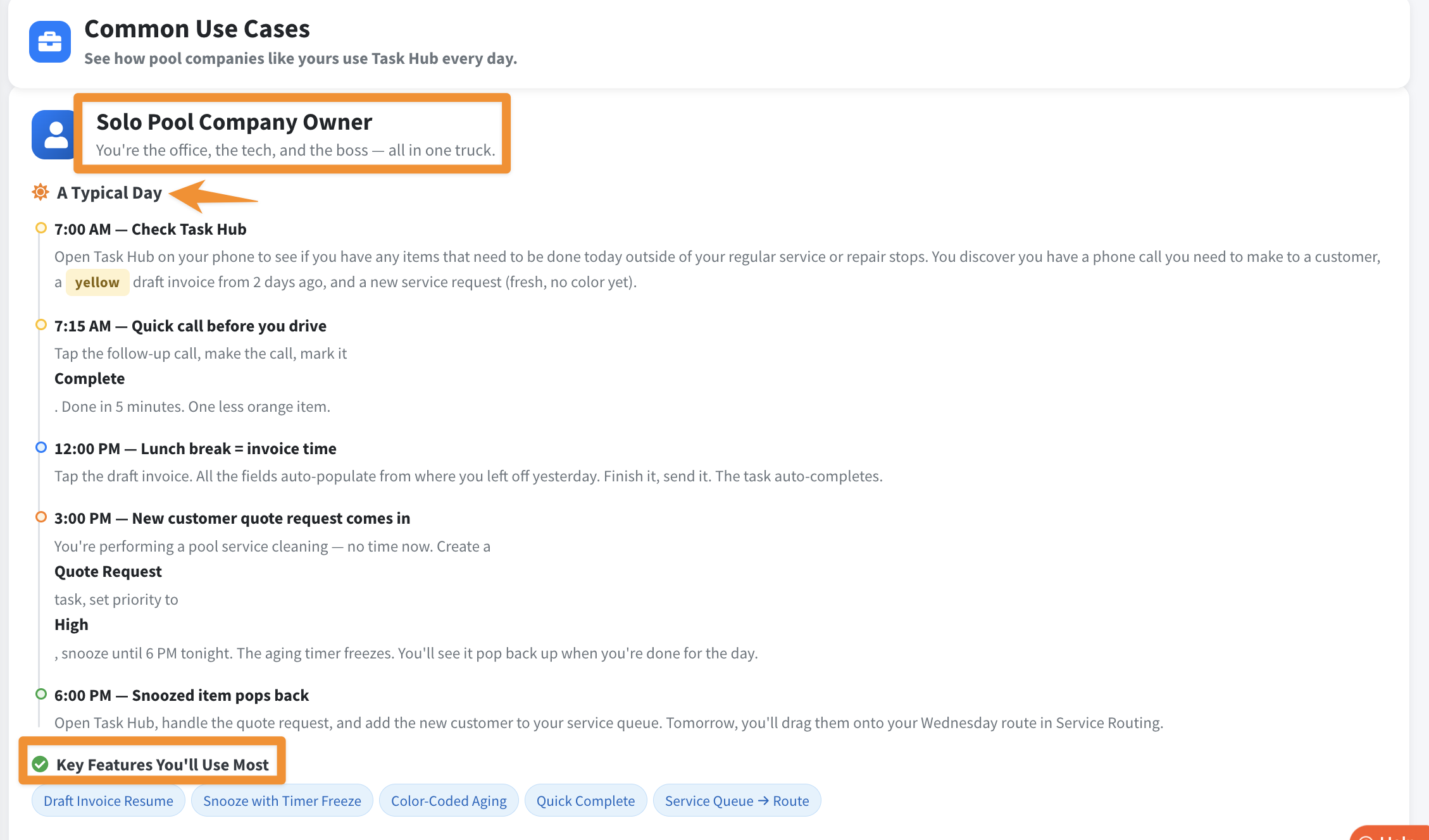
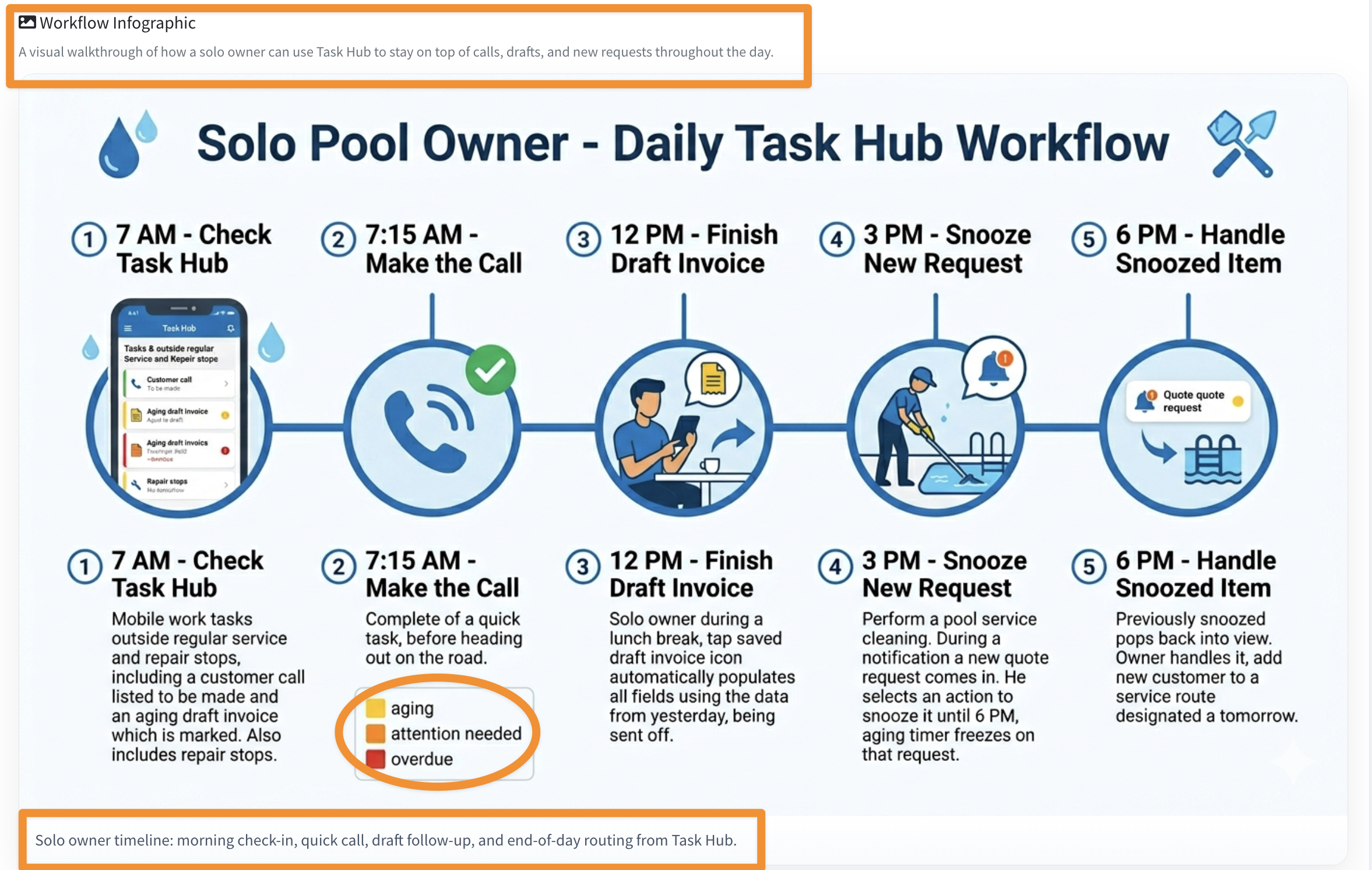
7. Lastly, there's a helpful visual illustrating the workflow:
Be sure to check out our other Help Pages and our YouTube Channel with over 100 videos and tutorials!
Here's the link: https://www.youtube.com/@Paythepoolman
If you have any other questions or need further assistance, you can reach out to our Support Team at support@paythepoolman.com or (951) 234 5166.
Office hours: Mon-Fri 8AM to 4PM EST| 5AM to 1PM PST
Have a nice day!