
Created by: Maggie McCraney
Welcome to the Paythepoolman Help Page!
Do you need to restore an extra that went missing after deleting a pending invoice?
Here's a step by step on how to restore your extras.
RESTORING AN EXTRA:
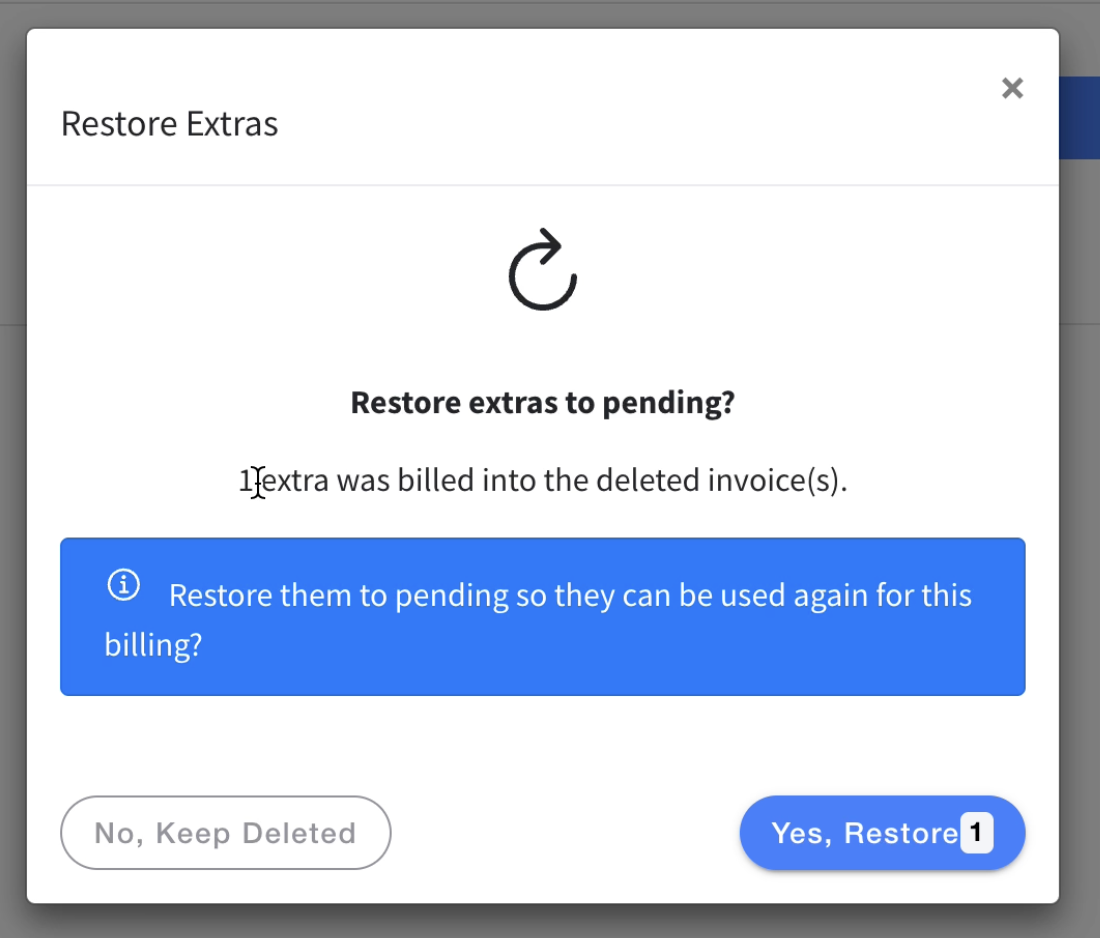
1. If you delete an invoice with an extra attached to it, this prompt will come up once you delete the invoice. Click "Yes, restore" to restore the extra.
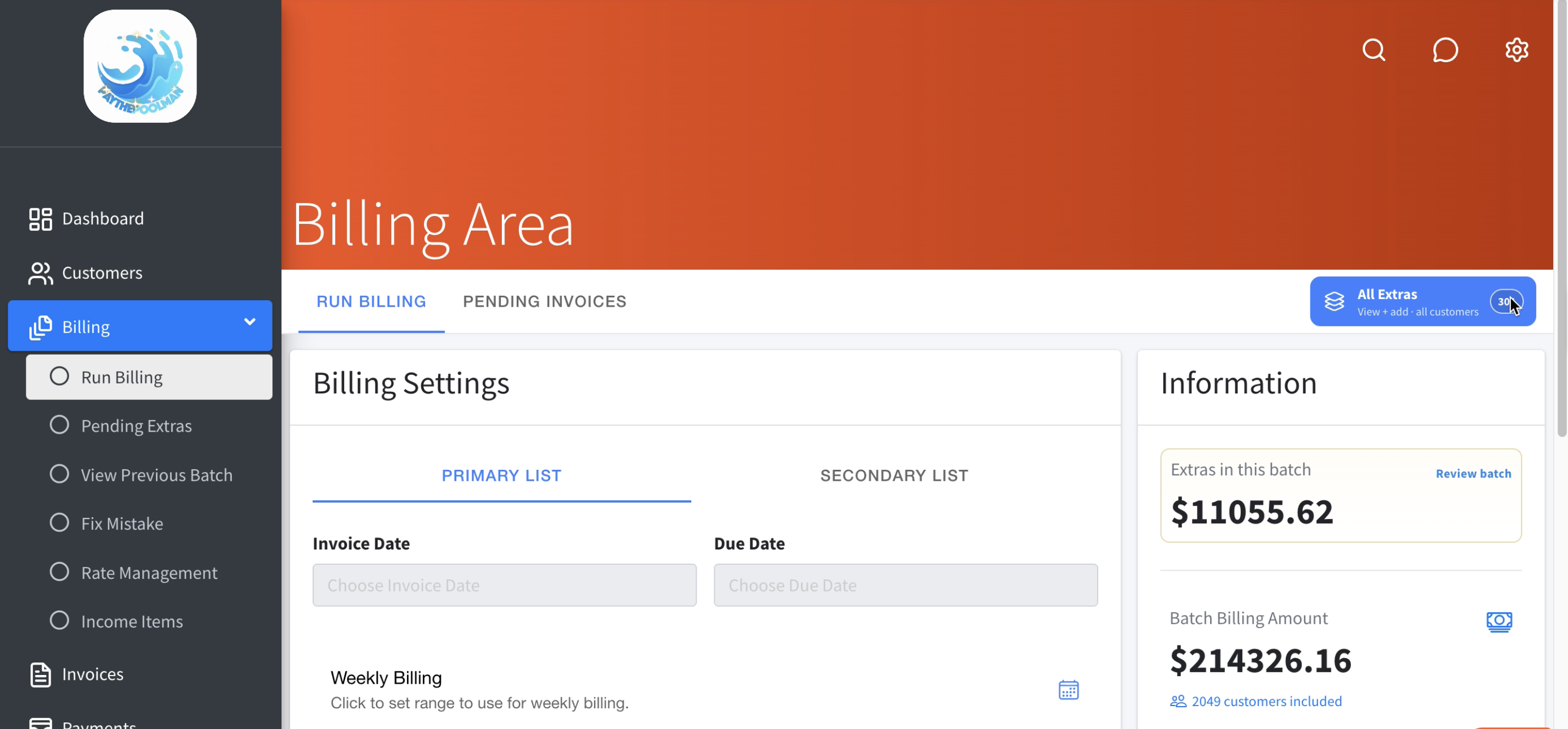
2. If you want to verify that the extra were restored, you can go back to your billing page, and click "All Extras" in the top right corner to see them all.
RESTORING A BATCH OF EXTRAS:
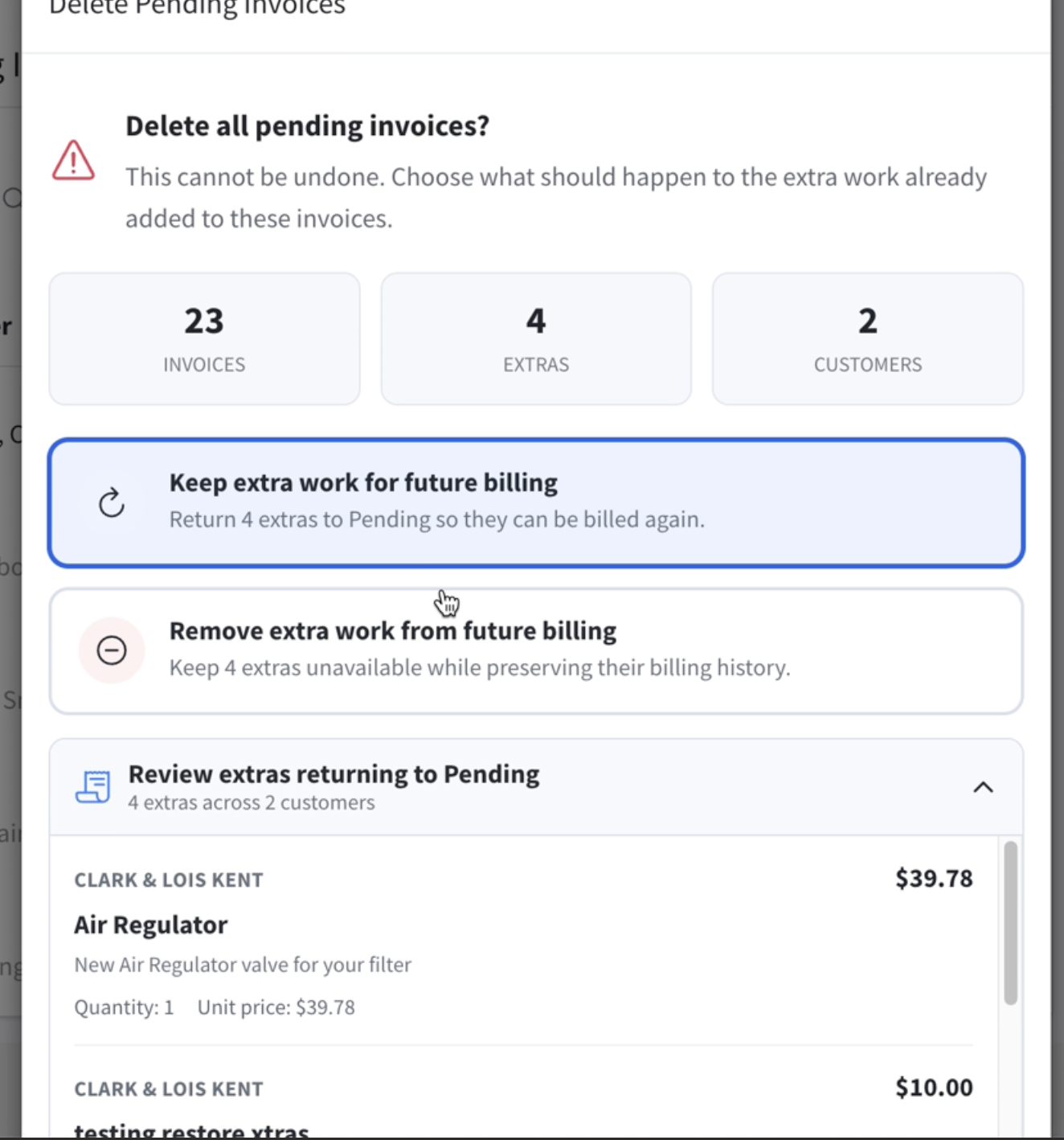
1. If you delete a batch of invoices with extras attached to them, this prompt will come up before you're able to fully delete the invoices. Click "Keep extra work for future billing" to save the extras.
Here's the link to a video tutorial:
If you have any other question or need further assistance, you can reach out to our Support Team at support@paythepoolman.com or (951) 234 5166.
Office hours: Mon-Fri 8AM to 4PM EST| 5AM to 1PM PST