
Hello! Welcome to the AI Importer Help Page!
This will walk you step by step through using the new AI Importer.
Let's get started!
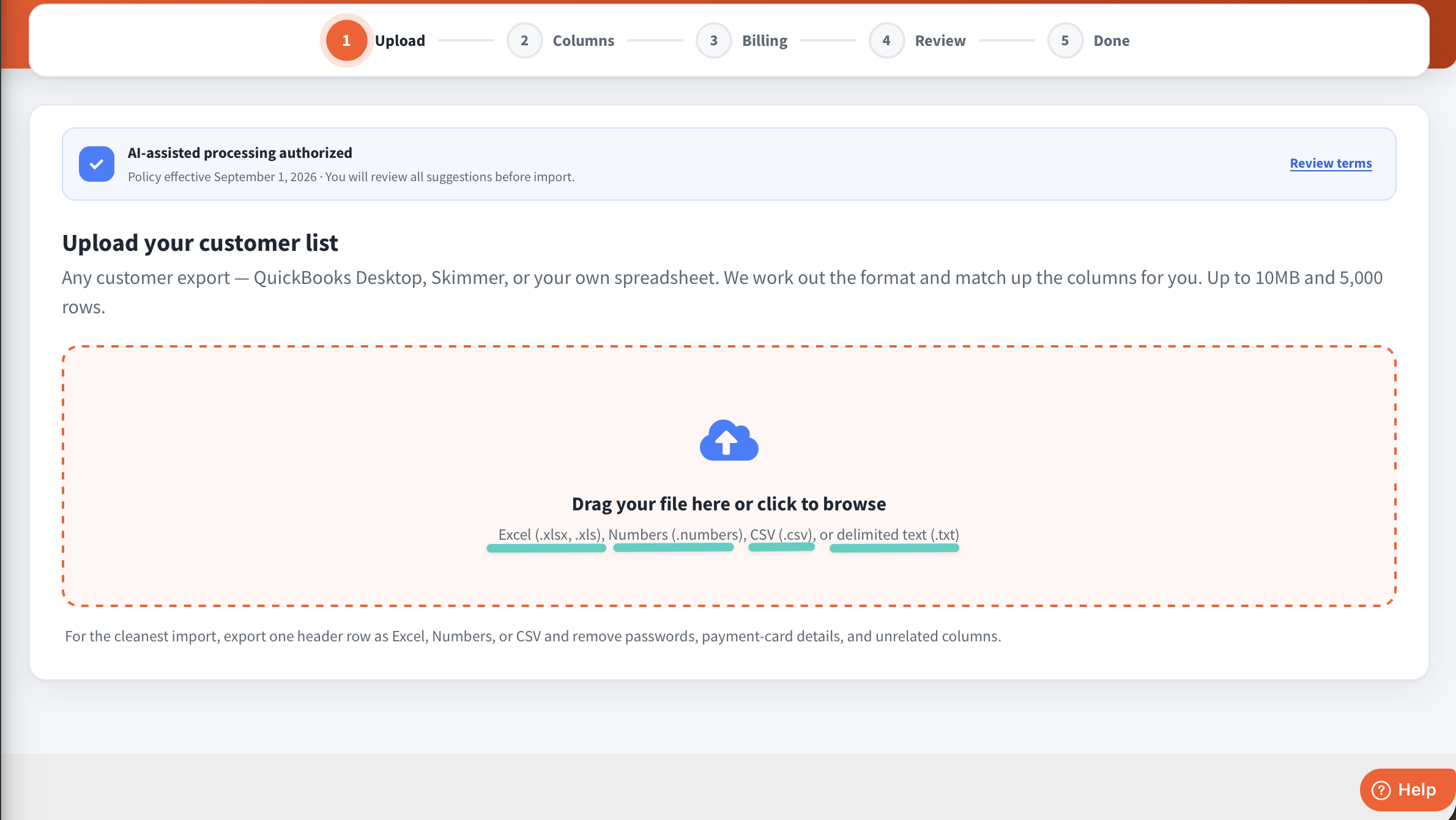
Before we start, you'll need a document with all of your customers information: First name, last name, full service address, full billing address, phone number, email, etc. With the AI importer, you can upload a screenshot, a word document, .csv, numbers file, etc. AI will scan whatever you upload, just make sure it's legible.
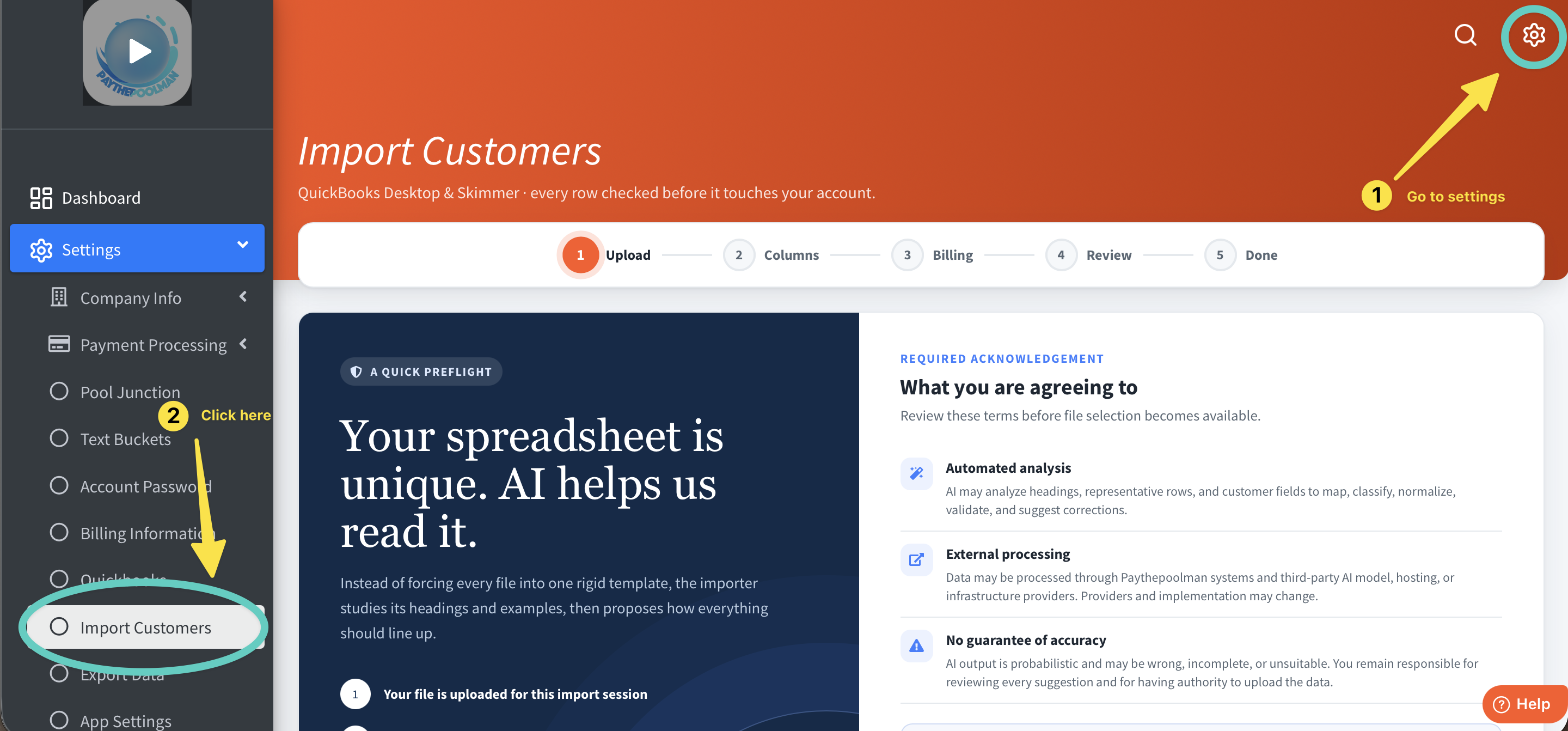
1. Start by going to your settings, then clicking on "Import Customers."
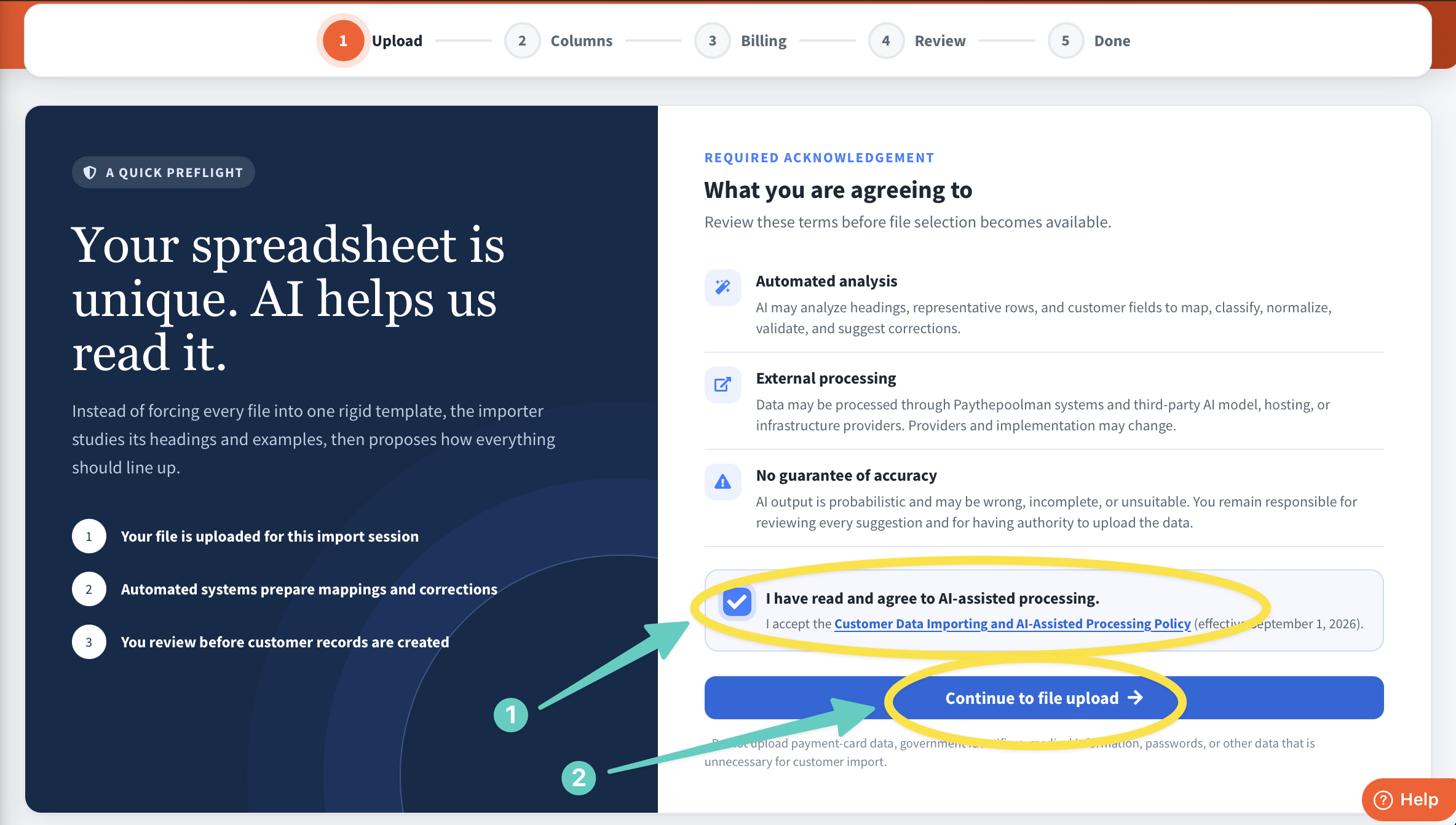
2. To start you'll need to read the AI-assisted processing policy and acknowledge that you read through it. Then you can click "Continue to file upload."
3. This is where you'll enter your customer list file!
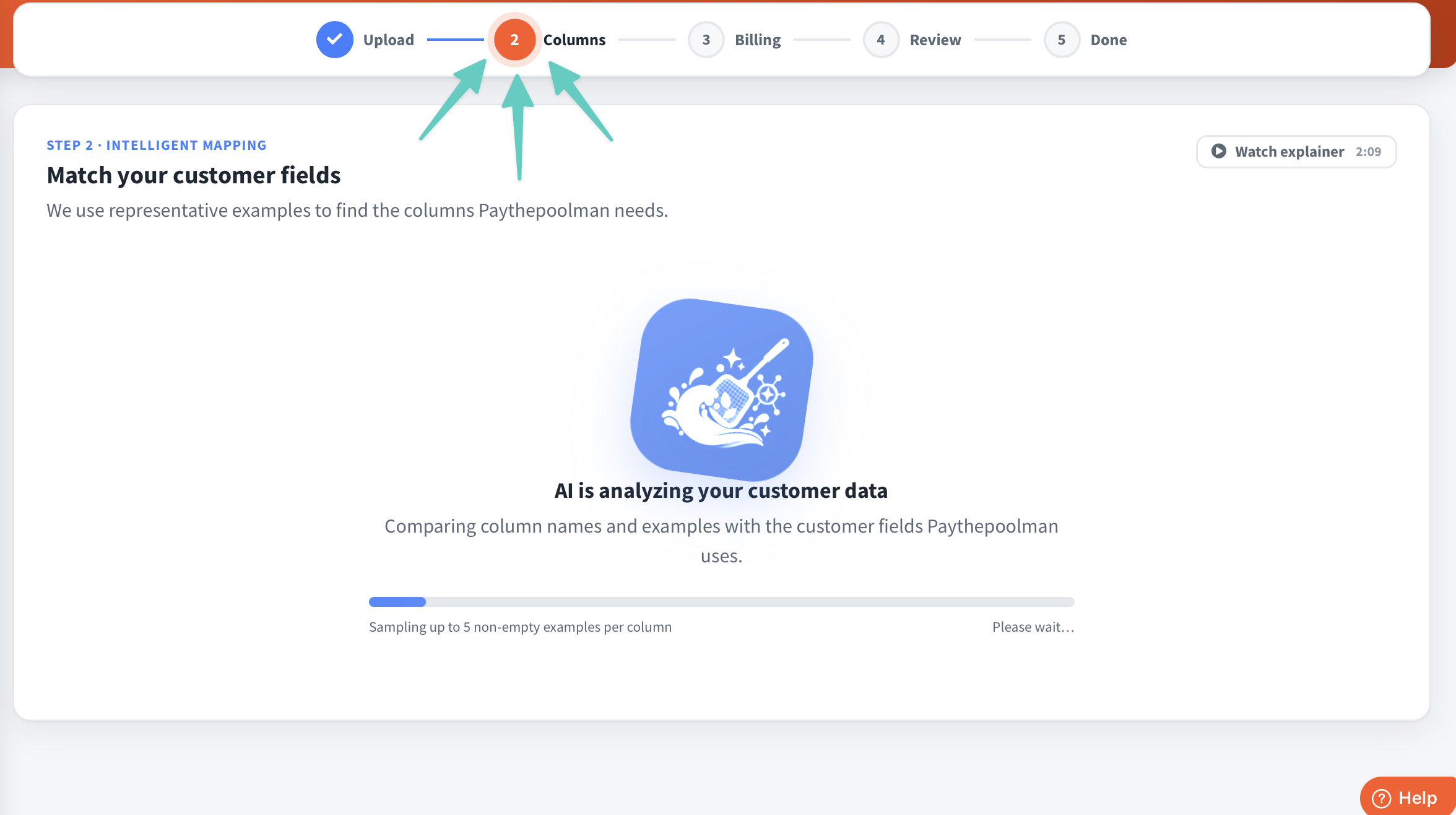
4. This is the screen you'll see while AI is reading the document you uploaded.
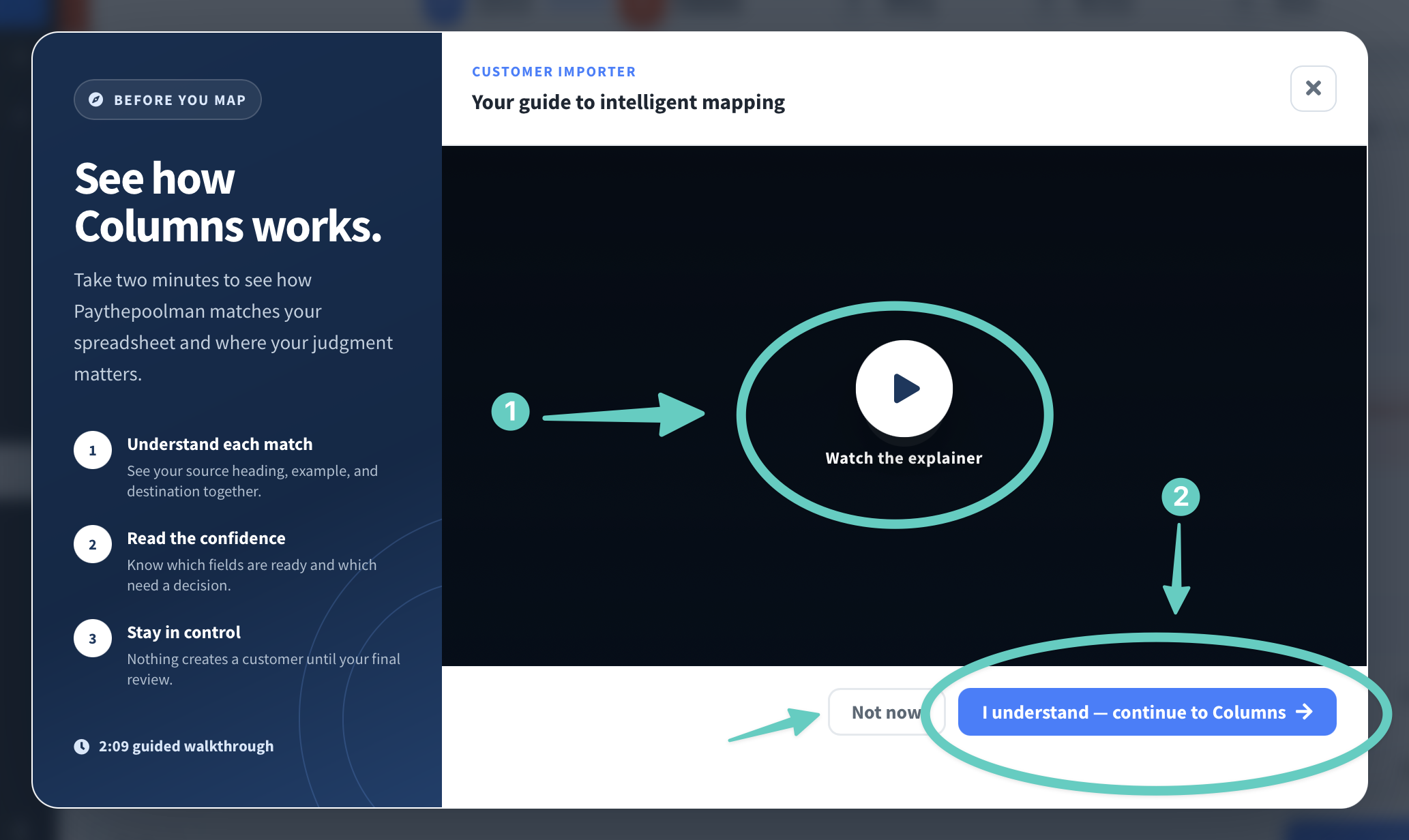
5. Next, this will pop up. Watching this short video is optional, but it will break down the rest of the process for you. We recommend watching it, and then clicking "I understand - continue to Columns" to move forward. Click "Not now" if you don't prefer to watch it.
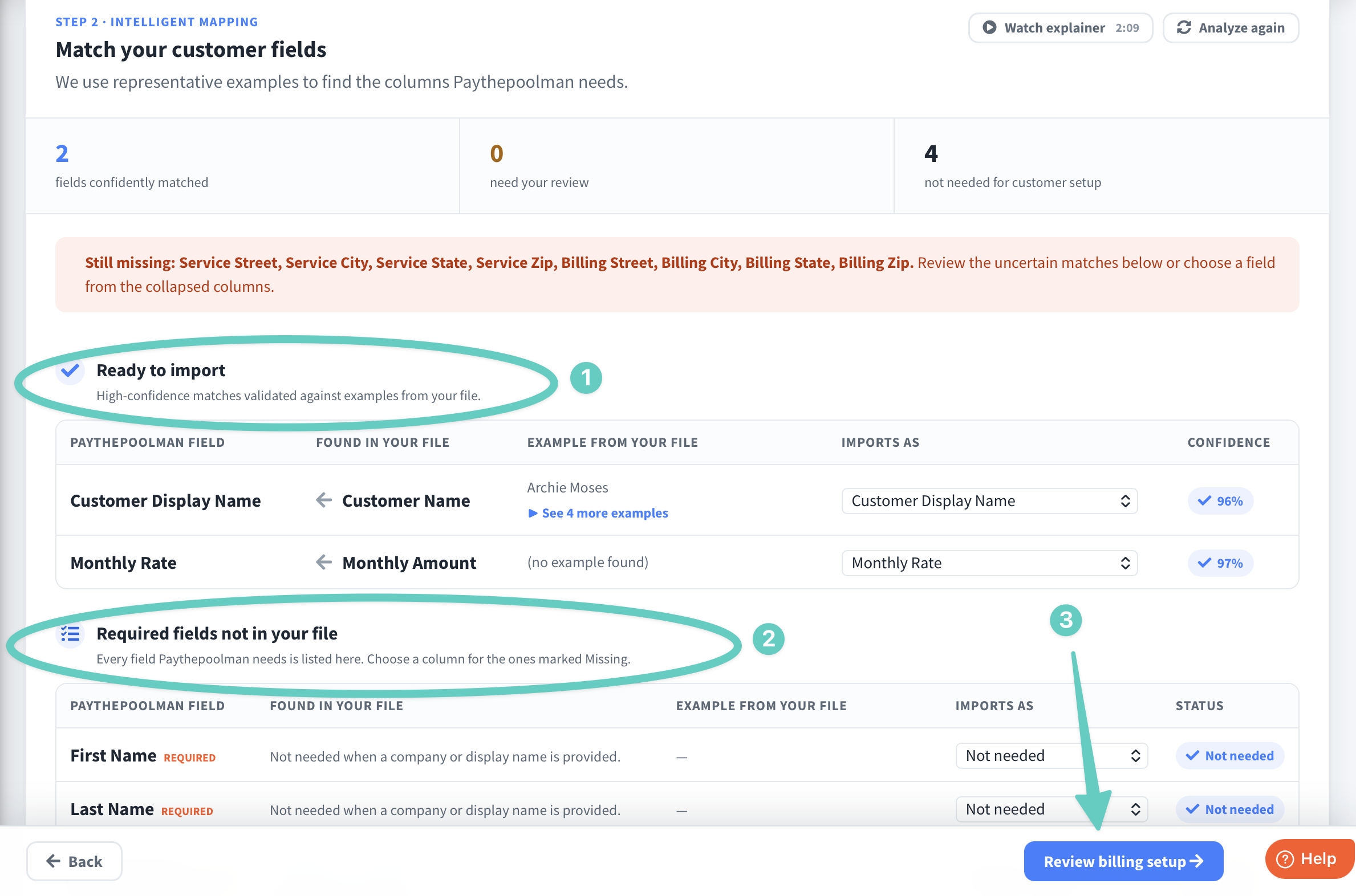
6. Here, you can see customers that are ready to import, and you can edit those who are missing information. Once you do so, you can click "Review billing setup" to move on and edit your billing preferences.
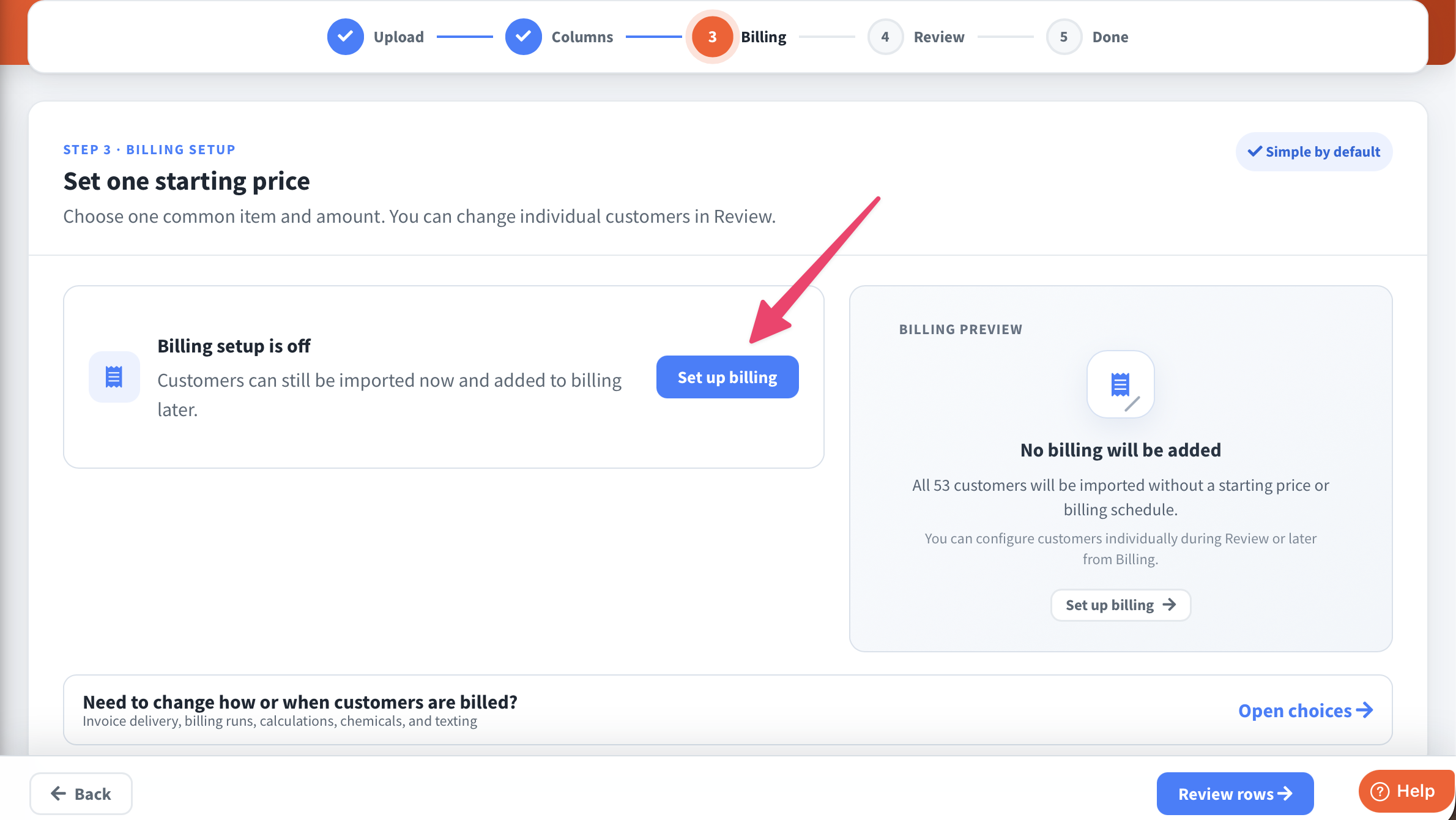
7. Here, you'll click "Set up billing"
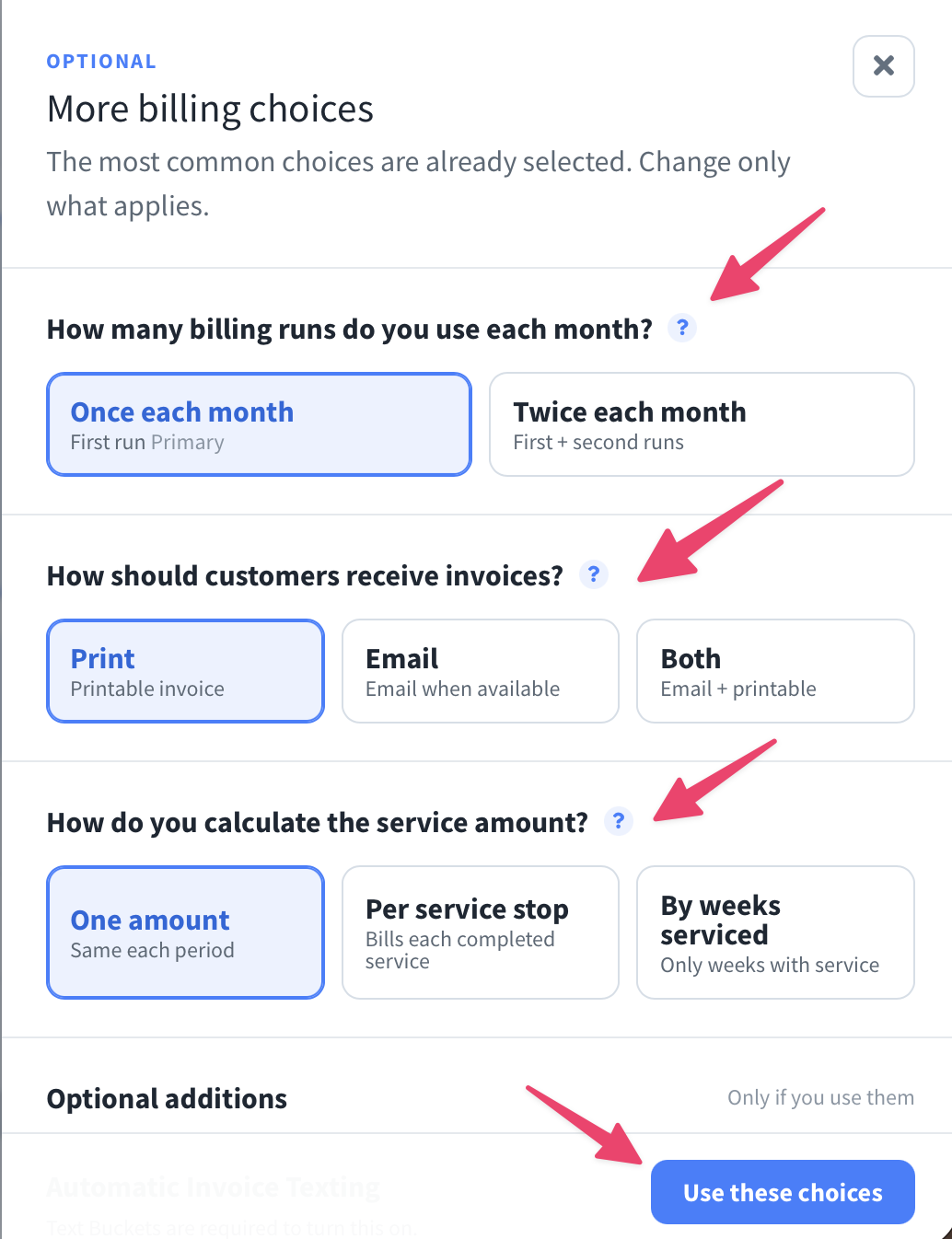
8. You can also change more billing preferences if you press "Need to change how or when customers are billed?" Once you're done, you can press "Use the choices."
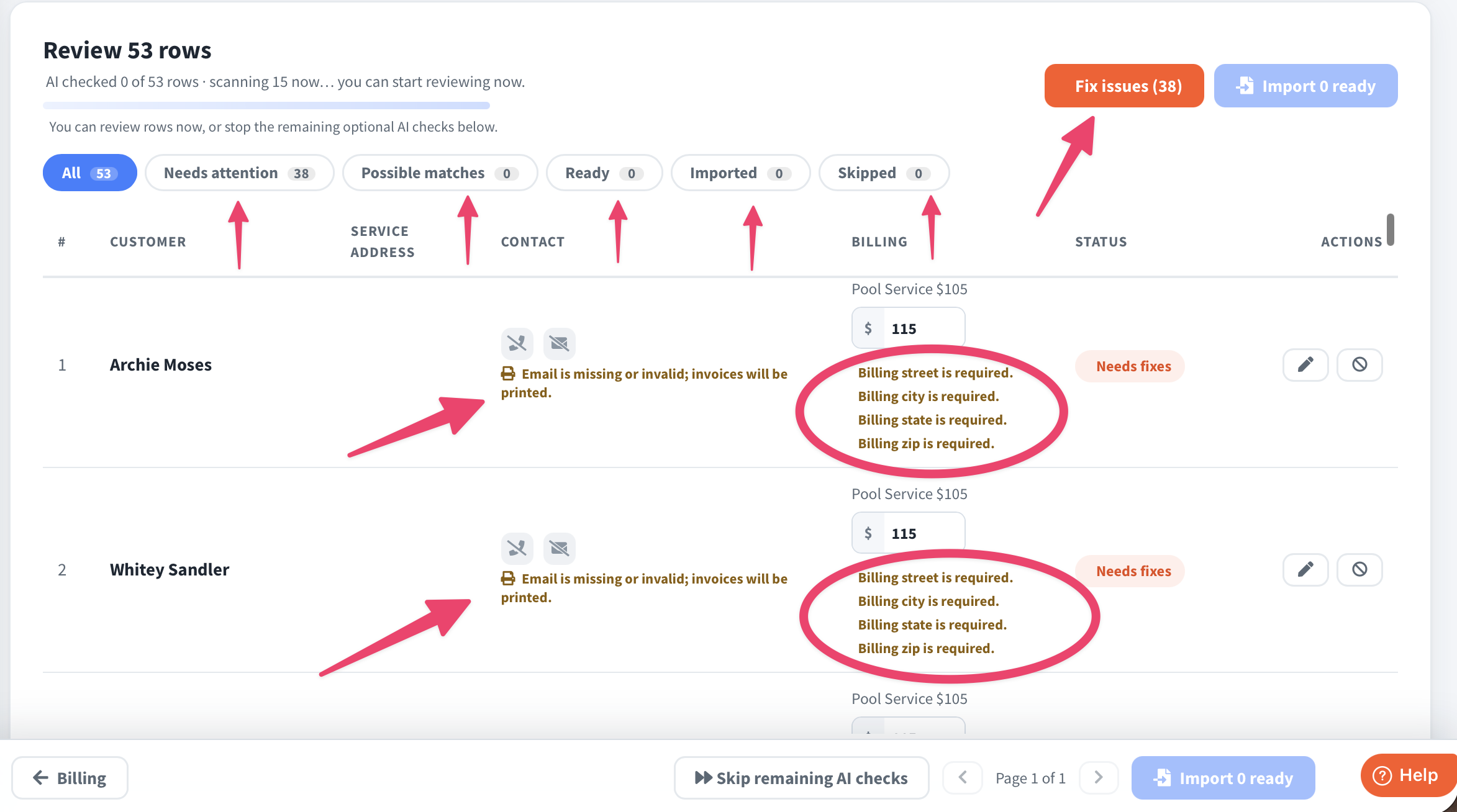
9. You're almost done! You should see this screen now. This is the final review of everything. You can check all the customers that need attention, customers that are ready, any already imported, and any skipped. You can also click "Fix Issues" or look at each individual customer to see what is still missing.
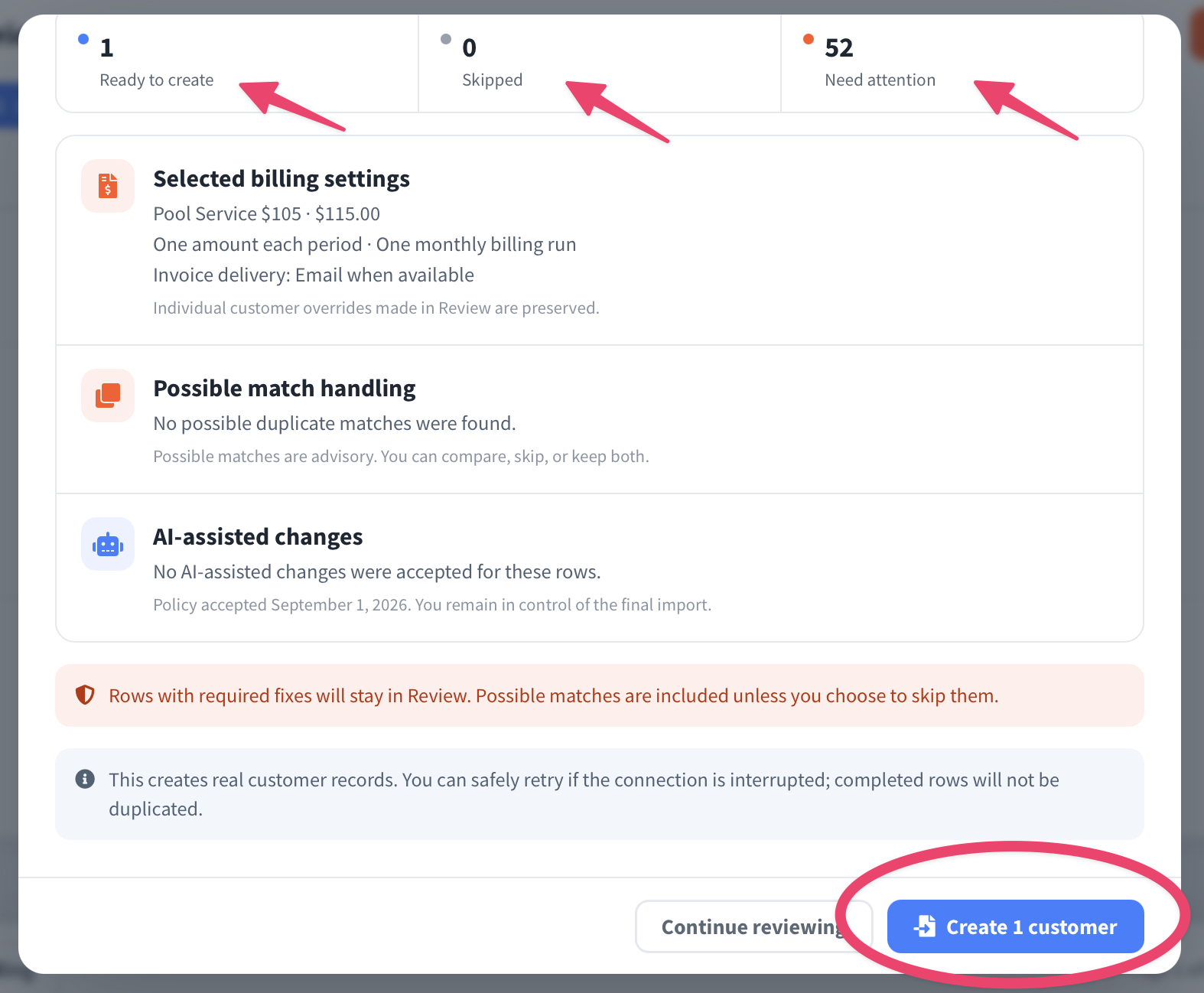
10. Now you'll click "Create [number] customers" - and obviously the number of customers will vary since everyone is importing a different amount.
That's how you use the AI Importer!
Please reach out to our Support Team if you have any further questions or need assistance at support@paythepoolman.com or call/text (951) 234 5166. Have a nice day!